eBay · 20 hrs ago
$300 $600
free shipping
more
↑ less
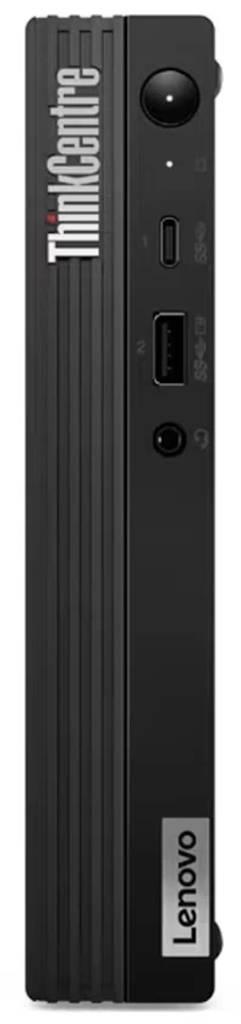
eBay offers the certified refurbished Lenovo ThinkCentre M75Q G2 Ryzen 5 Pro Desktop PC for $299.99 for a $40 low. Shipping is free. A 2-year Allstate warranty applies. Buy Now at eBay
Features
- AMD Ryzen 5
- 16GB of RAM and a 256GB SSD
- Windows 11 Pro
staff pick
New
Best Buy · 2 hrs ago
$51 $100
free shipping
more
↑ less
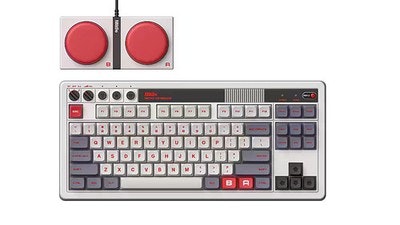
That's almost 50% off and the best price we've ever seen for this retro mechanical keyboard. It supports both Bluetooth and wireless connectivity via a 2.4GHz dongle. Buy Now at Best Buy
Features
- Mechanical keyboard compatible with Windows and Android
- Includes 8BitDo Dual Super Buttons for macros and instant remapping without software
- Includes 8BitDo fun stickers
- Backed by a 1-year manufacturer warranty on parts and labor
New
Amazon · 2 hrs ago
$25 $40
free shipping w/ Prime
more
↑ less
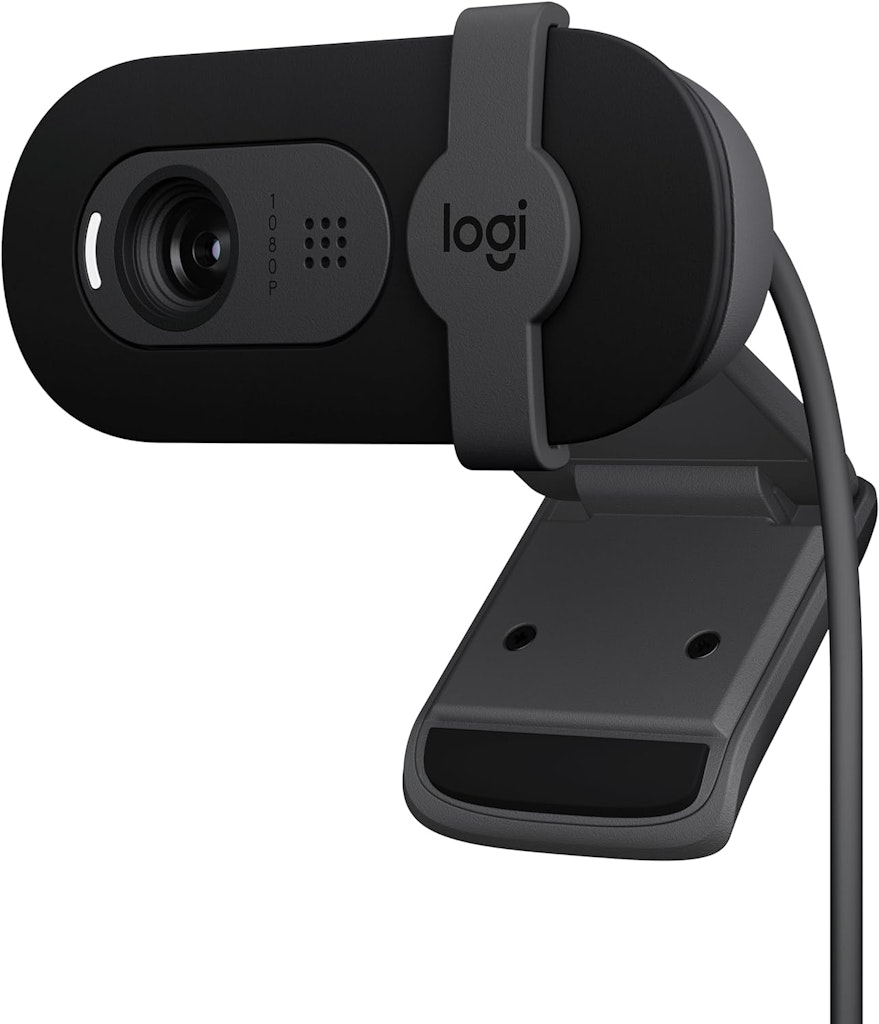
This Logitech Brio 101 webcam is $25, down from its regular price of $40, and matches its all-time low on Amazon. It includes a built-in privacy cover and microphone, and works right out of the box with Teams, Zoom, and Google Meet. Buy Now at Amazon
Features
- Full HD 1080p resolution
- Auto-light balance
- Built-in microphone
- Privacy shutter
- USB-A compatibility
New
Amazon · 2 hrs ago
$32 $60
free shipping w/ Prime
more
↑ less
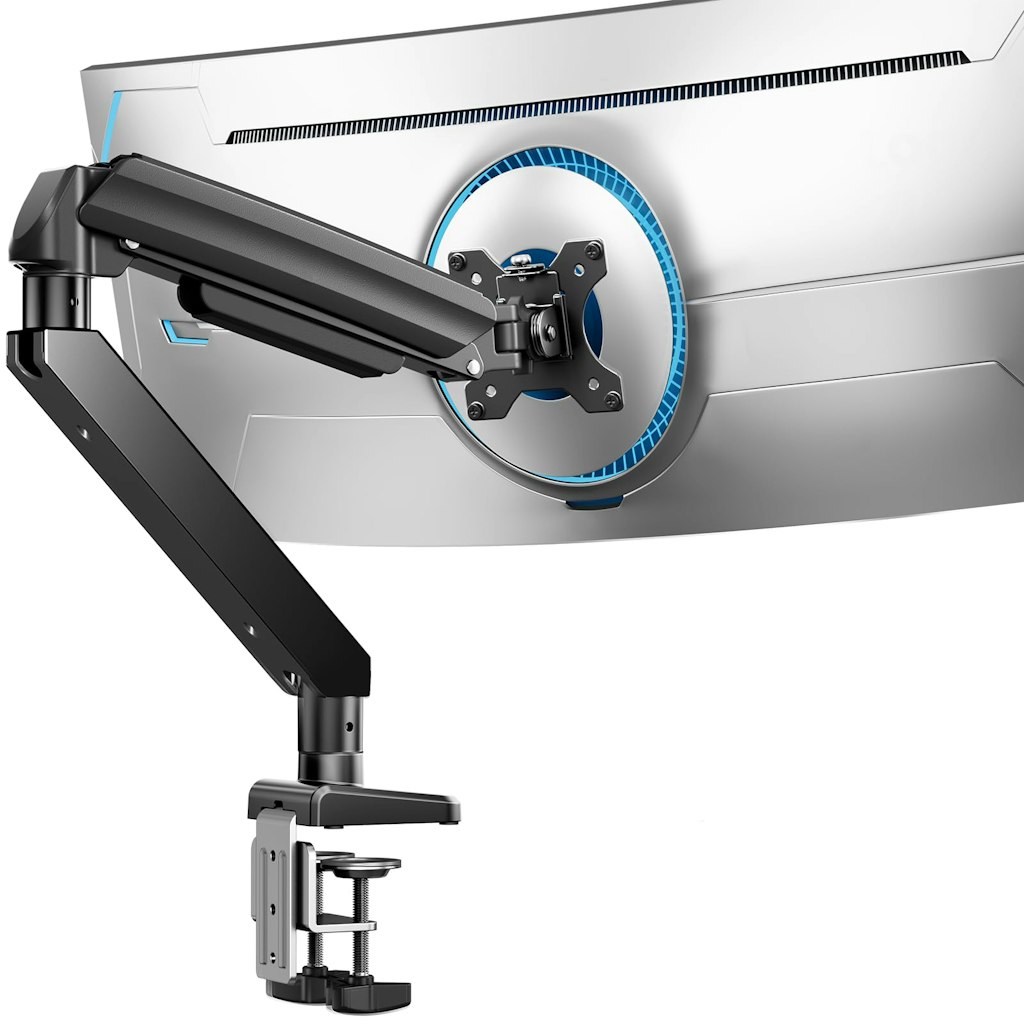
This ErGear monitor arm is $32, down from its $60 regular price. It holds monitors from 13" up to 49" and supports up to 37.4 lb., with a dual C-clamp design for added stability. Adjustment options include +70°/-50° tilt, ±90° swivel, and full 360° rotation, and it's backed by a 10-year warranty. Buy Now at Amazon
Features
- Fits 13"-49" monitors with VESA 75x75mm or 100x100mm mounting patterns
- Supports up to 37.4 lb.
- C-clamp fits desks 0.39"-3.15" thick, grommet mount fits 0.39"-2" thick
- Tilts +70°/-50°, swivels ±90°, and rotates 360°
- Arm extends up to 21.2" and raises monitor up to 22.2" high
- Backed by a 10-year warranty
eBay · 1 day ago
$220
free shipping
more
↑ less
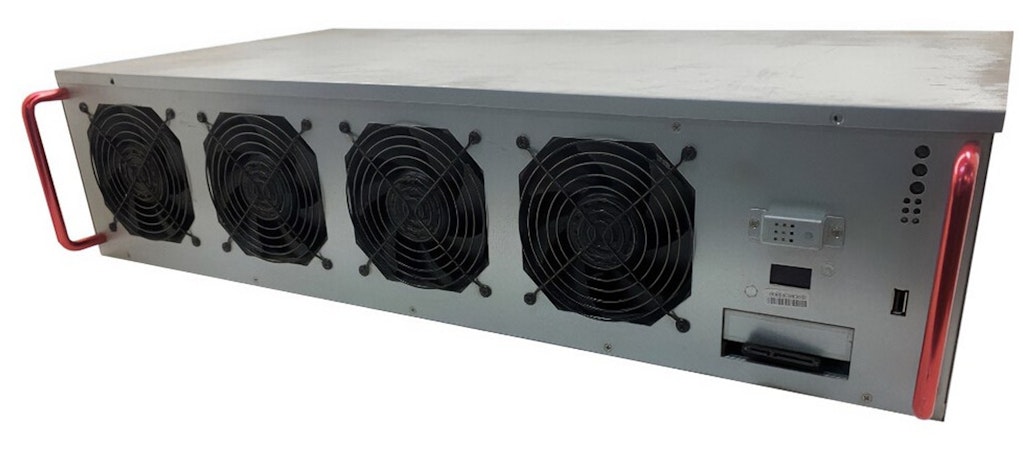
This Octominer X12Ultra frame holds 12 GPU slots and, according to Octominer, is designed to offer reliability, efficiency, and power savings through its build. The four included 750W power supplies mean buyers can populate it with graphics cards without sourcing separate power hardware, though the GPUs themselves aren't included. It's a bare frame purchase, so the value here comes down to avoiding the cost of buying a case, motherboard, and power supplies separately when building a GPU mining setup. Buy Now at eBay
Features
- 12-slot mining frame/case designed for GPU mining setups
- Includes Intel G4400T processor with 4GB of memory
- Four 750W power supplies included
- Uses an LGA1151 socket motherboard
- Sold without a graphics card (GPU)
- New, unused item in original packaging
Popular Deal
Micro Center · Jul 31, 2026
Popular Deal
$50 $60
in stores only
more
↑ less
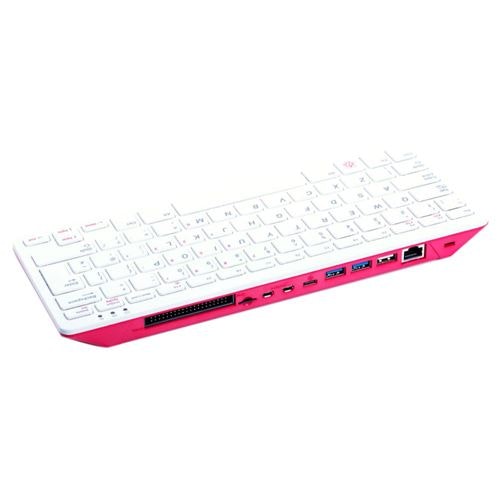
In stores only, MIcro Center offers the Raspberry Pi 400 with 4GB RAM for $49.99, down from $59.99, and cheaper than Amazon's current price of $98. The computer is built directly into a keyboard and includes 4K video output and wireless networking. It's available in select stores only. You can search for stock at your nearest store, directly on the product page. Buy Now at Micro Center
Features
- Built-in keyboard with quad-core 64-bit processor
- 4GB of RAM
- Wireless networking w/ Bluetooth 5.0
- Dual-display output w/ 4K video playback
- 2 USB 3.0 ports and 1 USB 2.0 port
- 40-pin GPIO header for add-on hardware
sponsored
Digitalkeysbox · 1 wk ago
$15 $35
more
↑ less
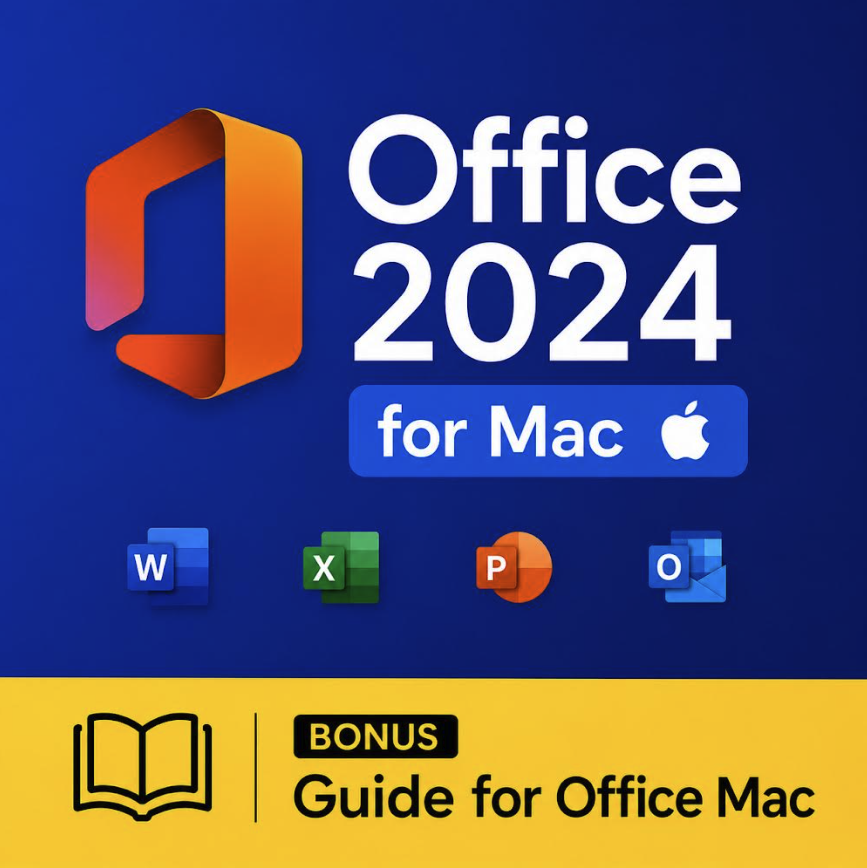
Use promo code "DNMACGUIDE" to get this bundle for $15, down from $35. DigitalKeysBox pairs Office Standard 2024 for Mac with a 170-page user guide that they wrote in-house. It is their own material, written for students and anyone setting Office up for coursework. This is the first time DigitalKeysBox are running Mac together with the guide, so the bundle is unique to them. Buy Now at Digitalkeysbox
Features
- One-time purchase for 2 Macs, no subscription
- Includes Word, Excel, PowerPoint, Outlook, and OneNote
- Compatible with macOS 13 Ventura and newer (Sonoma, Sequoia, Tahoe)
- Runs natively on Apple Silicon (M1 through M4) and Intel Macs
- Includes DigitalKeysBox's own 170-page user guide, written in-house, not a reprint
- Guide covers coursework step by step: documents and formatting, citations and references, spreadsheets, presentations, file management
- Instant digital delivery
Popular Deal
Woot! An Amazon Company · 1 day ago
Popular Deal
From $7, from $2 for new customers
free shipping w/ Prime
more
↑ less
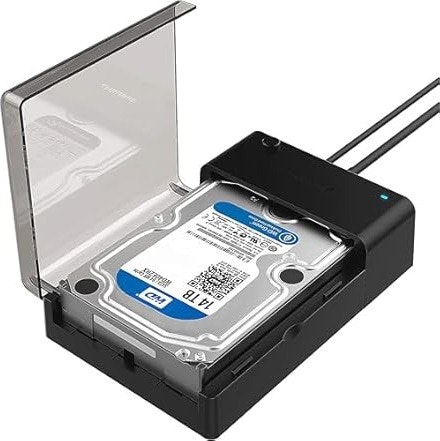
Woot is discounting a range of refurbished Sabrent docking stations and drive enclosures. Entering promo code "SABRENT" takes an extra $5 off, and new customers get $10 off, which drops the starting prices to just $7 (or $2 for new customers). Shipping is free for Prime members, too. The coupon ends September 4. Buy Now at Woot! An Amazon Company
Features
- Refurbished SATA and NVMe docking stations and enclosures
- Options range from single-bay enclosures to 10-bay hard drive docks
- Includes USB 3.0, USB 3.2, USB-C, USB4, and Thunderbolt 3 connections
- Some models support 2.5" and 3.5" SATA drives, others support M.2 NVMe SSDs
Popular Deal
Walmart · 1 day ago
Popular Deal
From $47
free shipping
more
↑ less
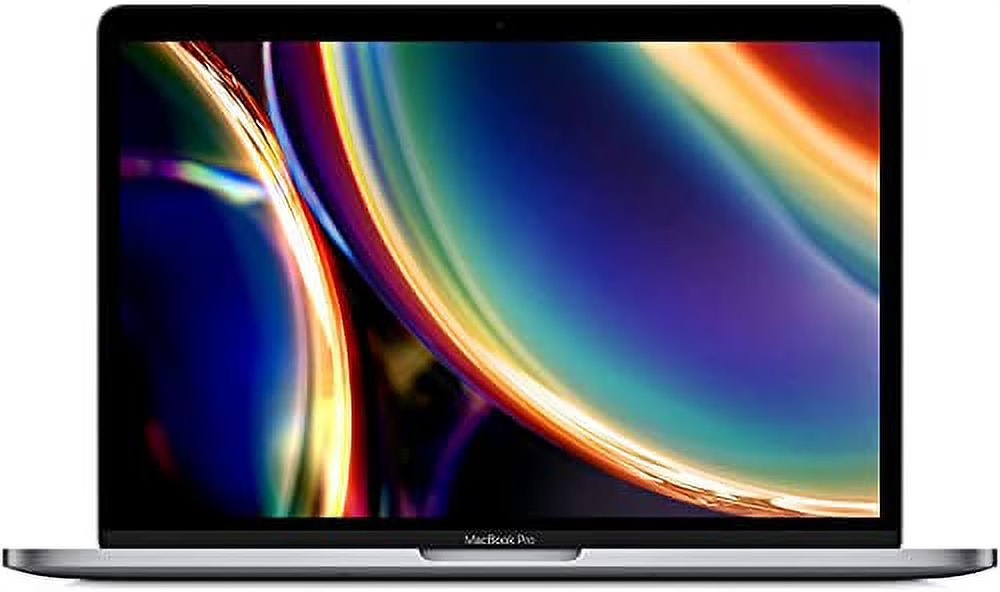
Walmart's Restored Laptops section features 1,000+ refurbished computers, with prices starting at $46.99 for a Lenovo 100E 11.6" touchscreen Chromebook. The selection includes Apple MacBooks, Dell Latitude and Precision business laptops, Lenovo ThinkPads, Chromebooks, and gaming laptops. Notable options include an Apple MacBook Pro for $299, an M1 MacBook Air from $394, and a Lenovo ThinkPad X13 Gen 2 with 16GB RAM for $278. Most of the listed models are in Like New condition, although condition varies by item. Shipping is free. Buy Now at Walmart
Features
- Includes restored Windows laptops and Chromebooks from Dell, Lenovo, HP, and Acer
- Restored Apple MacBook Air and MacBook Pro models included
- 1,000+ restored laptops
- Configurations include Core i3, i5, i7, and Apple M1 processors
- RAM options range from 4GB up to 32GB
- Storage options range from 16GB up to 1TB SSD
- Lenovo 100E 11.6" Touchscreen Chromebook for $46.99
- Apple MacBook Pro with Core i5, 8GB RAM, and 256GB SSD for $299
- Lenovo ThinkPad X13 Gen 2 with Core i5, 16GB RAM, and 256GB SSD for $278
Popular Deal
staff pick
Ends Today
Best Buy · 2 days ago
Popular Deal
$45 $130
free shipping
more
↑ less
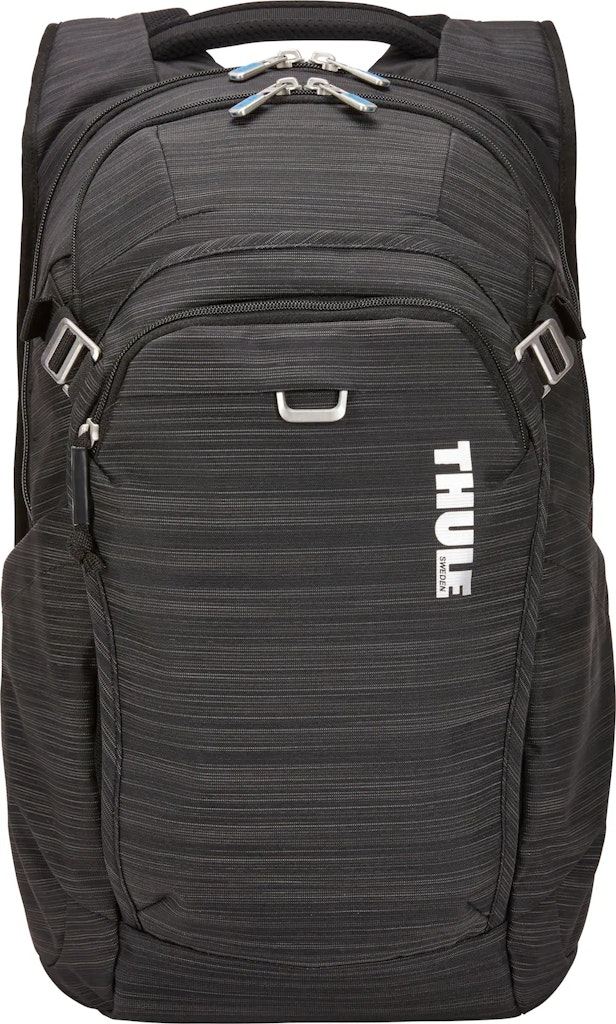
This Thule Contract 25L backpack is down to just $45 at Best Buy. You'd pay more than double this for most similar backpacks from this brand today at Amazon. It holds a 15.6" laptop and a 10.5" tablet in separate padded compartments and includes a pass-through strap for attaching it to rolling luggage. My Best Buy members get free shipping, too (it's free to join). This deal ends August 30. Buy Now at Best Buy
Features
- Padded, elevated pockets protect a 15.6" laptop and 10.5" tablet separately
- Soft-lined SafeZone pocket for a phone or glasses
- Internal zipped mesh pocket for cables and keys
- Expandable side pockets for a water bottle or accessories
- Pass-through strap attaches to rolling luggage
- Measures 18.9" x 12.6" x 4.3" and weighs 1.96 lb.
Popular Deal
Amazon · Jun 26, 2026
Popular Deal
$47 w/ Prime $70
free shipping
more
↑ less
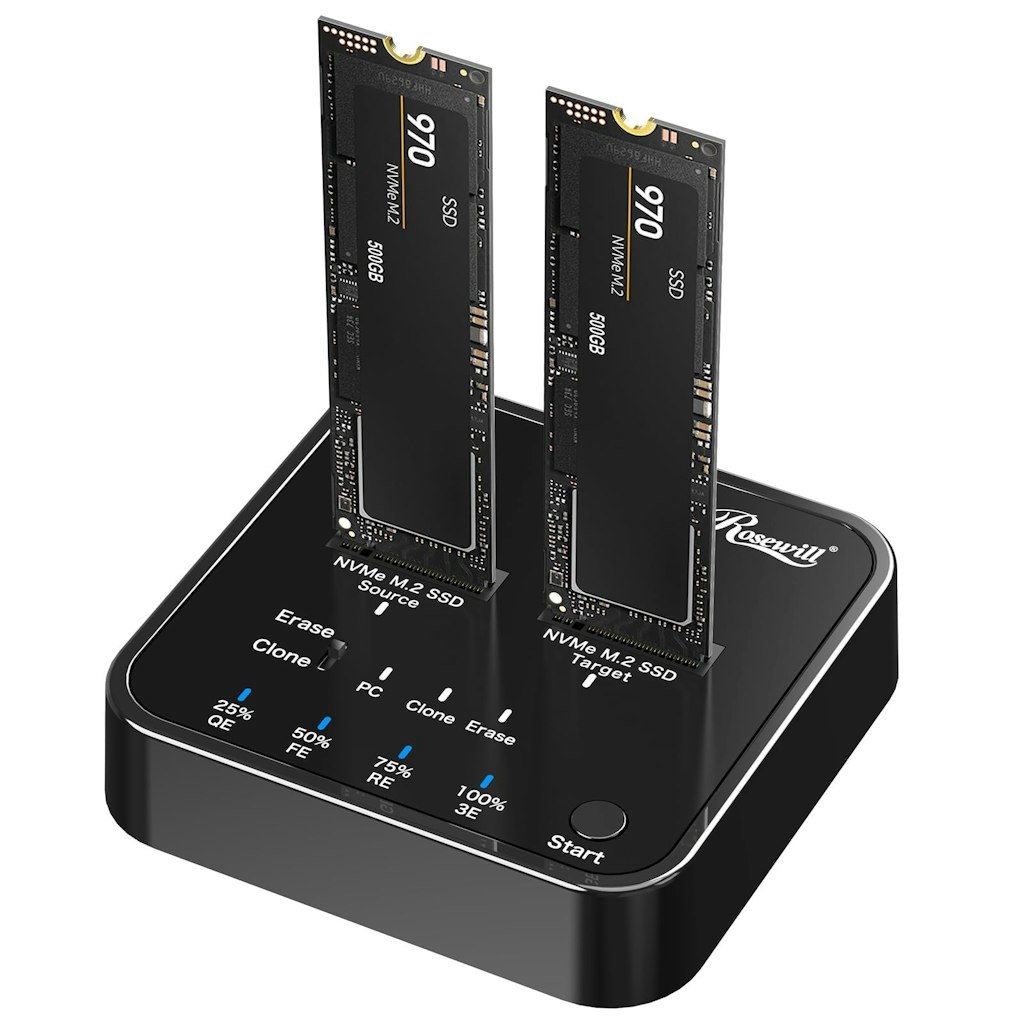
At Amazon, get the Rosewill M.2 NVMe Cloner + Eraser for $47. It's the best price we could find by $23. It supports offline cloning without a host computer and includes four erasure modes for data destruction, with transfer speeds up to 20Gbps via USB 3.2 Gen 2x2. Buy Now at Amazon
Features
- USB 3.2 Gen 2x2 (20Gbps) transfer speed
- Dual-bay M.2 NVMe enclosure
- Offline cloning (no host computer required)
- 4 erasure modes for data destruction
- Tool-free SSD installation
- Compatible with M-Key PCIe NVMe SSDs
Popular Deal

staff pick
Amazon · 2 days ago
Popular Deal
$3
free shipping w/ $25
more
↑ less
At Amazon Haul, get this 140L Folding Storage Bin for $3.45. It's the best price we could find by $2. Shipping is free on Amazon Haul orders of $25 or more. Buy Now at Amazon
Features
- 140-liter storage capacity
- Foldable design for easy storage when not in use
- Two carry handles for portability
- Zippered closure to keep contents secure
- Fabric construction
- Suitable for bedrooms, living rooms, and closets
Popular Deal
staff pick
Woot! An Amazon Company · 2 days ago
Popular Deal
$49 $180
free shipping w/ Prime
more
↑ less
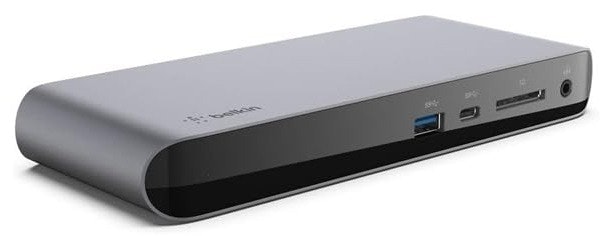
At Woot, get the Belkin Thunderbolt 3 Dock Pro for $49 when you use promo code "WOOTDOCK". It's the best deal we've seen for this model. The dock includes a Thunderbolt 3 cable and a 170W power supply, and it can deliver up to 85W of charging to a connected laptop while supporting dual 4K monitors. Coupon expires September 2. Buy Now at Woot! An Amazon Company
Features
- 12 ports total, including Thunderbolt, USB-A, USB-C, Ethernet, SD, and audio
- Supports dual 4K monitors at 60Hz
- Delivers up to 85W of power to charge a connected laptop
- Includes a 170W power supply unit
- Includes a 2.6-ft. Thunderbolt 3 cable
- Compatible with Mac and Windows laptops with Thunderbolt 3 or USB-C
sponsored
HP All-In Plan · 6 days ago
From $7.99 per month
free shipping
more
↑ less
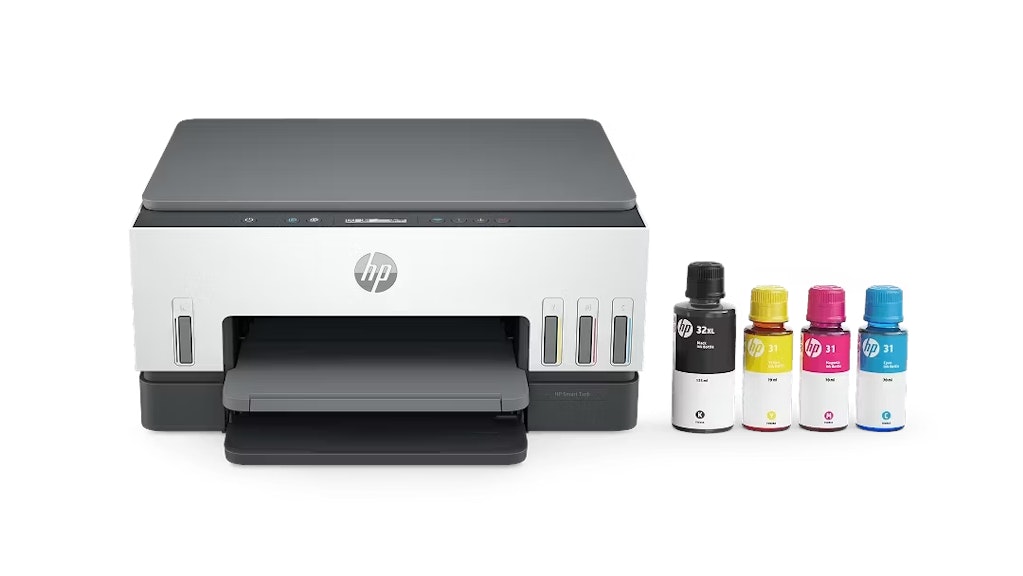
HP’s All-In Plan offers hassle-free printing from $7.99 per month, with a new HP printer, automatic ink delivery, continuous printer coverage, and shipping included. You'll get 24/7 Pro live support and replacement coverage if an issue can’t be fixed remotely.
The HP All-In Plan includes a 30-day risk-free trial with no upfront costs. Customers can sign up, pay nothing today, and receive the printer shortly after enrolling. If it’s not a fit within the first 30 days, they can return the printer at no cost. Buy Now at HP All-In Plan
Popular Deal
Woot! An Amazon Company · 4 days ago
Popular Deal
From $23
free shipping w/ Prime
more
↑ less
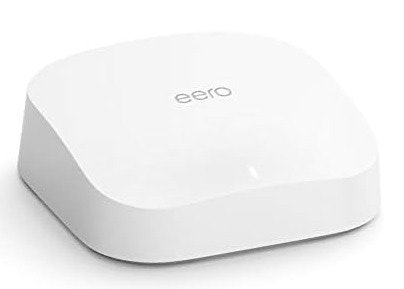
Woot's eero 6 sale includes several factory reconditioned mesh WiFi routers. You'll get an extra 40% off automatically at checkout, dropping starting prices to $23. This deal ends August 31. Buy Now at Woot! An Amazon Company
Popular Deal
Best Buy · 5 days ago
Popular Deal
From $189
free shipping
more
↑ less
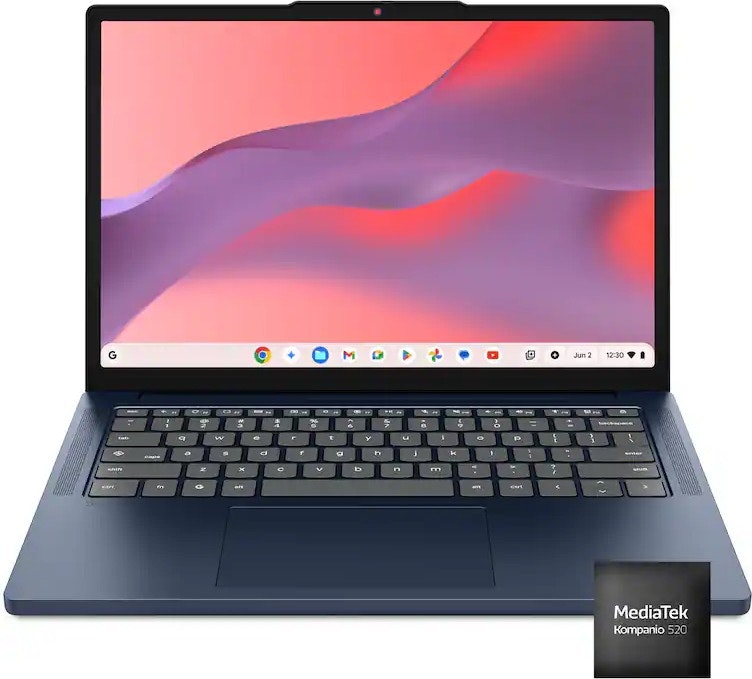
Over 40 laptops are discounted as part of this sale, with prices starting at $189. Brands on offer include Lenovo, HP, Asus, and more. Pictured is the Lenovo IdeaPad Slim 3 Chromebook 14" 2K Touchscreen Laptop for $199 ($220 off). Buy Now at Best Buy
Popular Deal
Ends Today
Woot! An Amazon Company · Aug 16, 2026
Popular Deal
From $6.99
free shipping w/ Prime
more
↑ less
Woot's Licensed to Save Software Sale covers a range of software licenses, from productivity tools to VPN services and games. Microsoft Project Professional 2024 is $49.99, down from $149.99, while Microsoft Office Home 2024 runs $114.99. Shoppers looking for lighter commitments can grab a one-month Microsoft 365 Personal subscription for $6.99. This deal ends August 31. Buy Now at Woot! An Amazon Company
Features
- Includes Microsoft Office Home 2024 and Microsoft 365 Personal and Family subscriptions
- Microsoft Project Professional 2024 and Visio Professional 2024 included
- Visual Studio Professional 2022 and 2026 versions available
- NordVPN Standard 1-Year VPN plan included
- Minecraft Java and Bedrock Edition digital code for Windows included
Popular Deal
Amazon · 5 days ago
Popular Deal
$12 $17
free shipping w/ Prime
more
↑ less
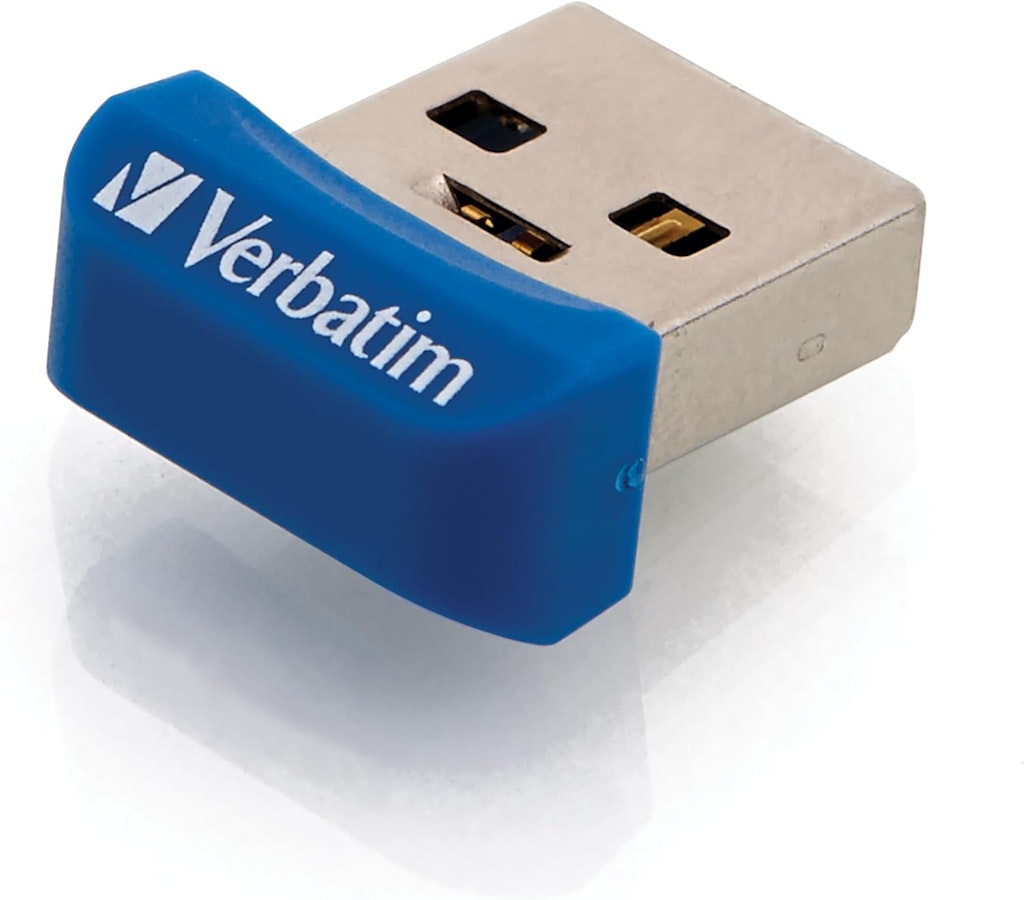
Amazon offers the Verbatim Store 'n' Stay Nano 32GB USB 3.0 Flash Drive for $11.91. That's an $8 low. Shipping is free for Prime members. Buy Now at Amazon
Popular Deal
Woot! An Amazon Company · 1 wk ago
Popular Deal
From $280
free shipping w/ Prime
more
↑ less
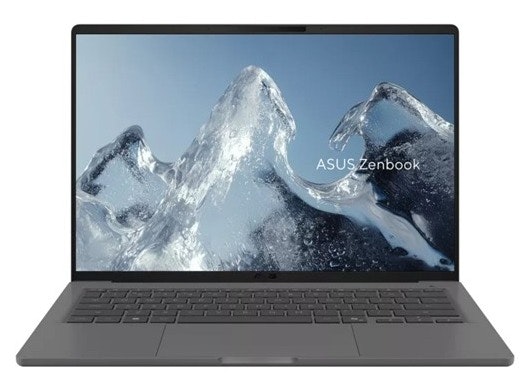
Woot has a wide range of refurbished laptops from Acer, ASUS, Dell, HP, and Lenovo, with prices starting at $279.99 for an HP Pro x360 Fortis G10. Shoppers looking for a business-style machine or a touchscreen 2-in-1 have several options to choose from across brands and screen sizes. The sale runs through September 6. Buy Now at Woot! An Amazon Company
Newegg · Jun 30, 2026
$17,999 $19,999
free shipping
more
↑ less
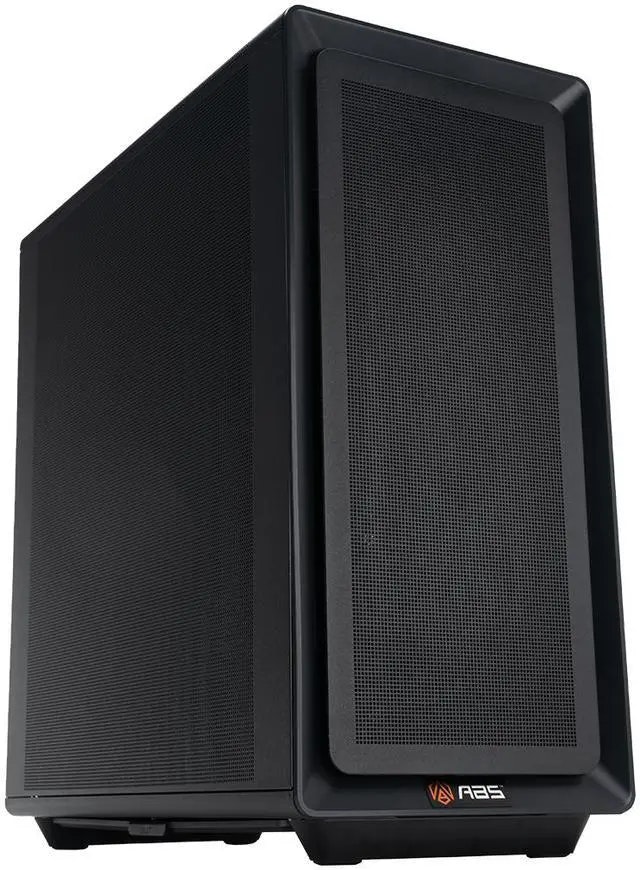
Newegg offers the ABS Zaurion Ruby AI Workstation with an AMD EPYC 4565P processor and NVIDIA RTX Pro 6000 Blackwell 96GB GPU for $17,999. That's $2,000 off and includes free shipping. Considering the RTX Pro 6000 Blackwell GPU alone sells for over $13,000, you're getting the rest of this professionally built workstation for a surprisingly reasonable premium.
Of course, unless your idea of a light workload involves training AI models or rendering feature films, this is probably just a tiny bit more computer than you need. Buy Now at Newegg
Features
- NVIDIA RTX Pro 6000 Blackwell GPU with 96GB GDDR7 ECC
- AMD EPYC 4565P 16-core processor with liquid cooling
- 128GB DDR5 ECC memory and dual 2TB NVMe SSDs
- Ubuntu with pre-installed OpenClaw AI Agent
sponsored
Digitalkeysbox · Jul 28, 2026
$10 $30
digital download
more
↑ less
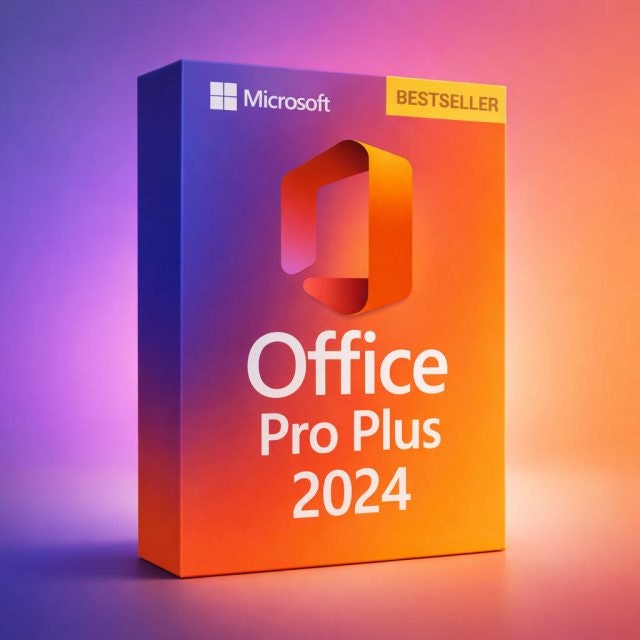
Get a lifetime license to Microsoft Office Professional 2024 for Windows 10/11 for just $9.99 with code "OFFICEPRO99" (reg. $29.99). This is a one-time payment with no subscription. It's the full Professional edition and includes Word, Excel, PowerPoint, Outlook, Access, Publisher, and OneNote. Delivery is instant and your license key and download instructions arrive by email right after checkout. This is a limited-time offer for one PC. Buy Now at Digitalkeysbox
Features
- One-time purchase, not a subscription. Yours forever.
- Genuine license. Includes Word, Excel, PowerPoint, Outlook, OneNote, & Access.
- Instant digital delivery within minutes.
- For Windows 10 / 11.
sponsored
Digitalkeysbox · 1 wk ago
$12 $35
digital download
more
↑ less
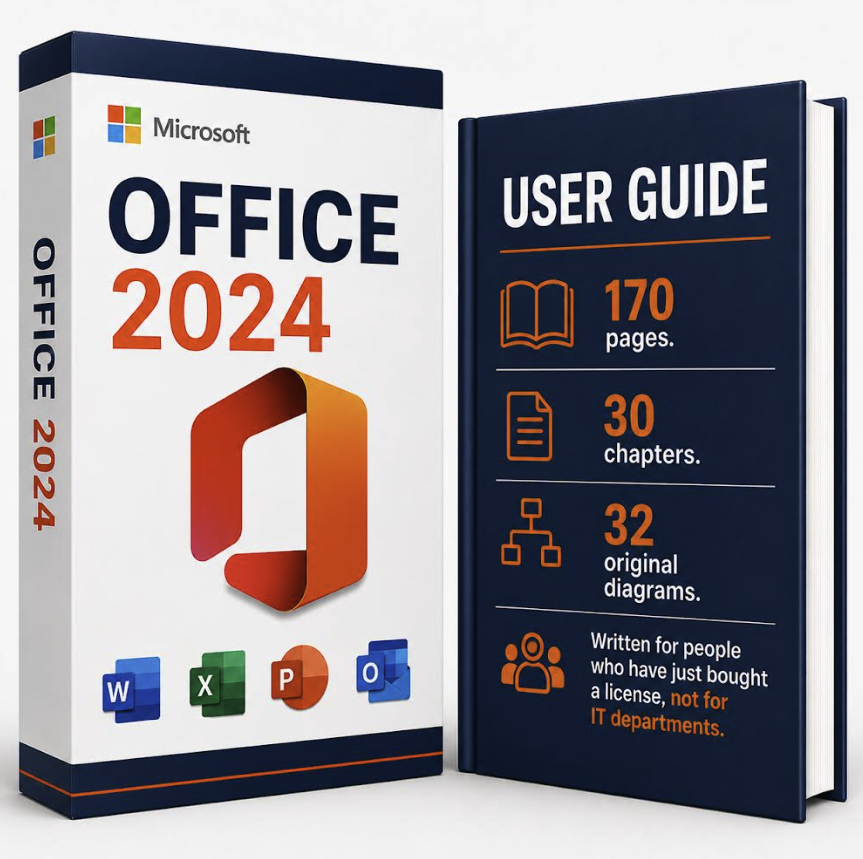
Get a lifetime license to Microsoft Office Professional 2024 for Windows 10/11, plus a 170-page user guide, for just $11.99 with code "DNGUIDE" (reg. $34.99). This is a one-time payment with no subscription. It's the full Professional edition and includes Word, Excel, PowerPoint, Outlook, Access, and OneNote.
The guide is published by Digitalkeysbox and covers Word, Excel, PowerPoint and Outlook across 30 chapters, with a Word template, a PowerPoint template and an Excel formula workbook included. Delivery is instant, and your license key, download instructions, and guide arrive by email right after checkout. This is a limited-time offer for one PC. Buy Now at Digitalkeysbox
Features
- One-time purchase, not a subscription. Yours forever.
- Genuine license. Includes Word, Excel, PowerPoint, Outlook, OneNote, & Access.
- 170-page user guide included. PDF, yours to keep.
- Three companion files: Word template, PowerPoint template, Excel workbook.
- Instant digital delivery within minutes.
- For Windows 10 / 11.
sponsored
HP All-In Plan · 1 wk ago
From $7.99 per month
free shipping
more
↑ less
HP’s All-In Plan offers hassle-free printing from $7.99 per month, with a new HP printer, automatic ink delivery, continuous printer coverage, and shipping included. You'll get 24/7 Pro live support and replacement coverage if an issue can’t be fixed remotely.
The HP All-In Plan includes a 30-day risk-free trial with no upfront costs. Customers can sign up, pay nothing today, and receive the printer shortly after enrolling. If it’s not a fit within the first 30 days, they can return the printer at no cost. Buy Now at HP All-In Plan
sponsored
HP All-In Plan · 5 days ago
From $7.99 per month
free shipping
more
↑ less
HP’s All-In Plan offers hassle-free printing from $7.99 per month, with a new HP printer, automatic ink delivery, continuous printer coverage, and shipping included. You'll get 24/7 Pro live support and replacement coverage if an issue can’t be fixed remotely.
The HP All-In Plan includes a 30-day risk-free trial with no upfront costs. Customers can sign up, pay nothing today, and receive the printer shortly after enrolling. If it’s not a fit within the first 30 days, they can return the printer at no cost. Buy Now at HP All-In Plan
sponsored
Digitalkeysbox · Jul 14, 2026
$18 $40
digital download
more
↑ less
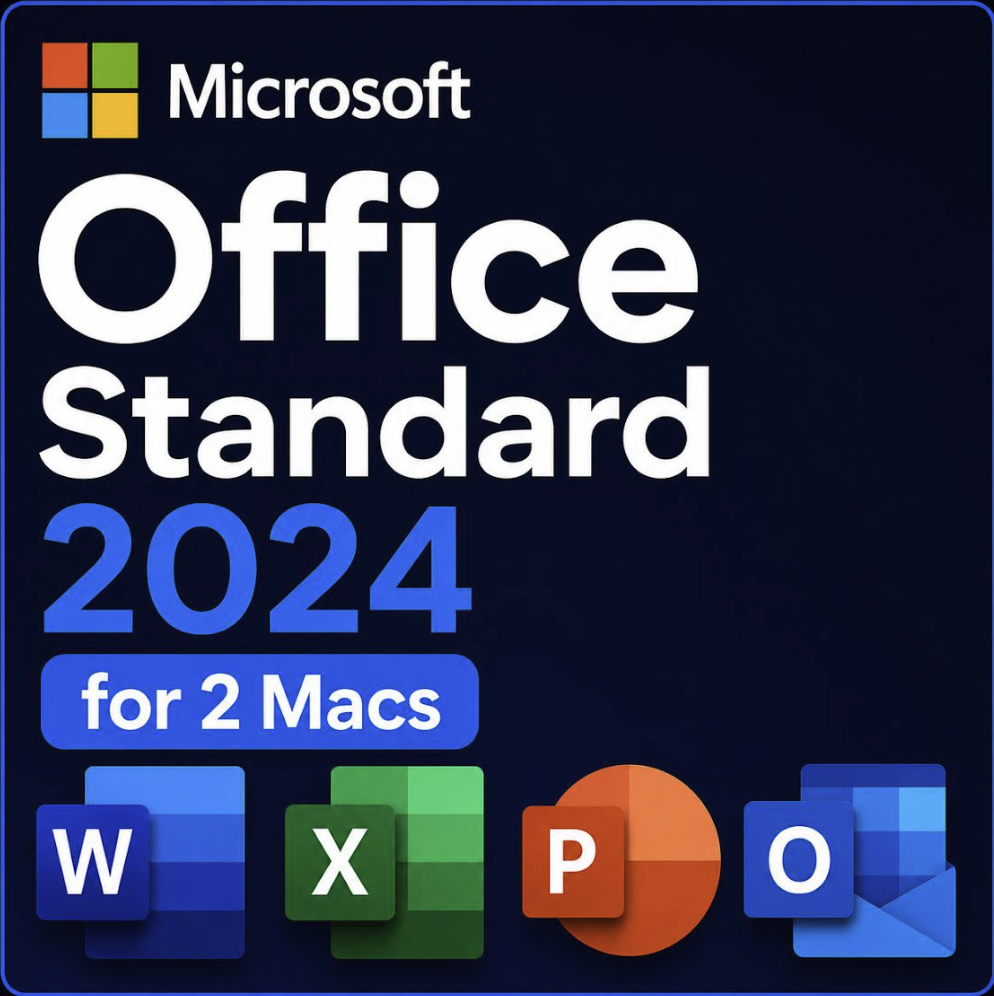
As of July 13, Office 2019 for Mac has switched to reduced functionality mode (files can be opened and printed but not edited or saved). For users looking for a no-subscription fix and one that's well under the cost of a single year of Microsoft 365, DigitalKeysBox is offering the Microsoft Office Standard 2024 for Mac 2-Device Lifetime License on sale for $17.99 (reduced from $39.99) via promo code "DEALMAC2024" applied in cart.
Buy Now at DigitalkeysboxFeatures
- One-time purchase for 2 Macs, no subscription
- Includes Word, Excel, PowerPoint, Outlook, and OneNote
- Compatible with macOS 13 Ventura and newer (Sonoma, Sequoia, Tahoe)
- Not affected by the July 13 certificate expiration
- Instant digital delivery
- Free replacement guarantee
Computers: The Basics
Shopping for computers doesn’t have to drain your savings — if you know how to find the best prices. Our team of experts review the sales and publish the best computer deals so you don’t have to work half as hard.
How to Save on Streaming Services
Computers: The Basics
Shopping for computers doesn’t have to drain your savings — if you know how to find the best prices. Our team of experts review the sales and publish the best computer deals so you don’t have to work half as hard.
Basic Computer Terminology
You don’t have to be a tech wiz to buy your next computer. Make note of these common terms to help you when you’re shopping computer sales!
- Operating System (OS): This is the system that controls how your computer performs basic functions. The most common operating systems you’ll see right now are Windows 10 and Mac OS X. They perform comparably, so picking one relies on personal preference.
- Random-access memory (RAM): The short-term memory of your computer. Your RAM controls how quickly and efficiently your computer is able to switch between tasks. The higher the RAM, generally, the better the performance.
- Processor (CPU): The powerhouse or “brain” of the computer, your processor handles your computer’s basic instructions, such as using your mouse and keyboard, or running applications. The two most popular CPU manufacturers are AMD and Intel. You can read about which processor is right for you in this article from Digital Trends.
- Storage: There are two types of physical computer storage, hard drives (HD) and solid state drives (SSD). SSD storage is more common these days because they are more stable and faster. While it’s ideal to aim for greater storage space, a bigger drive will cost more money. Determine your storage needs based on how you plan to use your computer. Abt recommends starting with at least 500 GB of storage space.
Additionally, some providers, like Verizon, offer streaming perks with select plans, giving you months of access to services like Disney+, Hulu, and ESPN+ at no extra cost. Annual payment options can also help you save, as they often come with a discount equivalent to getting one or two months free. For those on a budget, ad-supported plans provide the same great content at a fraction of the cost. Visit our Disney+ Subscription Cost page to explore pricing and options.
What Deals Are Available on Disney+ Bundles?
Disney+ bundle deals provide significant savings when combining services. For example, the Verizon Disney Bundle offered six months of Disney+, Hulu, and ESPN+ for free with select Unlimited plans. Bundles like the Disney+ Premium annual plan ($159.99) save you the cost of two months compared to monthly payments. Bundle options like the ad-supported Duo Basic plan (Disney+ and Hulu) start at $10.99 per month, while ad-free Duo Premium is $19.99. Learn more on the Disney+ Bundle Deals page.
You can also explore seasonal and promotional deals during events like Black Friday to maximize your savings. Check out the Best Disney+ Deals page for current offers.
How Much Is a Disney+ Subscription?
Disney+ subscriptions currently start at $8 per month for the ad-supported Basic plan, while the Premium ad-free plan is priced at $13.99 per month or $139.99 annually. Prices will increase beginning October 17, 2024, with the Premium plan rising to $15.99 per month or $159.99 annually. Explore all pricing options on the Disney+ Subscription Costs page.
Best Disney+ Deals
Disney+ offers value-packed streaming bundles, such as the Disney+, Hulu, and Max bundle starting at $17 per month with ads or $30 per month ad-free. Disney+ also supports paid sharing, allowing you to add one extra member for $6.99 per month with Basic or $9.99 per month with Premium. Prices are increasing on October 17, 2024, so finding deals like these is more important than ever. For more information, visit our Best Disney+ Deals page.
Best Disney+ Deals
Disney+ offers value-packed streaming bundles, such as the Disney+, Hulu, and Max bundle starting at $17 per month with ads or $30 per month ad-free. Disney+ also supports paid sharing, allowing you to add one extra member for $6.99 per month with Basic or $9.99 per month with Premium. Prices are increasing on October 17, 2024, so finding deals like these is more important than ever. For more information, visit our Best Disney+ Deals page.
Annual Disney+ Subscription Costs
Disney+ Premium annual plans cost $139.99 but will rise to $159.99 on October 17, 2024. Opting for the annual plan saves you the equivalent of two months compared to monthly billing. Note that annual payments are only available for standalone Disney+ Premium plans and not for bundles. Customize your subscription to include ad-supported or ad-free options with Hulu, ESPN+, or Max. See all pricing details on the Disney+ Subscription Cost page.
Basic Computer Terminology
You don’t have to be a tech wiz to buy your next computer. Make note of these common terms to help you when you’re shopping computer sales!
- Operating System (OS): This is the system that controls how your computer performs basic functions. The most common operating systems you’ll see right now are Windows 10 and Mac OS X. They perform comparably, so picking one relies on personal preference.
- Random-access memory (RAM): The short-term memory of your computer. Your RAM controls how quickly and efficiently your computer is able to switch between tasks. The higher the RAM, generally, the better the performance.
- Processor (CPU) : The powerhouse or “brain” of the computer, your processor handles your computer’s basic instructions, such as using your mouse and keyboard, or running applications. The two most popular CPU manufacturers are AMD and Intel. You can read about which processor is right for you in this article from Digital Trends.
- Storage: There are two types of physical computer storage, hard drives (HD) and solid state drives (SSD). SSD storage is more common these days because they are more stable and faster. While it’s ideal to aim for greater storage space, a bigger drive will cost more money. Determine your storage needs based on how you plan to use your computer. Abt recommends starting with at least 500 GB of storage space.
Basic Software for Your PC
When you start using your new computer, you’ll want to install some basic software to get going. Most pre-built computers come with a suite of software pre-installed with the OS.
Productivity Tools
Whether you opt for a package like Microsoft Office or iWork, opt for freeware like Open Office, or choose an online software pack like G Suite, it’s always a good idea to install a productivity software to help you with tasks like making spreadsheets, word processing, and viewing PDFs.
Internet Browser
Microsoft Edge and Safari are the standard browsers that come with a new computer, but many shoppers rely on browsers like Google Chrome or Mozilla Firefox.
Cloud Storage
Not only does cloud storage give you more space than the limited physical storage on your PC, but it also gives you access to your files anywhere. Many companies like Google or Dropbox offer a limited amount of free cloud storage.
Antivirus Software
Antivirus tools do more than simply keep viruses at bay; they also protect against malware, phishing, adware, spyware, and more. Windows 10 comes with Microsoft Security Essentials as a default, and security options are built into Mac OS X (as opposed to a standalone program). That said, antivirus suites like Norton, McAfee, and Bitdefender may offer you more protection.
Media Player
Many laptops and desktops no longer include a physical media drive. If you plan on watching any videos locally (not streamed online), it’s useful to have a media player. Typically, this software is built in, but check out this list for some info on the best media players for Windows 10 and this one for Mac.
Music Player
Not to be confused with a media player, a good music application is worth installing on your computer. Spotify, iTunes, and Pandora are some common favorites that give you access to a practically limitless selection. The desktop versions make it easier to browse and build playlists.
Computer Deal Subcategories
DealNews offers the best deals on computers and computing accessories. You can browse our deals in different categories including, but not limited to:
Whether you’re looking for a new work laptop, or want to find a quality gaming system, check out our selection of the best laptop deals here.
Did you know you should replace your computer every 4 to 5 years to keep up with the latest performance and security updates? Check out the best computer deals for your next desktop here.
Did you know that DealNews first launched as a deal website for Apple Macintosh products? While we’ve grown significantly since then, we still know how to find the best Apple computer deals!
Maybe you’re in the market for a larger streaming device for your kids, or maybe you’d like a device to serve as your e-reader (with a few extra perks). Whatever you’re searching for, check out the best tablet and iPad deals here.
- Peripherals
Routers , monitors , input devices , and more! These devices make using your computer more comfortable and practical. Be sure you search our site to save big!
When shopping computer sales, check out DealNews before going anywhere else, so you know you’ll always find the best deals!
Frequently Asked Questions
Should I purchase a laptop or desktop?
It’s important to review your needs before buying a laptop or desktop computer.
- What’s your budget? Because they’re bigger and more modular, desktop computers tend to outperform laptops. A desktop’s customizability means your budget can go a lot further. However, laptops have other advantages over desktops.
- Do you need portability? High-end laptops are generally more expensive, but a laptop will always win the portability debate.
- How much power do you need? Desktops have more room to work with, so you can add more RAM, more storage, a bigger graphics card, and other performance improvements. But if you don’t need all that, then a mid-tier laptop may be the cheaper choice.
- Are you a gamer? Laptops that are built for gaming are among the most expensive on the market. That said, if you’re not comfortable selecting individual pieces to build a gaming desktop, you may be willing to pay a premium to get that performance.
- Don’t forget the repairs. If you’re handy, you can often repair or replace parts in a desktop computer with the help of online guides. Most laptops require specialized tools and skills to repair, so desktop fixes tend to be cheaper.
Overall, desktop computers have a lot of advantages, but the lack of portability can be a deal breaker. No matter what you decide, be sure to check out specs and buying guides from the DealNews Blog and other reputable sources like CNET or PCMag. Then shop DealNews for the best computer deals!
How do I get my external hard drive to show up?
Once you’ve ensured that your external drive is plugged in and powered on, check out these steps from PCMag:
- Try a different USB port.
- Try a different PC.
- Update your drivers.
- Format the drive.
What is a VPN?
VPN stands for “virtual private network.” A VPN protects your internet usage by routing your internet connection through a private server. Using a VPN keeps your online browsing more private and also grants you access to websites and content that may not be available in your country.
For more information about VPNs, visit our NordVPN Free Trial Guide and our NordVPN Subscription Cost Page.
How can I boost my WiFi signal?
When your internet connection seems impossibly slow, the cause isn’t your provider, but your WiFi signal strength. Check out these options to boost your WiFi signal:
- Update your router firmware. Each router is different, but you can typically use the steps found here to run updates.
- Place your router in the most optimal space. You want to place your wireless router away from walls or obstructions. If possible, put it in the most central place in your home.
- Pick a different frequency. If you have a dual-band router, try using the 5GHz band. This band offers higher speeds and may get an additional boost if fewer devices are connected to it.
- Change the channel. While most routers will automatically choose the channel with the least congestion, some cheaper routers may require you to manually update it.
- Upgrade your router. How old is your current router? If it's a previous-generation 802.11b model, upgrading could improve your wireless signal. If you already have a newer 802.11n or Wi-Fi 6 router, you're in good shape.
- Replace the antenna. You may boost your signal by adding or replacing an external antenna. PCMag recommends purchasing one marked “high-gain” and opting for a directional antenna rather than an omnidirectional one.
- Add a wireless range extender. If you only want to boost coverage in one or two rooms, a WiFi extender can help you eliminate dead spots. Check out this guide from the DealNews Blog.
Switch to a mesh WiFi system. Wireless mesh networking is becoming more popular because it can provide more complete coverage throughout the home. Mesh systems replace your router and work seamlessly to eliminate coverage gaps.
By: Kristen Harris, Manager
A Georgia girl with three years of experience in IP Law and grounded in understanding marketing and consumer motives. When she's not working with the fabulous staff of DealNews, you can find her whining at rowing practice and browsing the Hot Deals on the site.
Want to know the moment we post a great deal on Computers?
Create an Alert