Sling TV Free Trial: How To Get A 30-Day Trial in June 2026

Sling TV, which is celebrating its 10-year anniversary in 2025, carved out a special niche in the streaming industry by combining on-demand video with live television broadcasts. Subscribers can live catch sports, news, and entertainment, customize their channel lineup, and record shows to DVR. If you're eyeing Sling TV, you might wonder what it costs and what deals or free trials exist. Let's break things down to see how much you can save.
How To Stream Sling For Free This May
Sling TV Orange 1-Day Pass
$4.99Get a Sling TV Orange 1-Day Pass for $4.99. There are no refunds once activated. Other fees and exclusions may apply. This offer ends December 31, 2026.
Sling TV Orange 3-Day Pass
$9.99Get a Sling TV Orange 3-Day Pass for $4.99. There are no refunds once activated. Other fees and exclusions may apply. This offer ends December 31, 2026.
Sling TV Orange 7-Day Pass
$14.99Get a Sling TV Orange 7-Day Pass for $4.99. There are no refunds once activated. Other fees and exclusions may apply. This offer ends December 31, 2026.
Sling TV Day Pass Deal
$1 Day PassBuy a 1-, 3-, or 7-Day Pass for Sling TV from March 19 through March 22, and if a 12-16 seed reaches the final 16, you'll get your next Day Pass for $1. Sling says eligible customers should watch their email to claim the $1 pass if the promotion triggers. Passes are one-time subscriptions, programming availability is limited to the United States, and blackout restrictions may apply. Deal ends March 22.
Sling TV Student Discount
$10 off for 6 monthsStudents can get $10 off for six months on Sling Orange, Sling Blue, or Sling Orange + Sling Blue through Student Beans. Verify your student status to access the Sling TV education store and unlock the discount. After the promo period, pricing starts at $45.99 for Sling Orange or Sling Blue and at $60.99 for Sling Orange + Sling Blue unless you cancel online. This offer is available only to new customers, and availability may vary by geographic location. This deal ends December 31.
Sling TV Orange Subscription
from $4.99/mo.The Sling TV Orange Subscription starts as low as $4.99 per month. You can get 1-day, 3-day, 7-day, monthly, or prepaid subscription to get NCAA, WNBA, ESPN, TNT, Disney, and more. Add Sports Extra for SEC, ACC, ESPNU, and more. Other fees and exclusions may apply. This offer ends December 31, 2026.
Sling TV MLB Streaming Deal
Sling Select starting at $19.99Watch MLB live on Sling Select with access to FS1, FOX, and NBC in select markets starting at $19.99. This offer is available to new customers upon account activation, with regular monthly billing beginning after the first month unless you cancel online. Availability for some local channels varies by market, and service is only offered in the United States. Deal ends December 31.
Sling Select Subscription
from $20/mo.The Sling Select Subscription starts as low as $19.99 per month. This subscription includes a curated selection of channels including NFL Network, National Geographic, FS1, FOX News, and more. Other fees and exclusions may apply. This offer ends December 31, 2026.
Sling TV Blue Subscription
from $45/mo.The Sling TV Orange Subscription starts at $45 per month. Other fees and exclusions may apply. This offer ends December 31, 2026.
Sling TV 3-Month Prepay Deal
Plans from $49.99Prepay for three months of Sling and prices start at $49.99, with plan options including Orange, Blue, Select, and Orange & Blue. The Select prepay plan starts at $49.99 for three months, while Orange and Blue are priced at $114.99 and Orange & Blue starts at $159.99. After the prepaid term ends, monthly billing continues at the plan's standard rate, and local channel availability varies by market. Deal ends December 31.
Sling TV Orange & Blue 3-Month Prepay Subscription
$160For new subscribers only in November 2025, that's a $23 savings on your first three months of Sling TV Orange & Blue. It includes channels like ESPN, MSNBC, TBS, and ABC. The subscription auto-renews after three months at $60.99 per month unless cancelled.You can bundle this with Sports Extra for $204.99, auto-renewing at $75.99 per month.
Sling TV Blue 3-Month Prepaid Subscription
$115Get the Sling TV Blue 3-Month Prepaid Subscription for $114.99 ($46 per month). This offer is valid for new customers only. Other fees and exclusions may apply. This offer ends December 31, 2026.
Sling TV Orange 3-Month Prepaid Subscription
$115Get the Sling TV Orange 3-Month Prepaid Subscription for $114.99 ($46 per month). This offer is valid for new customers only. Other fees and exclusions may apply. This offer ends December 31, 2026.
Sling TV Orange 3-Month Prepay Subscription
$115For new subscribers only, that's a $23 savings on your first three months of Sling TV Orange with this November 2025 deal. It includes channels like ESPN, TNT, and TBS. The subscription auto-renews after three months at $45.99 per month unless cancelled.You can bundle this with Sports Extra for $147.99, auto-renewing at $56.99 per month.
Sling TV Blue 3-Month Prepay Subscription
$115For new subscribers only, that's a $23 savings on your first three months of Sling TV Blue. It includes channels like MSNBC, USA, and ABC. The subscription auto-renews after three months at $45.99 per month unless cancelled.You can bundle this with Sports Extra for $147.99, auto-renewing at $56.99 per month.

Discovery Plus on Sling TV
30-day free trial w/ bundleYou can get a whole month of Discovery Plus for free when you sign up for a Sling Orange or Sling Blue streaming plan. Orange plans start from $4.99, and includes over 30 channels. This deal is ongoing.
Discovery Plus on Sling TV
7-day free trialGet a weeklong free trial of Discovery+ on Sling TV — Sling Freestream is included as part of the trial. After the seven days are up, your chosen plan will renew at its regular monthly rate ($4.99 or $6.99) unless cancelled. This deal is ongoing.
Discovery+ on Sling TV
$9.99 per monthYou can add a Discovery Plus ad-free plan to your Sling TV subscription for $9.99 per month. (The with ads plan costs $5.99. Sling Orange plans start from $4.99 per month.) This deal is ongoing.
Does Sling TV Have A Free Trial This May?
Sling TV does not currently offer a standard 30-day free trial for its Orange or Blue base packages. Instead, the service has shifted to a "Freemium" model. Users can access over 600 live channels for free via Sling Freestream or purchase low-cost Short-Term Passes (1, 3, or 7 days) to test premium content without a monthly commitment.
Best Ways to Watch Sling TV for Free or Cheap
Our deal analysts at DealNews have verified the following methods to access Sling TV content as of 2026:
- Sling Freestream (Best for $0 Budget): A completely free, ad-supported service. It includes 600+ live channels and 40,000+ on-demand titles. No credit card or account is required, though creating a free account unlocks 10 hours of DVR.
- The "50% Off" New Customer Deal: This is the most consistent promotion. Rather than a free week, Sling typically offers the first month of Orange or Blue for half-price.
- Short-Term Paid Passes: Ideal for watching a specific sporting event or season finale. These "Day Passes" provide full access to premium lineups like ESPN and TNT.
- Sling TV "3 Months for $50": Periodically, Sling offers a "3-for-1" style prepay discount, which is the most cost-effective way to get the Orange + Blue total package.
If you are looking for a traditional "7-day free trial," check for bundles with third-party retailers like Best Buy or Walmart+. Our team frequently finds that purchasing a streaming device (like a Roku or Fire Stick) triggers a promotional code for 30 days of free Sling TV that is not available directly on the Sling website.
Sling TV Paid Pass Pricing and Options
If you need premium channels for a specific event, Sling offers "Day Passes" that do not auto-renew:
- Sling 1-Day Pass ($4.99): Best for watching a single out-of-market game or a specific live event on ESPN or TNT.
- Sling 3-Day Pass ($9.99): Ideal for weekend sports tournaments or binge-watching a short series.
- Sling 7-Day Pass ($14.99): The best alternative to a free trial, allowing you to test the full service for a week before committing to a monthly plan.
Key Differences: Sling TV vs. Amazon Prime
A common misconception is that Sling TV is included with Amazon Prime. Sling TV is not free with Prime. While the Sling app is free to download on Amazon Fire TV devices, the paid subscriptions remain separate. Prime members can, however, use the app to access the Sling Freestream tier without an additional monthly bill.
How to Get Sling TV for Free
Although we've hopefully made it clear that free trials make rather fleeting appearances with Sling TV, there is still a shining beacon of hope: Sling Freestream.
Although Sling TV is a premium subscription service, the free version offers more than 600 channels of news, movies, and shows.
The key difference between Freestream and Sling TV is the channels offered. Name-brand channels like ESPN, Disney Channel, USA, Discovery, and FX are found in the premium version, while Freestream includes offerings such as The TMZ Channel, assorted news networks, and the intriguingly specific The Walking Dead Universe channel.
Sign Up for Sling Freestream
Watching Sling Freestream is incredibly easy. Simply visit the website (https://www.sling.com/freestream) and click on the Stream Free button. From there, you can browse channels, scan through a channel guide, or find on-demand shows and movies.
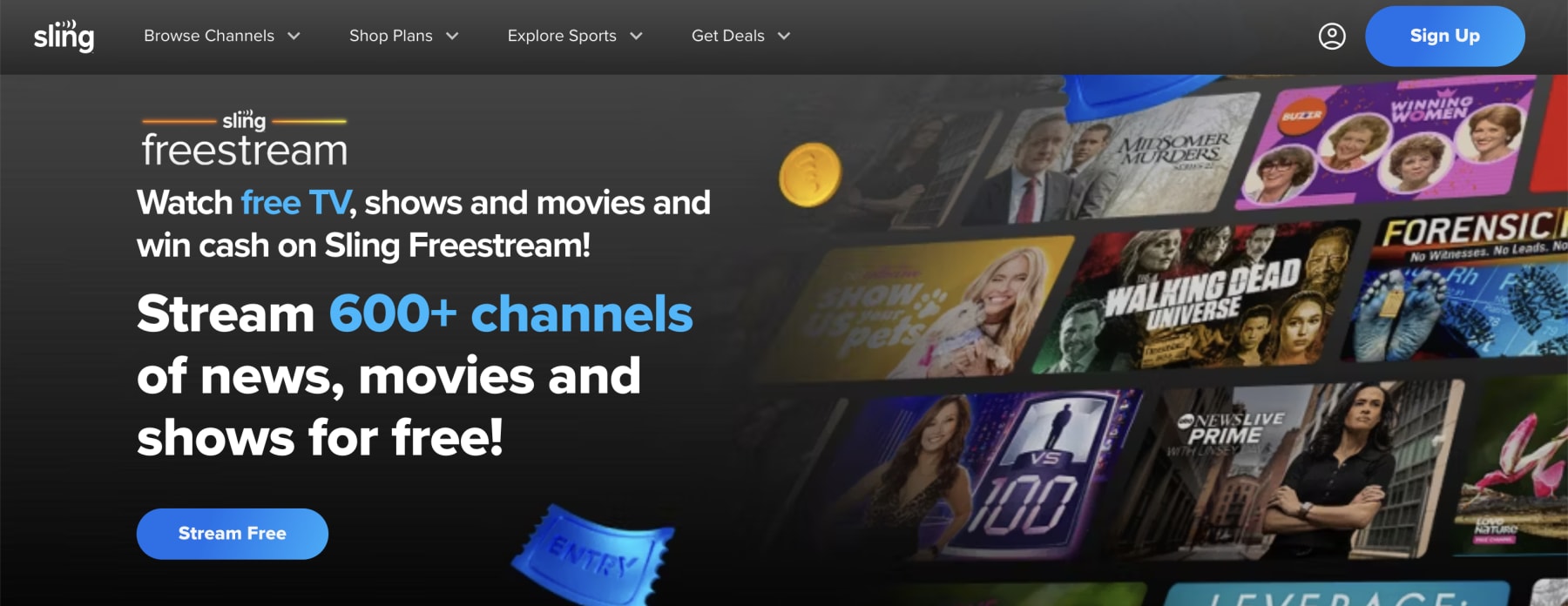
Alternatively, find and download the Sling TV app for Apple, Android, or Samsung devices. If you don't have a Sling TV account (don't worry, it's free), the app will automatically display Freestream content.
What Does Sling TV Cost After the Trial?
Once your first-month promotional rate expires, your subscription will automatically renew at the standard monthly price. Because Sling is a "build-your-own" service, your final bill depends heavily on whether you want sports, local channels, or premium movie networks.
Sling keeps it simple with two primary "color" plans and a combined option. Most users should expect to pay the following starting rates:
- Sling Orange: $40 per month (includes 30+ channels like ESPN and Disney).
- Sling Blue: $40 to $45 per month (includes 40+ channels like Discovery and FX).
- Sling Orange and Blue: $55 to $60 per month (includes the full lineup from both).
It is important to note that Sling Blue pricing varies by location. If you live in a market where Sling provides local channels (like ABC, FOX, or NBC), a $5 "local searcharge" is often added to the base price of the Blue or Combo plans. If you are a strict budget-watcher, you can also look for the newer Sling Select plan in some markets, which offers a slimmed-down lineup for approximately $20 to $30 per month.
The beauty of Sling is that you aren't stuck with one massive bundle, but those "Extras" can add up quickly if you aren't careful:
- Individual "Extras": Packages like Sports Extra, Comedy Extra, or Kids Extra typically cost between $6 and $11 per month.
- The 4-Extras Deal: You can bundle Kids, News, Lifestyle, and Comedy extras for a discounted $13 per month.
- Premium Channels: Big names like Max ($16.99/mo), Paramount+ with Showtime ($10/mo), and Starz ($11/mo) can be added or removed at any time.
- Unlimited DVR: All paid plans come with 50 hours of storage for free, but you can upgrade to "DVR Plus" (unlimited storage for up to 9 months) for an additional $5 per month.
Since Sling TV requires no long-term contracts, you can jump between these plans or cancel entirely directly from your account dashboard. For the best value, DealNews readers should keep an eye out for "Season Passes," which allow you to prepay for 4–5 months of service at a discounted total rate, often timed around the start of the NFL or NBA seasons.
How the Sling TV Free Trial Compares to Competitors
While Sling TV is often the most affordable way to get live cable channels, its approach to "free trials" is unique compared to its more expensive rivals. While competitors like YouTube TV or Fubo offer traditional $0 trial periods, Sling frequently swaps its free trial for a "50% off your first month" deal to keep long-term costs lower.
Here is how Sling TV stacks up against the major live TV streaming players:
| Service | Standard Monthly Price | Free Trial Length | Key Advantage |
| Sling TV | $40 – $60 | Varies (often 50% off first month) | Most affordable "skinny" bundle |
| YouTube TV | $72.99 | 7 to 21 Days | Best overall channel lineup and DVR |
| Hulu + Live TV | $76.99 | 3 Days | Includes Disney+ and ESPN+ |
| Fubo | $79.99+ | 7 Days | Massive selection of live sports |
| DirecTV Stream | $79.99+ | 5 Days | Best for regional sports networks |
| Philo | $28 | 7 Days | Cheapest price (no sports/locals) |
Understanding the Trial Differences
The biggest takeaway for DealNews readers is the "Trial vs. Value" trade-off. Most competitors offer a 5- to 7-day free trial, but their monthly "sticker price" is nearly double what you pay for a base Sling plan. For example, even without a free trial, your first month of Sling (at the typical $20 promotional rate) is significantly cheaper than the $73+ you would pay for YouTube TV once their trial expires. If you are looking for a long-term budget solution rather than a one-week binge, Sling's introductory discounts often provide more actual "dollars-off" value than a standard one-week trial.
The "Permanent" Free Trial: Sling Freestream
Unlike YouTube TV or Hulu, which require a paid subscription to see any content, Sling offers a permanent "trial" through Sling Freestream. This is a completely free, ad-supported service that doesn't require a credit card. While it doesn't include premium channels like ESPN or TBS, it allows you to test the app's performance and interface on your specific devices indefinitely. This is a major advantage for users who aren't sure if their home internet or smart TV can handle live streaming before they commit to a paid package.
Local Channels and Hidden Costs
When comparing trials, be mindful of local channel availability. Services like YouTube TV and Hulu + Live TV include all your locals (ABC, CBS, NBC, FOX) in their trial and base price. Sling, however, only offers select locals (NBC, ABC, and FOX) in limited markets on the Blue plan. If local news is a dealbreaker, you might find a competitor's trial more satisfying, whereas Sling is the better bet if you already use an over-the-air antenna for your local stations.
What Other Sling TV Deals Are Available This May?
Beyond the standard 50% off introductory offer, May is a prime month for "cord-cutter bundles" and seasonal sports promotions. Because the NBA and NHL playoffs typically kick off this month alongside the start of the MLB season, Sling often pivots its deals toward fans who need a specific set of channels for a few months.
Prepay for Hardware Savings
If you know you'll be keeping the service for more than a few weeks, Sling's prepay offers are almost always a better value than a simple trial. By paying for a few months upfront, you can often snag high-quality streaming hardware for free or at a steep discount:
- Free AirTV Mini: Prepay for two months of any Sling service and get a free 4K streaming device (valued at $79.99).
- Free Chromecast with Google TV: This deal typically requires only a one-month prepayment and is perfect if you need a reliable 4K dongle for an older TV.
- The "Local Channel" Bundle: If you want local ABC, CBS, and NBC stations but don't want to pay for a more expensive service like YouTube TV, you can prepay for three months and get an AirTV 2 and an HD Antenna for just $49 (a $150 value). This allows you to integrate local over-the-air channels directly into your Sling channel guide.
Seasonal Sports and Student Discounts
May is also a great time to look for "Season Passes." These are bulk-prepayment options that lock in a lower monthly rate for 5 months—exactly the length of time needed to cover the end of the regular season and the entirety of the playoffs.
- Student Discount: Verified students can currently get $10 off per month for six months via Student Beans. This is one of the few deals that can be combined with other "Extras" bundles.
- The "Total TV" Deal: For those who want everything, the Total TV Deal bundles seven "Extra" packs (Sports, Comedy, Kids, News, etc.) plus Unlimited DVR for $21 per month. Separately, these would cost $45, saving you over 50% on add-ons.
- Premium Pass Offers: Keep an eye out for "Free Month" offers on premiums like Paramount+ with Showtime, Starz, or AMC+. Sling frequently offers the first 30 days of these channels for $0 when you sign up for a base plan in May.
The "Sling Rewards" Program
New for this year, Sling has introduced a rewards system where you can actually earn credits or entries into cash giveaways just for watching TV. By simply staying logged in and active, you can participate in "Watch and Win" sweeps, which have previously offered prizes up to $10,000. It's a passive way to get even more value out of your subscription while you're binging the playoffs.
Key Things to Know About Sling TV Deals and Trials
How Long Is a Sling Free Trial?
There's no definitive answer to this question, unfortunately. Promotional free trials could be 7 days or could be 30 days depending on the deal. We've seen a 14-day free trial offered before, as well.
Sling TV's chaotic approach to trial availability, timing, and duration seems random from the outside, but interested consumers can still find plenty of deals and discounts throughout the year.
Can You Get a Free Trial of Sling Through Other Services?
Alas, getting a free trial of Sling TV as part of a bundle deal with other services is not a thing. We have seen a few instances of a Sling TV subscription being paired with Fire TV Sticks and Chromecasts over the last few years, but that matchup is as infrequent as the free trials.
In these cases, the Chromecast came with a free month of Sling TV and the Fire TV Stick came with two months of slinging. However, these offers seem few and far between.
What Is the Cheapest Way to Get Sling TV?
Beyond being fortunate enough to stumble upon an active Sling TV free trial offer and based on the deals we've seen, the cheapest way to get Sling TV is simply through the service's own discounted offer on the first month. At the time of writing, that's 50% off for your first month of Sling TV Orange, Blue, or Orange and Blue combined.
Understanding the Streaming Limits for Each Plan
A crucial difference between the Sling Orange and Sling Blue plans—and one that's easy to overlook—is the number of devices you can stream on at the same time. This is a key factor for families or households with multiple viewers, as it determines who can watch what, and when.
Here's a simple breakdown of the simultaneous stream limits for each plan:
- Sling Orange: You can only stream on one device at a time. This means if someone is watching ESPN in the living room, no one else in the house can stream the Disney Channel on a different device using the same account.
- Sling Blue: You can stream on up to three devices simultaneously. This makes it a much better and more flexible choice for families, roommates, or anyone who wants to watch different shows on different screens at the same time.
- Sling Orange + Blue: The combined plan offers the most flexibility, giving you a total of four simultaneous streams.
Choosing the right plan isn't just about the channels; it's also about how your household watches TV. If you have multiple people who will be using the service at once, Sling Blue or the Orange + Blue combo is a necessary upgrade.
Understanding Sling TV's DVR Capabilities
One of the most essential features of any live TV service is the ability to record your favorite shows, movies, and games to watch later. Every paid Sling TV subscription comes with a cloud DVR, and you have the option to upgrade if you need more space.
Here's a breakdown of how it works:
Standard Included Storage
- What You Get: Every Sling TV plan—Orange, Blue, and the combined Orange + Blue—automatically includes 50 hours of free cloud DVR storage.
- How It Works: This allows you to record live programming and save it to the cloud. You can access your recordings from any device where you have the Sling TV app installed.
- Key Feature: One of the best parts of the DVR is the ability to fast-forward through commercials on your recordings, which is a huge advantage over watching live or on-demand.
The DVR Plus Upgrade
If 50 hours isn't enough for your household, you can upgrade your storage for a small additional fee.
- What You Get: The DVR Plus add-on quadruples your storage, giving you a total of 200 hours.
- The Cost: This upgrade costs just $5 per month.
- Protecting Your Recordings: The DVR Plus upgrade also includes a feature that protects your recordings from being automatically deleted. With the free 50-hour DVR, the system will automatically delete the oldest-watched recording once you run out of space. The upgraded DVR removes this feature, ensuring you never lose a show you wanted to save.
Whether you're a casual viewer who just wants to record a few primetime shows or a TV fanatic who needs to save every game and series, Sling's DVR options provide a good amount of flexibility.
Device Compatibility and How to Watch Sling TV
Before you sign up for Sling TV, you'll want to make sure you can watch it on your favorite devices. The good news is that Sling is available on a wide variety of platforms, so whether you're at home or on the go, you're covered.
Supported Devices
You can stream Sling TV on almost any device you can think of. Here's a list of the most popular supported platforms:
- Streaming Media Players: Roku, Amazon Fire TV (including Stick and Cube), Apple TV (4th generation and newer), Google Chromecast, and TiVo Stream.
- Smart TVs: Most smart TVs from major brands like Samsung, LG, Vizio, and those running on Android TV or Google TV platforms.
- Game Consoles: Xbox Series X and Series S.
- Mobile Devices: iPhones and iPads (iOS/iPadOS), and Android phones and tablets.
- Computers: You can stream directly in your web browser (like Chrome, Safari, or Edge) on any Mac or Windows PC.
How to Get Started
Once you've confirmed your device is supported, getting the app and signing up is a breeze.
- Download the Sling TV App: Go to the app store on your streaming device, smart TV, or mobile phone and search for "Sling TV." Download and install the free app.
- Open the App and Sign Up: Launch the app and follow the on-screen prompts to create an account or sign in. If you're new, you'll need to provide an email address and create a password.
- Choose Your Plan (or Try Freestream): The app will guide you through selecting a paid plan (like Sling Orange or Sling Blue). If you just want to check out the free content first, you can start exploring Sling Freestream right away without entering any payment information.
How to Watch Local Channels and Spanish-Language TV on Sling
While Sling TV excels at offering popular cable channels, two of the most common questions from new cord-cutters are about how to get local news and Spanish-language programming. Here's how Sling handles both.
How to Get Local Channels
This is one of the most important differences between Sling and traditional cable. The Sling Orange plan does not include any local channels. The Sling Blue plan includes ABC, FOX, and NBC affiliate stations, but only in select major markets. CBS is not available on any Sling TV plan.
So, how do you get your local news, weather, and sports? Sling offers a clever solution:
- Integrate with an HD Antenna and AirTV: Sling encourages users to pair their subscription with an HD antenna to pick up all of their local broadcast channels for free. You can then use a device called an AirTV (which is sold by Sling) to integrate those over-the-air channels directly into your Sling TV guide. This creates a seamless experience where your local ABC, CBS, NBC, and FOX channels appear right alongside your cable channels like ESPN and TNT.
Spanish-Language Offerings
Sling TV offers some of the best and most flexible options for Spanish-language television in the streaming world. Instead of forcing you to buy a large, expensive package, you can add Spanish-language content in a few different ways:
- Sling Latino: You can subscribe to a standalone Spanish-language base plan that includes top channels from Latin America and Spain.
- Best of Spanish TV Extra: If you have a Sling Orange or Blue plan, you can add the "Best of Spanish TV Extra" for a small monthly fee. This add-on includes popular channels like Univision, Unimás, and Discovery en Español.
- Other Latino Packages: Sling also offers a variety of other regional packages, such as "México Extra" and "Sudamérica Extra," allowing you to tailor your subscription to the specific content you want to watch.
Other Ways Customers Can Save With Sling TV Discounts This May
While the introductory 50% off offer gets the most attention, savvy DealNews readers can find even deeper value by looking at hardware bundles, banking rewards, and niche discounts. May is a particularly strong month for these deals as Sling targets sports fans looking to catch the NBA and NHL playoffs. Here are eight ways to maximize your savings this month:
The AirTV Hardware Bundle for Local Channels
Since Sling Blue only carries local channels in select markets and Sling Orange carries none, the most cost-effective long-term solution is to own your own hardware. Sling offers a massive subsidy if you are willing to commit to a few months of service upfront.
- The Deal: Prepay for three months of Sling TV (Orange, Blue, or both) and you can purchase an AirTV 2 and an HD Antenna for just $49.
- The Value: This hardware normally retails for roughly $150. By integrating the antenna with the AirTV, your local ABC, CBS, FOX, and NBC stations will show up directly inside the Sling app interface alongside your cable channels.
This is a "one-and-done" investment. Once you have the antenna set up, you will never have to pay a monthly surcharge for local channels again, which can save you $60 to $100 per year compared to more expensive services like YouTube TV or Hulu + Live TV.
Free Streaming Devices for New Subscribers
If you don't need an antenna but do need a way to watch Sling on an older television, you should take advantage of the prepay device offers. Rather than buying a Roku or Fire Stick at retail price, let Sling provide the hardware for you.
- Free AirTV Mini: New customers who prepay for two months of service can typically secure a 4K AirTV Mini for free.
- Discounted Chromecast: Occasionally, Sling offers a Chromecast with Google TV for a fraction of its retail price (or free) with a one-month prepayment.
These deals are perfect for May shoppers who are setting up a "playoff viewing station" in a basement or spare room. By prepaying, you ensure your service is active throughout the championship seasons while snagging a $50 to $80 device for $0.
The "Total TV" Add-On Bundle
For households that want a little bit of everything—from sports and news to kids' programming—adding individual "Extra" packs is a mistake. Sling offers a consolidated "Total TV" bundle that is significantly cheaper than adding services a la carte. For $21 per month, you get seven different "Extra" packs (Sports, Comedy, Kids, News, Lifestyle, Hollywood, and Heartland) plus a DVR Plus upgrade (200 hours of storage). If you were to buy these seven packs individually, you would be looking at a bill of roughly $45 per month, meaning this single bundle saves you over $240 a year.
Credit Card Merchant Offers and "Boosts"
Before you use your standard debit card to sign up, check your credit card's mobile app for "Merchant Offers." May is a high-traffic month for streaming promotions, and many banks offer cash-back incentives to encourage users to subscribe to new services.
- Amex and Chase Offers: It is common to see "Spend $35+, Get $10 back" or "10% back on your streaming bill" offers in the rewards section of these apps.
- Capital One Shopping: Using the Capital One Shopping extension can often trigger a "price drop" or "rebate" offer that provides $5 to $20 in rewards credit just for completing your Sling registration through their link.
These offers are usually "stackable," meaning you can use the 50% off introductory Sling deal and still get the cash back from your bank on the remaining balance.
Discounted Gift Card Strategies
Another pro-tip for DealNews readers is to look for discounted gift cards at major retailers. During May sales events or Spring "Clearance" windows, stores like Best Buy, Target, and Newegg often run promotions where you can buy a $50 Sling TV gift card for $40 or $45. By loading these onto your account, you are effectively giving yourself an 10% to 20% discount on every monthly bill for the life of the gift card. This is one of the few ways to lower the price of Sling after the initial promotional period ends.
Verified Student Discounts via Student Beans
If you are a college student looking to save money while keeping up with the NBA playoffs, Sling has one of the most generous student programs in the streaming industry. You cannot find this deal on the main homepage; you must verify your status through a third-party portal.
- The Discount: Verified students can receive $10 off their monthly bill for a total of six months.
- The Catch: You must have a valid .edu email address and be currently enrolled in an accredited university to pass the Student Beans verification.
Because the discount lasts for half a year, it is a much better value than a standard 7-day free trial. It allows students to cover the end of the spring semester and the entire summer break at a significantly reduced rate.
The Refer-a-Friend Program
Once you have an active Sling account, you can essentially get your service for free by referring others. Sling's referral program is remarkably simple: you generate a unique link from your account dashboard and send it to friends or family. For every person who signs up using your link and stays for at least one month, both you and the new subscriber receive a $20 credit. If you refer just two friends in May, you could potentially cover your entire bill for the following month.
Utilizing Sling Freestream
If your goal is to spend $0, you should skip the trial entirely and head straight for Sling Freestream. This is a permanent, ad-supported tier of the service that requires no credit card, no contract, and no monthly fee.
- What's Included: Over 400 live channels and a massive library of 40,000 on-demand titles.
- The May Advantage: While you won't get premium channels like ESPN, Freestream is a great way to test the app's stability on your home Wi-Fi before you commit to a paid plan for the big games.
You can access Freestream by simply downloading the Sling app on any device and selecting "Browse as Guest." It's the ultimate "try before you buy" tool that never expires.
Final Verdict: Is the Trial Worth It?
The final verdict on the Sling TV trial—or more accurately, its current introductory offer—is a resounding yes for any consumer looking to slash their monthly entertainment budget without sacrificing live sports and news. While the shift from a traditional seven-day free trial to a 50%-off first month promotion might initially feel like a downgrade, it actually provides a much more realistic window to evaluate the service.
For as little as $20, you get 30 days of full access, which is more than enough time to test the app's reliability on your home Wi-Fi, explore the deep on-demand library, and determine if the "skinny" channel lineup truly meets your household's needs. When you consider that rivals like YouTube TV or Fubo will bill you nearly $75 the moment their brief trial windows close, Sling's low-cost entry point remains the most logical and budget-friendly starting point for any serious cord-cutter.
However, the "worth it" factor depends heavily on your specific viewing habits, particularly regarding local channels. If you are a sports fan looking to catch the NBA or NHL playoffs this May, the promotional month is an incredible bargain, granting you access to critical networks like TNT, TBS, and ESPN for a fraction of the price of a standard cable bill.
On the other hand, those who rely heavily on local broadcast networks like CBS or ABC may find the service frustrating without the addition of an external antenna. To maximize your value, we recommend using the completely free Sling Freestream tier first to ensure the interface works well on your specific Smart TV or streaming stick. Once you're satisfied with the performance, pulling the trigger on the half-off deal is a low-risk way to enjoy premium cable content during one of the busiest months in the sports and television calendar.
Why Should You Trust DealNews for Sling TV Discounts?
DealNews has been saving its readers money for upwards of 25 years. We deliver promo code seekers hundreds of discounts every day, on everything from clothes and accessories to food delivery. Those years of experience go into making sure that every deal we post is the best price you'll find, regardless of our relationship with the store.
To avail of that experience, consider signing up for the DealNews Select newsletter, which drops a bunch of handpicked hottest deals into your inbox every weekday. You can also set a deal alert for products you're interested in and receive notifications when they go on sale.


Sign In or Register