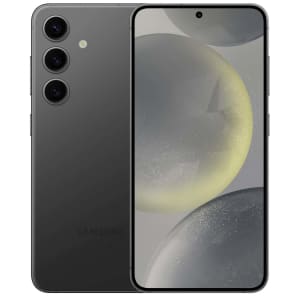
Take a huge chunk out of the asking price of the Samsung Galaxy S24 Series Phones with an eligible trade-in. It'll take up to $550 off the base model and up to $750 off the S24+ (dropping their starting prices to $249.99) and up to $750 off the S24 Ultra (dropping starting prices to $549.99). Shop Now at Samsung
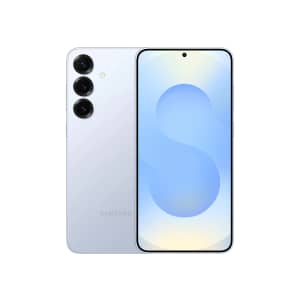
Get the 512GB for the price of a 256GB model with no trade-in required, a $120 savings. But if you do have a trade-in, you can get up to $480 off in addition, dropping starting prices to $520. Shop Now at Samsung
Samsung's Black Friday deals on their Galaxy phones combine outright discounts with free storage upgrades for savings of up to $720 without a trade-in — with a trade-in, that reaches as high as $1,120 off. That's great savings on the Galaxy S25 series, as well as the Galaxy Z Fold7 and Flip7 phones. Shop Now at Samsung
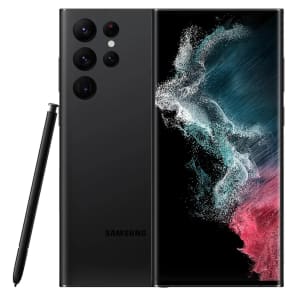
Trade in your qualifying smartphone, and get a minimum of $350 credit towards the purchase of a new phone. You can choose from Galaxy S21, S22, or S23 series phones, with prices starting at $449 before any credit. All Samsung Certified Re-Newed smartphones come with a one-year limited warranty Buy Now at Samsung
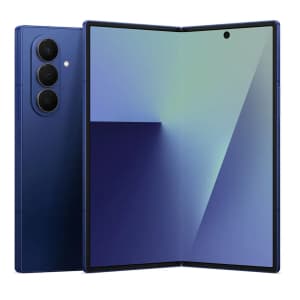
Get the 512GB model for the price of the 256GB without a trade required— that's a $600 savings outright. You can also get the 1TB option for $600 off. Alternatively, with a trade-in, you'll save up to $1,000 off, depending on the value of your trade. Shop Now at Samsung
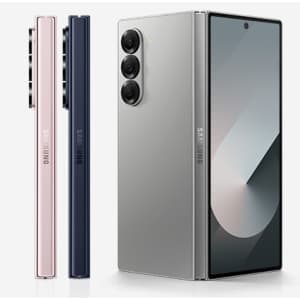
Save up to $320 on the Samsung Galaxy Z Fold6, up to $220 off the Samsung Galaxy Z Flip6, up to $200 off the Samsung Galaxy S24 Ultra, and up to $120 off the Samsung Galaxy S24+ Plus. Select phones have double storage deals, for example 512GB for the price of 256GB. Shop Now at Samsung
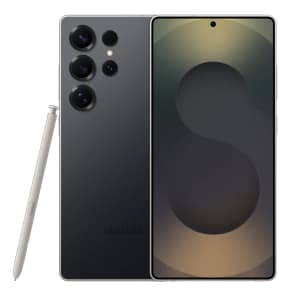
You can get the 512GB model for the price of the 256GB, or the 1TB model for the price of the 512GB. With a trade-in, you also get up to an extra $700 off. Shop Now at Samsung
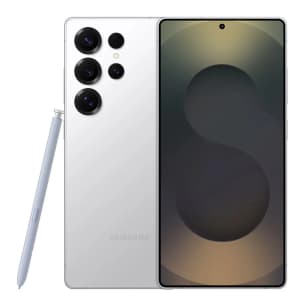
With a trade-in, discounts are as high as $580, dropping potential starting prices to $720, depending upon the value of your trade. New accounts will also get 6-months of Google AI Pro with 2TB storage for free (a $120 value). Shop Now at Samsung
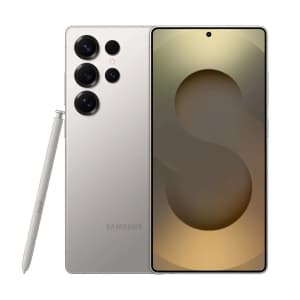
That's $120 off the 512GB option, or get $240 off the 1TB option with no trade required. Plus, If you do have a device to trade, you'll save up to another $630, putting potential starting prices for this model at $670. Shop Now at Samsung
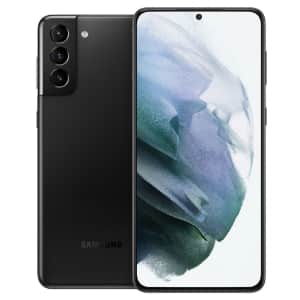
Save $60 on a factory-refurbished model - plus, get up to $457 in instant trade-in credit with your unused phone or tablet. (Amount of credit varies based on device and condition.) Buy Now at Samsung
- 5G, Bluetooth, GPS, NFC, USB Type-C, Wi-Fi
- Model: SM-G996U
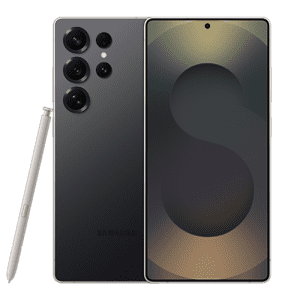
Without a trade-in, you can get $300 off any of the three models. With a trade-in, those discounts reach as high as $630 off. That's as much as double the discount we saw on the 256GB model without a trade-in just three days ago — it's at least an $80 better discount in any situation. Shop Now at Samsung
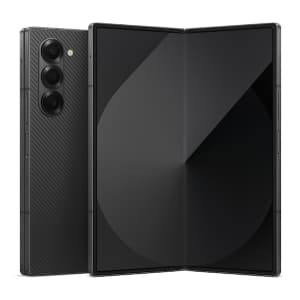
Trade in your old device to get up to $1,200 off. Plus, select models and colors get an extra $300 off.
Alternatively, if you don't have a device to trade in, you get $300 off. Shop Now at Samsung
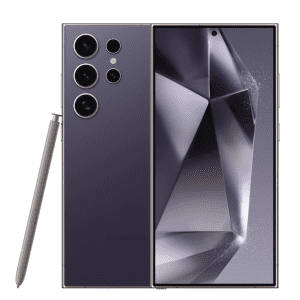
No trade is required for the $450 savings, putting the starting price for the 256GB at $849 and the best we've seen from Samsung. If you do have a device to trade however, you can save up to $200 off select colors, and then up to an additional $750 off for the trade. Shop Now at Samsung

Get $60 off the 256GB S25, which drops it to the regular price of the 128GB model. Plus, with a trade-in, you can get up to an extra $500 off, which drops starting prices to just $300. Shop Now at Samsung
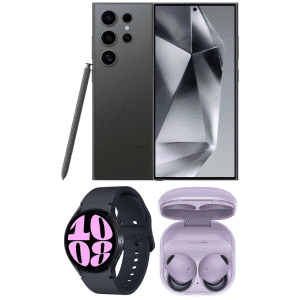
There are many ways to save here, and you can combine them for even better discounts. For example, with an eligible trade in, you can get the pictured Galaxy S24 Ultra 256GB Android Phone, bundled with the Samsung Galaxy Buds2 Pro Headphones and Samsung Galaxy Watch6 40mm Smartwatch, for as little as $824.97 ($160 less than you'd pay for them separately elsewhere, even with a trade-in). Shop Now at Samsung

Get up to $514 off on the Galaxy S24, or up to $617 off the S24+ and S24 Ultra. You'll get at least a $250 trade guarantee for all of these models, meaning the starting price for all models is $369. Buy Now at Samsung

Save up to $240 outright on the Unlocked S25 Ultra. Alternatively, with a qualifying trade-in, you can save up to $580. Shop Now at Samsung

Save on Galaxy S21, S22, or S23 when you trade your current device in good condition. You can also get $150 off if you have a device with a cracked screen. Shop Now at Samsung
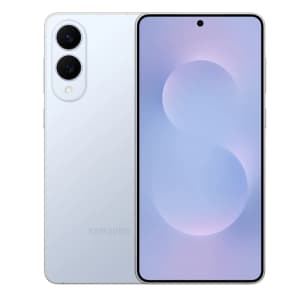
Order the Samsung Galaxy S25 Edge, and save $120 off the top. Then, when you trade your current device, you'll save up to another $630. Plus, get 3 months of Samsung Care+ for free (a $30 value). Shop Now at Samsung
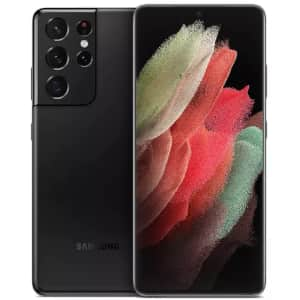
Save $75 on a factory refurbished phone - plus, get up to $559 in trade-in credit for your unused phone or tablet. (Trade-in value varies by device.) Buy Now at Samsung
- Qualcomm 1.8GHz to 2.84GHz octa-core processor
- 6.8" 3200x1440 AMOLED display
- 12GB RAM & 128GB storage
- 10MP/12MP/10MP/108MP rear camera
- 40MP front camera
- Android 11
- Model: SM-G998UZKAXAA
Samsung Galaxy as a Premium AI-Integrated Ecosystem in 2026
The Evolution of a Tech Giant: From Hardware Mastery to AI Pioneering
Samsung’s journey with the "Galaxy" brand represents one of the most significant transformations in modern technology. Originally recognized as a high-volume hardware manufacturer focused on screen size and raw specifications, Samsung has evolved into a global leader in "AI-integrated" mobile technology. Today, the Galaxy name is synonymous with the gold standard for Android performance, pushing the boundaries of what a handheld device can accomplish.
The brand has undergone a strategic shift from providing basic "touch-screen" utility to curate a "high-design" luxury ecosystem. This evolution is spearheaded by Galaxy AI, a suite of generative artificial intelligence features that move beyond simple voice commands. Galaxy AI focuses on "real-time" language translation for international calls, "Circle to Search" for instant information retrieval, and generative photo editing that allows users to reimagine their content. By embedding AI directly into the processor (NPU), Samsung ensures that these tools are fast, secure, and intuitive, marking a new era where the phone acts as a proactive personal assistant.
The Multi-Device Synergy: A Seamless Connected Experience
Samsung has meticulously expanded its portfolio beyond smartphones to create a "multi-device" synergy that rivals any competitor. The Galaxy ecosystem now includes:
- Galaxy Tab: High-performance tablets that serve as both creative canvases and secondary monitors.
- Galaxy Watch: Advanced wearables that track holistic health metrics using the "BioActive" sensor.
- Galaxy Buds: Premium audio devices featuring intelligent "Active Noise Cancellation" and "Auto Switch" capabilities.
This interconnectedness is the foundation of the modern Galaxy experience. Through "Quick Share," users can move massive 8K video files between devices in seconds, while "App Continuity" allows a user to start a draft on their phone and finish it on their tablet without missing a beat.
Open Collaboration & Desktop-Class Productivity
Unlike closed systems, Samsung emphasizes "open-collaboration" with industry titans like Google and Microsoft. This partnership ensures that Galaxy devices offer the best integration of the Android OS and Microsoft 365. For professionals, the standout feature remains Samsung DeX. This platform allows users to transcend mobile limitations, providing a "desktop-class" experience by simply connecting their device to a monitor. With DeX, your smartphone becomes a workstation, supporting multiple windows, keyboard shortcuts, and mouse input, effectively eliminating the need for a separate laptop for many "on-the-go" professionals.
Customer Engagement & The "Ecosystem-Lock" Strategy
Samsung’s engagement strategy is built on "ecosystem-locking" through superior hardware-software integration. They don't just sell a device; they invite users into a community.
- Samsung Members: An exclusive hub providing community support, diagnostic tools, and "perks" such as discount codes for partner brands.
- Pre-order Incentives: Samsung is famous for its aggressive launch offers, often providing "double-the-storage" upgrades, free "Galaxy Buds," or significant "instant-credit" to those who buy early.
- Beta Access: Technology enthusiasts are kept engaged via "exclusive-access" to One UI beta software builds, allowing users to shape the future of the interface before its official global release.
Why Choose Galaxy?
Cutting-Edge Hardware
Samsung consistently leads the industry with its "Ultra" series—boasting 200MP cameras and 100x Space Zoom—and its "category-defining" Z-series foldables (Fold and Flip), which have reinvented the mobile form factor.
Defense-Grade Security
Every device is protected from the chip up by Samsung Knox. This "security-first" platform isolates sensitive data (like biometric info and credit card details) from the rest of the operating system, making it the preferred choice for government and "enterprise-level" security.
Productivity Without Compromise
With the legendary S-Pen and advanced "multi-window" multitasking, Galaxy devices are built for those who need to do more. You can take handwritten notes, sign PDFs, and run three apps simultaneously on a single screen.
Industry-Leading Longevity
Samsung has redefined the "value-over-time" equation by offering up to 7 years of security patches and OS upgrades on its latest flagship models. This ensures that a Galaxy purchase remains relevant, secure, and high-performing for nearly a decade.
Who Benefits From the Galaxy Ecosystem?
The Galaxy ecosystem is precision-engineered for three distinct groups:
- "Power-Users": Individuals who demand the fastest processors, the largest batteries, and the most customizable software (One UI) to push their devices to the limit.
- "Content-Creators": Social media professionals and photographers who require "state-of-the-art" display technology (Dynamic AMOLED 2X) and "pro-grade" video editing tools on the fly.
- "Enterprise-Level Professionals": Business leaders who rely on Knox security, DeX productivity, and seamless Microsoft integration to manage global operations from their pockets.
Samsung Value Programs & Benefits: The "Galaxy-Experience" Rewards
Maximizing the value of a Samsung purchase extends far beyond the initial checkout. Samsung has engineered a sophisticated suite of value-added programs designed to lower the "total cost of ownership" while enhancing the user experience. By integrating loyalty rewards, specialized insurance, and exclusive niche discounts, Samsung ensures that loyalists are consistently rewarded for staying within the ecosystem.
Samsung Rewards: The Strategic Loyalty Ecosystem
The Samsung Rewards program is a foundational pillar for any "savvy-shopper" looking to minimize costs. This is a points-based loyalty system where users earn "Samsung-Credit" through various touchpoints within the ecosystem. To maximize your budget directly at the source, savvy buyers often check for the latest Samsung coupons and savings before finalizing a purchase on the official storefront.
How it Works
Users earn a percentage of their "total-spend" back as points (typically ranging from 0.5% to 3% depending on active promotions) whenever they make a purchase on the "Samsung-Store" or use "Samsung Pay" for everyday transactions at retail locations.
Redemption Synergy
These points function as a "digital-currency." Unlike traditional coupons with high restrictions, Samsung Rewards points can be redeemed for "cash-like" discounts on virtually any hardware or accessory.
Benefit Example: A user purchasing a "high-tier" smartphone like the S24 Ultra can accumulate enough points in a single transaction to redeem them for a "mid-range" accessory—such as a 45W super-fast charger or a "silicone-protective" case—at no "out-of-pocket" cost during their next visit.
Pro-Tip: Points can often be "stacked" with other promotional codes, allowing for significant price drops on "newly-released" items.
Samsung Care+: The "Comprehensive-Protection" Plan
Given that modern "flagship-devices" feature sophisticated components like "Armor-Aluminum" frames and "Ultra-Thin-Glass" (UTG) on foldables, protection is a critical investment. Samsung Care+ is the brand's "insurance-grade" service designed to provide "stress-free" ownership.
Service Tiers
It is offered as a "paid-subscription" (monthly) or a "one-time" (2-year) upfront insurance plan. It covers "accidental-damage," including drops, liquid spills, and hardware failures that occur after the standard warranty expires.
The "Foldable" Advantage
For owners of the Z-Series, Care+ is almost essential. It provides "low-cost" screen replacements for the intricate inner displays, which would otherwise cost hundreds of dollars at a non-authorized repair shop.
Efficiency
Members benefit from "express-exchange" services. If a device becomes "non-functional," Samsung often ships a replacement device before the user even sends the broken one back, ensuring minimal "digital-downtime."
Enrollment Window: Customers must enroll at the "point-of-purchase" or via the "Samsung-Members" app within a strict 60-day window following device activation.
Samsung Education, Corporate & First-Responder Offers
Samsung provides some of the most aggressive "identity-based" discounts in the consumer electronics industry through its Offer Programs portal.
Verified Identity
By utilizing third-party verification (such as ID.me) or a valid ".edu" email address, users gain access to a "private-storefront" with specialized pricing.
Broad Eligibility
This "verified-identity" program is not limited to students; it offers significant discounts to teachers, military personnel, "first-responders," and "government-employees."
Stacked Savings
The true power of this program lies in "multi-layered" savings. Verified users often receive "extra-savings" (sometimes up to 30% off) on top of existing "public-deals." For example, during a "back-to-school" event, a student might combine a standard sale price with their "education-discount" and a "trade-in-bonus" for an unbeatable price.
Bundle-Deals: Verified users are frequently targeted with "exclusive-bundle-deals," such as receiving a free "Galaxy-Watch" or "Galaxy-Buds" with the purchase of a flagship laptop or phone.
Samsung Finance+: Financial Accessibility for Premium Tech
To ensure their "state-of-the-art" technology remains accessible to a wide demographic, Samsung offers Samsung Finance+ (and partnerships with providers like Affirm and TD Bank).
The Concept
This is an "in-house" credit service that breaks down the "high-cost" barrier of premium devices. It allows users to pay for their ecosystem via "interest-free" (0% APR) monthly installments over 12, 24, or 36 months.
Zero-Down Options
Many qualified users can walk away with the latest "ultra-premium" device for "zero-dollars-down," simply paying the monthly installment.
The Upgrade Program
Within the finance structure, Samsung often includes an "upgrade-option," allowing users to trade in their current device after 12 months to wipe out the remaining balance and start a new plan for the "next-generation" model. This ensures the user always has the "latest-and-greatest" hardware without ever paying a full lump sum.
Navigating the Samsung Marketplace
Samsung’s product hierarchy is designed to provide a "tailored-fit" for every type of consumer, from the budget-conscious student to the high-power executive. Understanding these categories is essential for identifying which device offers the best "price-to-performance" ratio for your specific needs.
Galaxy S-Series: The "Ultra-Premium" Photography & Performance King
The Galaxy S-Series serves as the definitive flagship experience for the Android world. It is engineered for those who refuse to compromise on speed, display quality, or camera capabilities.
- The "Ultra" Standard: The "Ultra" model within this series is the "spec-leader," featuring a built-in S-Pen, a massive "Dynamic AMOLED 2X" display with variable refresh rates, and a "pro-grade" camera system. With "200MP" sensors and "100x Space Zoom," it is the preferred tool for "mobile-photography" enthusiasts and creators.
- AI-Driven Processing: The latest S-series models are powered by "custom-tuned" Snapdragon processors optimized for Galaxy AI. This allows for "on-device" processing of complex tasks like "Photo Assist," which can move or remove subjects from photos with a single tap.
- Buying Strategy: Because the S-series is the most popular, it also sees the highest "trade-in" values. Samsung often offers "enhanced-credits" during the launch window, sometimes giving users the full retail value of their two-year-old device toward a new S-series purchase.
Galaxy Z-Series: The "Category-Defining" Foldables
The Galaxy Z-Series represents the frontier of mobile innovation, offering "fold-and-flip" form factors that change how users interact with their devices.
- Galaxy Z Fold: This device is a "productivity-powerhouse." It unfolds from a standard smartphone into a "mini-tablet," enabling "three-app" multitasking and a massive canvas for the S-Pen. It is designed for "power-users" who need to manage spreadsheets, video calls, and emails simultaneously.
- Galaxy Z Flip: Focused on "next-gen" portability and style, the Flip folds into a compact square that fits into any pocket. Its "Flex-mode" allows the phone to act as its own tripod, making it perfect for "hands-free" video recording and "social-media" content creation.
- Durability & Innovation: These devices feature "Armor-Aluminum" frames and "IPX8" water resistance, proving that "foldable-tech" can be as durable as traditional "slab-style" phones.
Galaxy A-Series: "Value-Optimized" Performance
For many shoppers, the Galaxy A-Series is the "sweet-spot" of the Samsung lineup. It brings "flagship-lite" features to a "budget-conscious" audience without the four-figure price tag. It is common to find A-series devices for "zero-dollars" when signing up for a new service plan or browsing for AT&T promo codes and carrier savings.
- Premium Essentials: The A-series often includes features previously reserved for flagships, such as "120Hz" high-refresh-rate screens, "5G-connectivity," and "multi-day" battery life.
- Longevity on a Budget: Unlike many mid-range competitors, Samsung extends its "long-term" software commitment to the A-series, providing 4 to 5 years of security updates. This makes it an incredible "long-term-value" play for parents, students, or "enterprise-fleets."
- Discount Potential: This category is frequently the target of "carrier-subsidies." It is common to find A-series devices for "zero-dollars" when signing up for a new service plan or through "buy-one-get-one" (BOGO) deals.
The Galaxy Ecosystem: Wearables & IoT Integration
The strength of the "Galaxy-Experience" lies in its "cross-device" connectivity. Samsung’s accessories are designed to work better together through the "SmartThings" platform.
- Galaxy Watch (The "Bio-Active" Health Hub): More than just a timekeeper, the Galaxy Watch uses "Advanced-BioActive" sensors to monitor "body-composition" (BIA), heart rate, and sleep patterns. It serves as a "wrist-based" extension of your phone, allowing you to answer calls and reply to texts via "voice-to-text."
- Galaxy Buds (Intelligence Audio): These "noise-canceling" earbuds feature "360-degree" spatial audio and "seamless-switching." If you are watching a movie on your Galaxy Tab and receive a call on your Galaxy phone, the Buds will automatically switch the audio source without you touching a setting.
- SmartTag (The "SmartThings-Find" Network): These "Bluetooth-low-energy" (BLE) trackers can be attached to keys, luggage, or pets. They leverage the millions of Galaxy devices worldwide to create a "crowd-sourced" location network, allowing you to find lost items even if they are miles away from your phone.
The "Bundle-Saving" Rule: When shopping online, the most effective way to save on these items is through "Bundle-Offers." Samsung frequently discounts the "Galaxy-Watch" and "Galaxy-Buds" by 50% or more when they are added to a smartphone purchase at checkout.
Change, Cancellation & Refund Policy: Protecting Your Investment
Navigating the "fine-print" of returns and cancellations is crucial for any online shopper. Because Samsung often offers high-value "bundle-deals" and "trade-in-credits," their policies are more complex than a standard retail store. Understanding these rules ensures you don't accidentally lose a discount or incur unexpected "charge-back" fees.
Samsung Store Refund Policy: The "Risk-Free" Window
Samsung provides a standard return window that allows users to test the "Galaxy-Experience" before fully committing.
- Standard Return Window: Physical hardware typically has a 15-to-30-day return window from the date of delivery. To qualify for a full refund, the device must be in "like-new" condition and returned with all "original-packaging," including cables and manuals.
- Holiday Extensions: During major shopping events (like "Black-Friday" or "End-of-Year" sales), Samsung often extends the return window until mid-January, giving gift-givers extra "peace-of-mind."
- The "Restocking-Fee" Myth: While many retailers charge a 15% restocking fee for opened electronics, Samsung typically waives this if the device is returned via their "pre-paid" shipping label within the allowed timeframe. However, "missing-accessories" (like the S-Pen) will result in a deduction from the total refund.
Trade-in Program Terms: The "Instant-Discount" Responsibility
Samsung is famous for offering "aggressive" trade-in values—often $200 to $300 higher than the market "cash-value." This is an "instant-discount" applied at checkout, but it comes with strict "post-purchase" requirements.
- The Process: You receive the discount immediately at the time of purchase. You then have a 15-day window after your new device arrives to mail your "old-device" back to Samsung using their provided label.
- The "Charge-Back" Risk: If a user fails to send their old device, or if the device condition is "mis-represented" (e.g., a cracked screen when "cracked-screen-offer" wasn't selected), Samsung will charge the "discount-difference" back to the user's "linked-card."
- Condition Verification: To protect yourself, it is highly recommended to film a video of the old device's "functional-state" and the "packaging-process" before shipping. This serves as "proof-of-condition" in case of transit damage.
"Instant-Credit" & Bundle-Return Policy
During "pre-order" windows, Samsung frequently provides $50 to $200 in "Instant-Credit" to be used on accessories like "Galaxy-Buds" or "Watch-Ultra."
- Non-Refundable Nature: These credits are typically "non-refundable" and must be used at the "time-of-purchase." If you do not use the full amount, the remaining balance is usually "forfeited" and cannot be applied to future orders.
- The "Bundle-Trap": If you return the primary smartphone but decide to keep the "discounted-accessories" purchased with "instant-credit," Samsung will deduct the "full-retail-value" of those accessories from your smartphone refund. To get a full refund, the entire "promotional-bundle" must usually be returned together.
Warranty, Repair & Water-Resistance Integrity
Every new Galaxy device comes with a "one-year" limited manufacturer warranty, but how you handle repairs affects your "long-term" value.
- Factory-Defects vs. Damage: The standard warranty covers "internal-failures" (like a faulty motherboard or screen pixels) but does not cover "accidental-damage" (like a shattered screen).
- Authorized-Service-Centers: Samsung partners with "Authorized-Service-Centers" (such as Best Buy or uBreakiFix). It is critical to use these official partners because they use "genuine-parts" and specialized "re-sealing" equipment.
- The IP68 Promise: If a device is repaired by a "non-authorized" third party, the "water-resistance" (IP68 rating) is often compromised. Authorized centers perform a "pressure-test" after every repair to ensure the device remains "submersible" according to its original factory specs.
- "In-Home" Repair: For certain premium products like "Neo-QLED" TVs or "Bespoke" appliances, Samsung offers "in-home" repair services, eliminating the need to ship large items back to a warehouse.
Cancellation Policy: The "Point-of-No-Return"
Samsung's shipping system is highly automated. Once an order reaches the "Preparing-to-Dispatch" stage—which often happens within 1 to 2 hours of ordering—it can no longer be "cancelled" online.
The "Refusal" Strategy: If you miss the cancellation window, the best way to save time is to "refuse-delivery" when the courier arrives. This automatically triggers a "return-to-sender" process and initiates your refund faster than if you had accepted the package and manually started a return.
Personalizing Your Galaxy Journey
The value you derive from a Samsung device is directly proportional to how deeply you integrate into the "Galaxy-Ecosystem." Samsung has designed tiered levels of engagement, ranging from a casual "hardware-only" user to a "power-user" who participates in software development. Understanding these tiers helps you unlock "hidden-features" and "loyalty-perks" that standard Android users might overlook.
The Standard-Owner: Surface-Level Utility
A "Standard-Owner" uses their Samsung device primarily with a "standard-Android" setup. While the hardware remains premium, this user often relies on the Google Play Store and third-party cloud services (like Google Drive or Dropbox) exclusively.
- What They Miss: By not signing into a Samsung Account, these users miss out on "system-level" optimizations and the "integrated-security" features that define the Galaxy experience.
- The Utility Focus: This level is common for "enterprise-deployments" where devices are locked down, or for users who prefer a "minimalist" software footprint. However, even at this level, users still benefit from the "defense-grade" Knox security that runs at the kernel level.
The Samsung-Account Holder: The "Connected-Core" Experience
Creating a Samsung-Account is the single most important step to unlocking the true "Value-Proposition" of the brand. This account acts as your "digital-passport" across all Galaxy hardware.
- Samsung-Pass: A "biometric-secured" password manager that allows you to log into apps and websites using just your fingerprint. It is more secure than standard browser-based managers because it is backed by "Knox-security."
- Find-My-Mobile: Essential for protecting a "high-cost" investment. This service allows you to remotely lock, wipe, or "locate-your-device" even if it’s not connected to Wi-Fi. It can even retrieve calls and messages from a lost phone to a secondary Samsung tablet.
- Cross-Device Clipboard & Sync: Account holders can "copy-and-paste" text or images between their Galaxy phone and Galaxy Book laptop seamlessly. Your "Samsung-Notes" and "Calendar-Reminders" sync instantly, ensuring a "frictionless" transition between devices.
- Samsung Cloud: Provides "automated-backups" of your home screen layout, Wi-Fi passwords, and system settings, making the "upgrade-process" to a new device as simple as scanning a QR code.
The "Samsung-Members" Hub: VIP Access & Diagnostics
The Samsung Members App is the central "community-hub" for anyone looking to maximize their device's lifespan and score "exclusive-rewards." Tech enthusiasts who want to accessorize their new setup for less can often find AliExpress coupons and budget-friendly promos for various third-party peripherals.
- Interactive Diagnostics: Users can run "hardware-tests" on their battery health, sensors, and touch-screen sensitivity. If the app detects a "performance-drop," it provides "one-tap" optimization solutions.
- Exclusive Community Perks: This is where Samsung hides its "secret-discounts." Members often find "promo-codes" for 3 free months of YouTube Premium, Adobe Lightroom, or "invitation-only" entries into sweepstakes for "newly-launched" hardware.
- Expert Support: It provides a "direct-line" to Samsung technicians via live chat, allowing for "remote-support" sessions where a technician can log in (with permission) to fix software glitches.
The One UI Beta-Participant: The "Cutting-Edge" Explorer
For tech enthusiasts who want to see the future of mobile software, Samsung offers the One UI Beta Program.
- How it Works: During the months leading up to a major Android OS release, users can "opt-in" via the Samsung Members app to test "cutting-edge" features.
- The Benefit: Participants get "early-access" to new AI tools, redesigned interfaces, and "experimental" camera features before they are released to the "general-public."
- The Contribution: By providing feedback on "system-bugs," beta participants help shape the final "official-release," ensuring the software is "feature-rich" and stable for millions of users worldwide.
The Ecosystem "Power-User": The Fully Integrated Lifestyle
The highest level of engagement involves owning three or more Galaxy categories (Phone, Watch, Buds, and Tablet/Laptop).
- Auto-Switch Audio: A "Power-User" can be watching a movie on their Galaxy Tab with "Galaxy-Buds" on; if their phone rings, the audio "intelligently-switches" to the phone and pauses the movie automatically.
- Multi-Control: Allows the user to use their Galaxy Book’s "trackpad-and-keyboard" to control their Galaxy smartphone or tablet as if they were a single, "multi-monitor" computer.
- SmartThings-Integration: The phone becomes the "remote-control" for a "smart-home," allowing the user to check who is at the front door via a "Ring-doorbell" right from their "Galaxy-Watch" or "Family-Hub" refrigerator.
Smart Ways to Save & Maximize Value on Samsung
To truly master the Samsung ecosystem, a shopper must look beyond the "retail-price." Because Samsung operates such a vast array of software and hardware services, there are numerous "hidden-strategies" to extract more performance and financial value from your purchase. Whether you are looking to turn your phone into a PC or "stack" multiple discounts into a single transaction, these tactics represent the "pro-level" way to shop.
Unlock "Next-Level" Customization with GOOD LOCK
For users who find the standard interface too restrictive, Good Lock is a "Samsung-exclusive" customization suite available via the Galaxy Store.
- Pixel-Perfect Control: Good Lock is a modular app that allows you to redesign your "task-changer," customize your "keyboard-layout" via Keys Cafe, and even create "unique-vibration-patterns."
- The Value Play: By personalizing every "pixel" of the user interface, you can make an older device feel brand new, extending its "psychological-lifespan" and delaying the urge to upgrade to a newer model.
- One-Hand Operation+: This specific module allows for advanced "gesture-controls," making even the largest "Ultra" or "Fold" models easily navigable with a single thumb.
Utilize Samsung DeX: The "Laptop-Killer" Strategy
One of the most underutilized features in the Galaxy ecosystem is Samsung DeX. This platform allows you to turn your "mobile-device" into a "desktop-computer" by connecting it to a monitor, TV, or PC.
- Eliminate Extra Hardware: For students or "on-the-go" professionals, DeX can effectively eliminate the need for a separate "low-power" laptop. By connecting a Bluetooth keyboard and mouse, you can run a full "desktop-class" browser, edit documents in Microsoft Word, and manage "multi-window" workflows.
- Wireless Connectivity: Modern Galaxy devices can use "Wireless-DeX" to cast a desktop interface to any Miracast-enabled Smart TV, making it a perfect tool for "boardroom-presentations" or watching media in hotel rooms without extra cables.
Strategic Discount Stacking: The "Ultimate-Savings" Formula
Samsung is one of the few manufacturers that allows users to "multi-layer" their savings. To get the lowest possible price, you should never rely on just one offer. Beyond the official site, major electronics retailers often list competitive Newegg promos and discounts that can help lower the cost of a brand-new handset.
- The Triple-Stack: Savvy shoppers combine a "holiday-sale" price, an "Education-or-Corporate" discount, and an "enhanced-trade-in" credit.
- Reserve Credits: In the weeks leading up to a major "Galaxy-Unpacked" event, Samsung usually offers a "No-Commitment" reservation. By simply providing an email address, you can secure an "extra-credit" (often $50) that can be applied to accessories at launch.
- Referral Codes: New customers can often use a "referral-link" from an existing Samsung-Account holder to shave an additional 5% to 10% off their first purchase.
Enable "Auto-Optimization" for Peak Performance
To ensure your device maintains its "out-of-the-box" speed for years, you must utilize the "system-level" maintenance tools.
- Scheduled Restarts: Within the "Device-Care" settings, you can schedule "auto-restarts" during the middle of the night. This clears "background-cache" and prevents "memory-leaks" that slow down Android over time.
- App Power Management: Use the "Deep-Sleeping-Apps" feature to prevent rarely used applications from draining battery in the background. This "proactive-optimization" can extend "daily-battery-life" by up to 20%.
Shop the "Galaxy-Store" for Exclusive Digital Offers
While the Google Play Store is the default for most, the Galaxy Store offers "platform-specific" optimizations and financial incentives.
- Optimized Gaming: Popular titles like Fortnite or Genshin Impact are often "specifically-tuned" for Galaxy processors when downloaded from the Samsung store, resulting in "higher-frame-rates" and better thermal management.
- Digital Coupons: The Galaxy Store frequently runs "Reward-Points-Boosts" or provides $10 to $20 coupons for in-game purchases and "premium-app" subscriptions that are not available on other platforms.
Consider "Certified Re-Newed" for Maximum ROI
If the latest flagship is out of reach, the Samsung Certified Re-Newed store is a hidden gem for value.
- Factory-Grade Quality: Unlike "used" phones from third-party marketplaces, these devices are rebuilt by Samsung engineers using "genuine-parts" and a "brand-new-battery."
- Full Warranty: Every "Re-Newed" device comes with the same "one-year-warranty" as a brand-new phone, giving you "flagship-power" at a "mid-range" price point. This is an excellent way to acquire an "S-Series" device for the price of an "A-Series."
Program Enrollment, Account Management & Cancellation
To fully capitalize on the benefits of the Galaxy ecosystem, you must properly manage your digital identity and service subscriptions. Efficient account management not only streamlines your user experience but also ensures you aren't paying for services you no longer need. From the initial "unboxing" to managing "pro-rated" insurance refunds, here is how to handle your Samsung presence.
Enrollment: Setting the Foundation for a Connected Life
Enrollment begins the moment you power on your device. While you can skip certain steps, a "strategic-setup" is essential for long-term value.
- Creating a Samsung Account: This can be done during the "initial-setup" wizard or at any time via the Settings Menu under "Accounts and Backup." It is the "master-key" required for "system-backups," "Find-My-Mobile" activation, and accessing the "Galaxy-Store."
- Utilizing Smart Switch: During enrollment, Samsung’s Smart Switch tool is invaluable. It allows you to transfer not just photos, but "Wi-Fi-credentials," "home-screen-layouts," and "app-data" from your old device (Android or iPhone). This reduces the "time-cost" of switching brands.
- The "Two-Factor" Security Rule: Given that your Samsung Account may be linked to "Samsung-Pay" and sensitive cloud backups, enabling "two-factor-authentication" (2FA) is a mandatory step for "defense-grade" personal security.
Account Management: The "Samsung-Members" Command Center
Once enrolled, your primary tool for managing your relationship with Samsung is the Samsung Members App. Think of this as your "personal-concierge" and "IT-department" combined into one interface.
- Diagnostic-Tests: Within the app, you can perform a "full-system-scan" to check the health of your battery, sensors, and even the "charging-port." Regular check-ups can identify issues before they become "out-of-warranty" repairs.
- Tracking Rewards & Points: The "Benefits" tab within the app allows you to track your Samsung Rewards balance. It is critical to monitor this, as points have an "expiration-date." Savvy users check this before any major "accessory-purchase" to ensure they are applying all available "cash-like" discounts.
- Device Ecosystem Overview: From your account dashboard, you can see every device linked to your ID—from your "Galaxy-Watch" to your "Bespoke-Refrigerator." This allows for "remote-management," such as checking if your "Galaxy-Buds" need a firmware update or if your "SmartTag" needs a battery replacement.
Cancellation & Modification: Protecting Your Wallet
Knowing how to exit a program is just as important as knowing how to join. Proper cancellation prevents "unwanted-billing" and ensures you receive any "refund-credits" you are owed.
- Cancelling Samsung Care+: If you sell your device or decide you no longer need insurance, you must manage this through the Samsung Care+ Portal or your "billing-partner" (such as Premium Device Protection).
- Pro-Rated Refunds: If you paid for a "2-year-plan" upfront and cancel after six months, you are typically eligible for a pro-rated refund of the remaining term. This is a significant "hidden-saving" that many users forget to claim.
- Galaxy Store Subscriptions: If you have subscribed to "premium-apps" or "services" (like a photo editor or fitness app) via the Galaxy Store, these must be managed within the "Subscriptions" section of the Galaxy Store app, not the Google Play Store.
- Opting Out of "Marketing-Data": Within your account privacy settings, you can opt-out of "interest-based" advertisements. While this doesn't save money, it cleans up your "notification-tray" and prevents "bloatware-style" marketing pop-ups from appearing on your device.
Managing Samsung Finance+ Installments
For those using the "interest-free" credit options, management is handled through a dedicated portal (often hosted by partners like TD Bank or Affirm).
- Auto-Pay Discounts: Occasionally, setting up "Auto-Pay" ensures you never incur a "late-fee" which can be as high as $25 to $40.
- Early Buy-Out: Samsung Finance+ typically allows for "early-repayment" without penalties. If you receive a tax refund or bonus, paying off your device early clears your "credit-line" for future "pre-order" upgrades.
Key Terms & Conditions: Navigating the Samsung & Knox Legal Framework
Understanding the "fine-print" is not just about legal compliance; it is about protecting the "resale-value" and "functional-integrity" of your device. Samsung utilizes proprietary hardware-level security and specific regional policies that can impact your experience if ignored. Below are the critical "Terms & Conditions" that every Galaxy owner must navigate to avoid costly mistakes.
Knox-Security: The "Digital-Tripwire" & Warranty Implications
Samsung Knox is a "hardware-backed" security layer that is physically integrated into the device’s chipset. It provides a level of protection that exceeds standard Android security, but it comes with a strict "integrity-policy."
- The "E-Fused" Bit: If a user attempts to "root" the device or install "unauthorized-firmware," a physical "e-fuse" within the Knox framework is "tripped."
- Permanent Disablement: Once the "Knox-bit" is tripped, it is irreversible. This permanently disables high-security features such as Samsung Pay, Samsung Pass, and the Secure Folder.
- Resale & Warranty Impact: Tripping Knox typically "voids" the manufacturer’s warranty regarding software-related failures. Furthermore, it significantly lowers the "trade-in-value" of the device, as many authorized resellers will not accept a "compromised" Knox device.
Carrier-Lock vs. Factory-Unlocked: The "Freedom" Equation
When shopping for a new Galaxy, the choice between a "Carrier-branded" and a "Factory-unlocked" model is more than just a price difference. While carrier-locked devices may be cheaper upfront thanks to Verizon promos and handset savings, they often come with pre-installed software and slower updates.
- Carrier-Branded Devices: These are often cheaper upfront due to "carrier-subsidies." However, they typically come with "pre-installed" bloatware (apps you cannot delete) and "delayed-updates." Because the software must be approved by the carrier after Samsung releases it, you may wait weeks or months longer for "security-patches."
- Factory-Unlocked Models: These devices are purchased "full-price" or through "Samsung-Finance." They offer a "cleaner" software experience and receive "direct-updates" from Samsung. Crucially, they hold a higher "international-resale-value" because they can be used with any SIM card globally.
Water-Resistance Ratings: The "IP68" Reality Check
Most premium Galaxy devices carry an IP68 rating, but many users misunderstand what this actually covers.
- Time & Depth Limits: The IP68 rating is "time-limited" (usually 30 minutes) and "depth-limited" (usually 1.5 meters). It is tested in "static-fresh-water."
- The "Salt & Chlorine" Caveat: Water resistance does not apply to salt water (the ocean) or chlorinated water (pools). Chemicals and salt can corrode the "rubber-seals" almost instantly.
- Warranty Exclusion: Perhaps the most important term to understand is that "liquid-ingress" is typically NOT covered under the "standard-one-year-warranty." If the "internal-moisture-indicators" are triggered, the repair will be an "out-of-pocket" expense unless you have "Samsung-Care+."
Promotional-Value & "Instant-Credit" Expiration
Samsung is generous with "pre-order" credits, but these are subject to a strict "use-it-or-lose-it" policy.
- The 90-Day Window: "Samsung-Credit" earned through "pre-order" bundles or "referral-programs" often has a "hard-expiration" date (frequently 90 days from the date of issuance).
- Non-Transferable: These credits are tied to your specific "Samsung-Account" and cannot be transferred to another user or converted into "physical-cash."
- The "One-Time-Use" Rule: In many regions, if you use a $100 credit on a $50 accessory, the remaining $50 is "forfeited." Always ensure your "digital-cart" matches or exceeds the credit value to maximize your "savings-potential."
The "Factory-Reset-Protection" (FRP) Requirement
Before trading in or selling your device, you must adhere to the FRP terms.
- The Account Lock: If you perform a "hard-reset" via the hardware buttons without first "signing-out" of your Samsung and Google accounts, the device will remain "locked" to your identity.
- Trade-in Rejection: Samsung will reject any trade-in device that is "FRP-locked." This results in the user being charged the "full-discount-difference" mentioned in Section IV. To avoid this, always use the "Factory-Data-Reset" option within the "Settings-Menu," which prompts you for your password and officially "de-links" the hardware.
Regional Lock & Warranty Limitations
Samsung hardware is often "region-locked." A device purchased in the United States may have a different "Snapdragon" processor than a model purchased in Europe which might use an "Exynos" chip.
- Global Warranty Issues: Generally, Samsung's "standard-warranty" is not international. If you buy a device in one country and move to another, the local "Authorized-Service-Centers" may refuse to repair it—even if the parts are identical. Always purchase your device in the region where you intend to spend the most time to ensure "seamless-support."