Netflix Free Trial: How to Stream Without Paying This October 2026
Netflix remains a global streaming powerhouse, offering an ever-evolving library of blockbuster originals, gripping documentaries, and binge-worthy series like Stranger Things and The Crown. While the platform discontinued its standard free trials in the U.S. back in 2020, there are still smart strategies and alternative avenues to access the service at a reduced cost. More importantly for savvy shoppers, we'll dive into how promotional offers from third-party partners like mobile and internet providers such as T-Mobile, Verizon, and Comcast might provide bundled access, potentially saving you money on your overall entertainment bill.
Does Netflix Have a Free Trial in August 2026?
Netflix Standard w/ Ads Subscription
Free for T-Mobile Go5G subscribersYou'll need to have a qualifying Go5G Next, Go5G Plus, or Magenta Max line, or maintain two or more Go5G or Magenta lines in good standing. As long as you maintain your plan, you can keep streaming all your Netflix favorites at no extra charge.
For savvy streaming fans and deal seekers, the first step in trying a new service is often a free trial. It's a risk-free way to sample the content and decide if it's worth your money. However, if you're searching for a Netflix free trial, the answer is clear and immediate: No, Netflix does not offer a free trial in the U.S.
This policy has been firmly in place since October 2020, when the company officially discontinued its once-popular 30-day free trial for new subscribers. This marked a significant shift in marketing strategy, meaning you can no longer simply sign up on the Netflix website for a free month as you could in years past.
It's also important to address common misconceptions. You may see outdated articles or online rumors mentioning a "3-month Netflix free trial," but these claims are inaccurate. Netflix does not currently offer trials of any length for new or returning subscribers. For the most current and official information, it's always best to consult the Netflix Help Center directly, which confirms that free trials are not available and instead guides users on how to sign up or cancel a plan.
While the door on a traditional free trial is closed, there are still several legitimate strategies and promotional avenues for accessing Netflix for free or at a significantly reduced cost. This guide will explore those current, verified methods in detail.
A Crucial Warning: Avoid Risky "Hacks" and Unofficial Methods
In the quest to save money, it can be tempting to explore online tricks promising free Netflix access. However, we strongly advise against pursuing unreliable or technically dubious methods. Sticking to legitimate offers is not only safer but also far more reliable. Before exploring the real ways to save, you must understand the significant risks associated with these so-called "hacks."
The Dangers of Using a VPN to Get Cheaper Subscriptions
You may see guides suggesting the use of a Virtual Private Network (VPN) to make it appear as though you're signing up from a country with lower Netflix prices. While a VPN is a great tool for privacy, using one to bypass regional pricing comes with serious risks:
-
It Violates Netflix's Terms of Service: Using a VPN to misrepresent your location is a direct violation of Netflix's rules. This can lead to your account being suspended or permanently terminated without a refund.
-
It's Often Not Cheaper: Reliable, high-quality VPNs are not free, often costing between $5 and $13 per month. When you add this cost to the foreign subscription price, the "savings" often disappear, and you may even end up paying more than you would for a legitimate U.S. plan.
-
It's Unreliable: Netflix actively works to identify and block traffic from known VPN servers. A workaround that functions one day might be completely blocked the next, leaving you unable to access the service you paid for and creating a frustrating cat-and-mouse game.
The Security Risks of "Free Account" Hacks
Even more dangerous are methods that promise completely free access through unauthorized tools. Methods like using shared "Netflix Cookies," free account generators, or other third-party "hacks" expose you to major security threats.
These are often scams designed to:
-
Install malware or viruses on your devices.
-
Steal your personal information, including login credentials for other sites.
-
Compromise your financial data, such as credit card numbers and bank account details.
The risk to your personal security and data far outweighs any potential for free streaming. The safest and most effective way to save money on Netflix is by using the legitimate partner offers and strategies outlined in this guide.
Quick Guide: Legitimate Ways to Get Free or Discounted Netflix in 2026
For those in a hurry, this table summarizes the best and safest ways to access Netflix without paying the full price. While a traditional free trial no longer exists, these partner bundles and promotions offer significant value.
| Method | What You Get | Who It's For |
| T-Mobile 'Netflix On Us' | A Netflix Standard with Ads plan included at no extra monthly cost. | T-Mobile customers with two or more lines on eligible unlimited plans (like Go5G or Magenta). |
| Verizon Netflix and Max Bundle | Netflix Standard with Ads and Max with Ads for a combined $10/month. | Verizon customers on eligible unlimited mobile or home internet plans. |
| Xfinity StreamSaver | Netflix Standard with Ads, Peacock Premium, and Apple TV Plus for a combined $15/month. | Customers with an active Xfinity Internet subscription. |
| Watching on YouTube | A limited selection of full episodes, documentaries, and content samples. | Anyone who wants a small, no-cost taste of Netflix's programming without a subscription. |
Deep Dive: How to Get Netflix Through Partner Bundles
While a direct free trial is off the table, the best way to get Netflix for free or at a major discount is through promotional bundles offered by mobile and internet providers. These deals typically package a Netflix subscription with your existing monthly bill. Here's a detailed look at the top offers available in 2026.
T-Mobile and 'Netflix On Us'
A long-standing favorite, T-Mobile's "Netflix On Us" benefit is a straightforward way to get a subscription at no extra monthly charge.
-
What You Get: This offer typically includes the Netflix Standard with Ads plan. It's important to note that while you get access to most of the library, a small number of titles may be unavailable due to licensing restrictions on the ad-supported tier.
-
Eligibility Requirements: The benefit is available to customers on specific T-Mobile plans, generally requiring two or more qualifying lines. Eligible plans include Go5G, Go5G Plus, Go5G Next, Magenta, and Magenta MAX, as well as equivalent 55+, military, and first responder plans.
-
How to Activate: To redeem the offer, you must log in to your T-Mobile account online or via the app, navigate to your account add-ons, and select the Netflix benefit. From there, you will be redirected to Netflix's website to either link your existing account or create a new one.
Verizon's Netflix and Max Bundle
Verizon offers a compelling bundle for entertainment lovers through its myPlan service, combining two streaming giants at a steep discount.
-
What You Get: For an additional $10 per month on your bill, you receive the Netflix Standard with Ads plan and the Max with Ads plan. Since a standalone Max subscription is priced similarly, this bundle effectively provides the Netflix portion at no extra cost.
-
Eligibility Requirements: This perk is available to customers on most of Verizon's current unlimited mobile and home internet plans, including Mobile Unlimited Plus, Mobile Unlimited Ultimate, 5G Home Internet, LTE Home Internet, and Fios Gigabit plans.
-
How to Activate: After adding the "Netflix and Max (With Ads)" perk to your plan through your Verizon account, you must complete the activation process for each service separately. Verizon will provide links to sign in and connect your existing Netflix and Max accounts.
Xfinity's StreamSaver Bundle
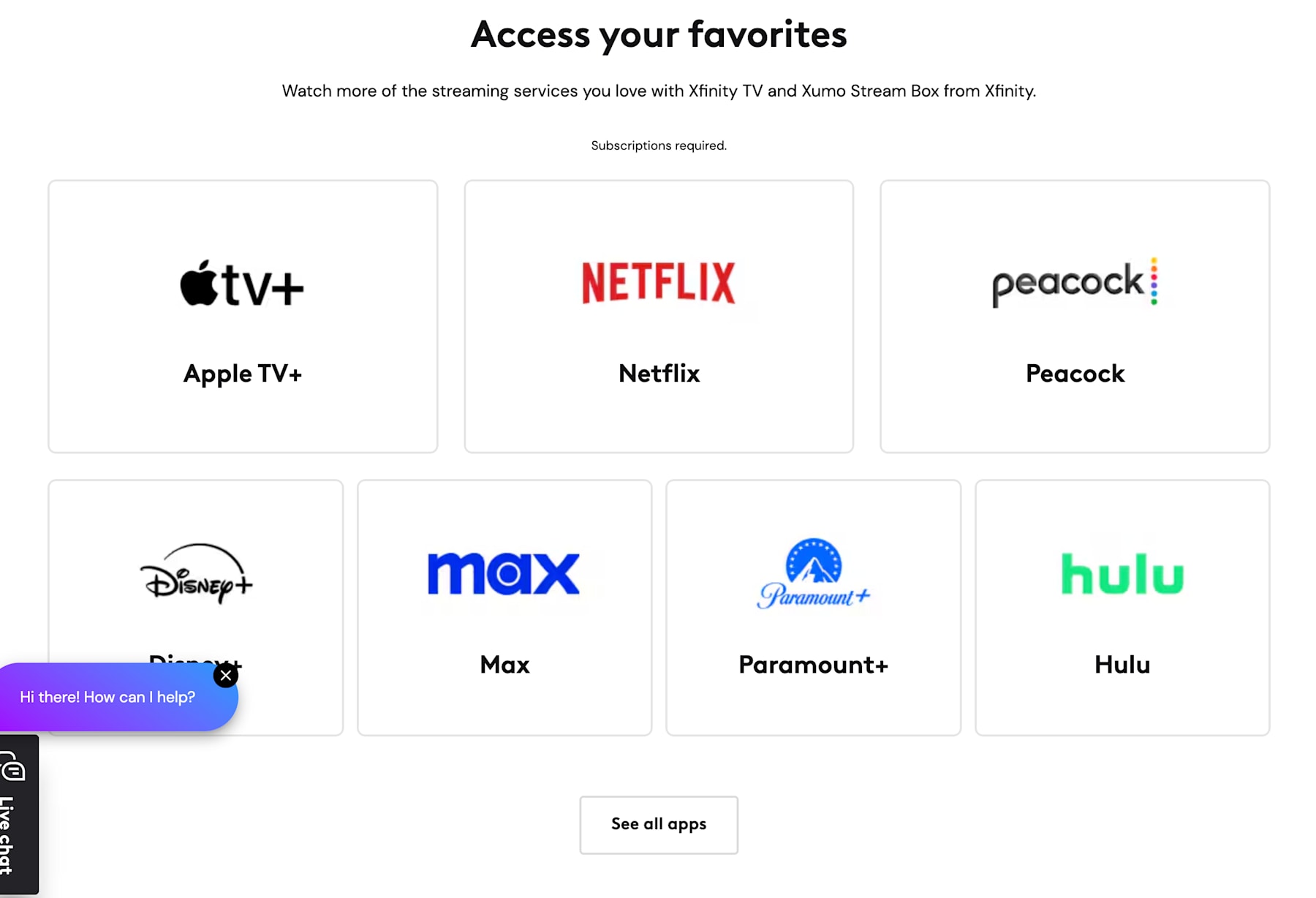
For Xfinity internet customers, Comcast's StreamSaver package offers a powerful trio of streaming services for a single monthly price.
-
What You Get: For an additional $15 per month on your Xfinity bill, the StreamSaver bundle includes Netflix Standard with Ads, Peacock Premium (with ads), and Apple TV Plus. This represents a significant discount compared to subscribing to these three services individually.
-
Eligibility Requirements: This offer is exclusively for customers with an active Xfinity Internet subscription.
-
How to Activate: The StreamSaver package can be added directly to your existing Xfinity Internet service through your online account. Once added, you will receive instructions to activate each individual streaming service by linking them to your Xfinity account.
Smart Alternatives to a Free Trial: Control Your Subscription Costs
If you don't qualify for one of the partner bundles, you aren't out of options. For cost-conscious viewers, the best legitimate alternatives to a free trial involve taking direct control over how and when you pay for Netflix. These strategies are the most effective ways to manage your spending while still enjoying your must-watch shows.
Subscribe Strategically: The "Binge-and-Cancel" Method
Rather than treating Netflix like a permanent utility bill, think of it as a flexible entertainment pass. The "binge-and-cancel" strategy allows you to only pay for the service when you are actively using it, potentially saving you a significant amount over the course of a year.
Here's how it works:
-
Subscribe for a Purpose: Sign up for just one or two months when your favorite show premieres (like a new season of Stranger Things or Bridgerton) or during a season when you watch more TV.
-
Watch Everything You Want: During that time, catch up on all the new releases and anything on your watchlist.
-
Cancel and Rotate: Once you're caught up, cancel your subscription before the next billing cycle. You can then put that money toward another service with new content you want to see, effectively rotating between platforms like Netflix, Hulu, and Max to maximize your entertainment budget. Since Netflix saves your viewing history for 10 months after you cancel, you can easily pick back up where you left off when you decide to resubscribe.
Use Netflix Gift Cards for Budgeting and Privacy
Netflix Gift Cards offer a powerful way to pay for your subscription without committing to a recurring monthly charge. More importantly, they provide a key benefit for many users: you can subscribe to Netflix without using a credit or debit card.
This strategy is ideal for:
-
Strict Budgeting: Pay for a set number of months upfront, giving you complete control over your spending. Netflix will simply notify you when your balance is running low.
-
Alternative Payments: Gift cards can be purchased from major retailers using cash, prepaid cards, or through online vendors like PayPal.
-
Using Rewards: You can often earn Netflix or general Visa gift cards through reward programs like Fetch or as a cash-back option on some credit cards, allowing you to pay for your subscription without spending any extra money.
To use one, simply purchase a gift card and redeem the code on your Netflix account page. The balance will be applied to your account, covering your monthly fee until it runs out.
Leverage Credit Card Rewards
While it's not a direct discount from Netflix, using credit cards that offer rewards or cash back on streaming services or recurring bills can significantly help offset the cost of your subscription over time. Some credit cards are specifically designed to give you bonus points or a higher percentage of cash back for these types of purchases, effectively reducing your net monthly expense for Netflix and other streaming services you subscribe to. For instance, cards like the American Express Blue Cash Preferred Card are well-known for offering accelerated rewards, often providing a high percentage of cash back (such as 6% on select US streaming subscriptions) which is significantly more than the standard rate you'd get on a general spending card. Checking your credit card benefits to see if your spending on streaming qualifies for extra rewards is a smart way to save indirectly.
Watch Content on YouTube
While not a way to get a full subscription for free, you can get a small taste of Netflix content without paying anything by visiting their official YouTube channel. Netflix used to offer some free movies and pilot episodes on a dedicated "Watch Free" site but discontinued the practice in 2023.
Netflix occasionally uploads full episodes of select series and documentaries to YouTube, allowing you to sample some of their acclaimed programming and get a feel for their production quality without needing any subscription at all.
Choosing Your Plan: A Clear Comparison of Ad-Supported vs. Ad-Free Tiers
With most of the bundled offers now including the Standard with Ads plan, it's crucial to understand exactly what that means for your viewing experience. Opting for the ad-supported tier is the most straightforward way to lower your monthly cost, but it comes with a few key trade-offs compared to the classic ad-free plans. Here's what you need to know to make an informed choice.
The Ad Experience
The primary difference is, of course, the presence of commercial breaks. If you choose the Standard with Ads plan, here's what to expect:
-
Ad Length: You will see an average of four to five minutes of ads per hour of content.
-
Placement: These ads will play before a show or movie begins and will also interrupt it at various points throughout, similar to traditional television.
-
Skippable? No. The ads on Netflix are generally unskippable, so you will have to watch them in their entirety before your content resumes.
The Content Library
While the ad-supported plan gives you access to the vast majority of Netflix's library, it is not identical to the ad-free catalog.
-
Missing Titles: A small percentage of movies and TV shows are not available on the ad-supported tier. This is due to specific licensing restrictions that prevent Netflix from showing them with commercials.
-
How to Tell: Unavailable titles are typically marked with a small lock icon when you browse the library, so you'll know before you click if a specific movie or show is excluded from your plan.
For many viewers, these trade-offs are well worth the significant monthly savings. However, if you want the uninterrupted, "classic" Netflix experience with access to every single title in the catalog, you will need to opt for one of the ad-free Standard or Premium plans.
Understanding the Current Plans
Before searching for discounts, it is crucial to know what Netflix currently charges so you can accurately gauge your potential savings. The platform offers a few distinct tiers, ranging from a budget-friendly ad-supported option to a premium 4K streaming experience, ensuring there is a plan for every household's needs.
Standard With Ads
The Standard with Ads plan stands out as Netflix's most budget-friendly option at $8.99/month. This tier is designed for viewers who want access to the extensive Netflix library at the lowest possible cost. It includes commercial breaks during most TV shows and movies, typically averaging around four to five minutes of ads per hour of content, which are generally unskippable.
Despite the presence of ads, this plan supports streaming in 1080p (Full HD) resolution and allows streaming on up to two supported devices simultaneously. You can also download content for offline viewing on up to two devices. While it offers access to most of Netflix's library and all mobile games, a small percentage of titles might not be available because of licensing agreements, usually marked with a lock icon. This plan presents a compelling value proposition if you're looking to save money and don't mind the occasional interruption.
Standard (Ad-Free)
Stepping up, the Standard (Ad-Free) plan at $19.99/month provides the classic, uninterrupted Netflix experience without any commercial breaks. You get unlimited access to the full ad-free library of movies, TV shows, and mobile games. Like the ad-supported tier, it offers 1080p (Full HD) streaming and allows two simultaneous streams, plus downloads on two devices.
A key feature included with this tier is the option to pay an additional monthly fee ($9.99) to add one extra member profile for someone living outside your household, a direct response to the company's efforts to address password sharing.
Premium (Ad-Free)
For households with multiple viewers or those seeking the highest possible video and audio quality, the Premium (Ad-Free) plan is Netflix's top-tier offering at $26.99/month. This plan is perfect for larger families or those with 4K Ultra HD TVs. It provides the best quality, supporting 4K (Ultra HD) plus HDR video and Netflix spatial audio for an enhanced listening experience.
You can stream on up to four devices at the same time and download content on up to six devices. The Premium plan also gives you the flexibility to pay for up to two extra member profiles ($9.99 each) for individuals outside your primary residence, offering a legitimate way to share your account more broadly under Netflix's new policies.
How to Maximize Your Netflix Experience
Once you have access to Netflix—whether through a bundle, a gift card, or a standard subscription—the next step is to make sure you're getting the most value out of it. Many users only scratch the surface of what the platform offers. Use these tips to unlock a better, more personalized viewing experience.
1. Create and Personalize User Profiles
This is the single most important step for any household with more than one viewer. A Netflix account is designed to be shared by people who live together, and profiles ensure that everyone gets an experience tailored to them.
-
Why it Matters: Creating separate profiles keeps your recommendations and viewing history distinct. Your algorithm won't be skewed by your kids' cartoon binges, and their "Continue Watching" row won't be filled with your gritty crime dramas. It gives each person their own personalized Netflix.
2. Explore All Content Categories
Netflix's library is vast and goes far beyond the trending blockbusters and original series that dominate the homepage. Make a point to explore categories you might normally overlook. You'll find hidden gems in sections dedicated to:
-
Gripping Documentaries: From true crime to nature and science.
-
Vibrant Anime: A huge and growing collection for both newcomers and seasoned fans.
-
Hilarious Stand-Up Comedy: Featuring specials from the world's biggest comedians.
-
Acclaimed International Hits: Don't let subtitles stop you from discovering global phenomena like Money Heist or The Glory.
-
Netflix Mobile Games: Your subscription also includes access to a library of mobile games that you can download and play on your phone or tablet without any ads or in-app purchases.
3. Test the Key Features of Your Plan
Different subscription plans come with different features. To ensure you've chosen the right tier for your needs, be sure to test its capabilities.
-
Offline Downloads: All plans allow you to download shows and movies to your mobile devices for offline viewing. This is a game-changer for flights, long commutes, or any situation with unreliable internet. Test it out before you need it to see how it works.
-
Simultaneous Streams: If you find your viewing is frequently interrupted because too many people are using the account at once, you may need to upgrade. The Standard plan allows for two simultaneous streams, while the Premium plan allows for four.
-
Video Quality: If you're paying for the Premium plan to get 4K Ultra HD, make sure your TV and internet connection are up to the task. Check your streaming settings within the Netflix app to ensure you're getting the quality you're paying for.
How to Sign Up for Netflix
Once you've weighed the costs, explored the available plans, and compared Netflix's content against competitor offerings (more on that later), you might be ready to take the plunge and sign up. The standard process to become a Netflix member is straightforward, though the exact steps can vary slightly depending on the device or method you use to initiate the sign-up.
The most common way to sign up is by visiting the official Netflix website on a computer or mobile browser, or by downloading the Netflix app directly onto a supported device. Here are the basic steps when signing up directly through Netflix:
-
Visit the Netflix Website or App: Go to Netflix.com or open the Netflix app on your chosen device.
-
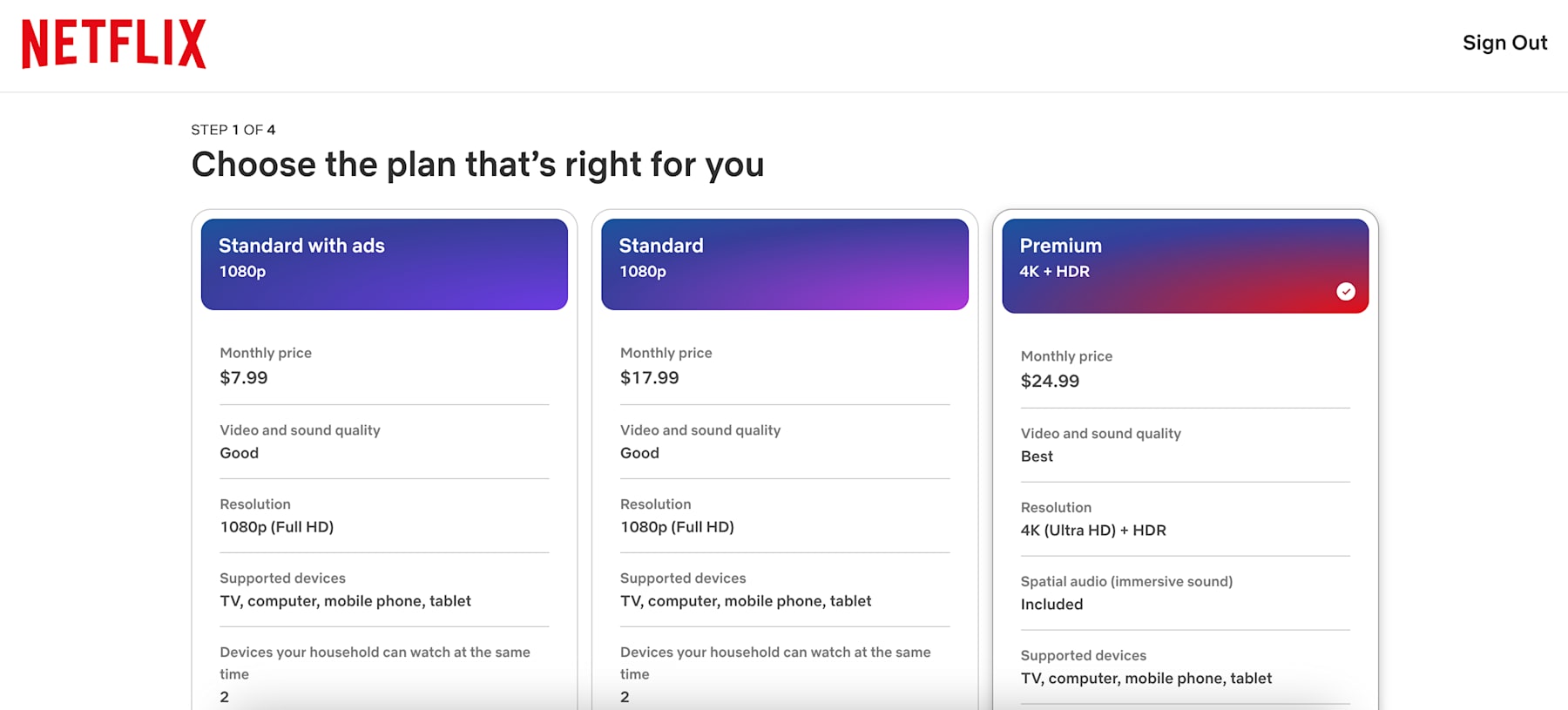
Choose Your Plan: You'll be prompted to select the subscription plan that best fits your viewing habits and budget – Standard with Ads, Standard (Ad-Free), or Premium (Ad-Free). Review the features like price, video quality, and number of simultaneous streams offered by each.
-
Create Your Account: Enter your email address and create a password for your new Netflix account. It's worth noting here that a Netflix account is designed for people who live together in a single household.
-
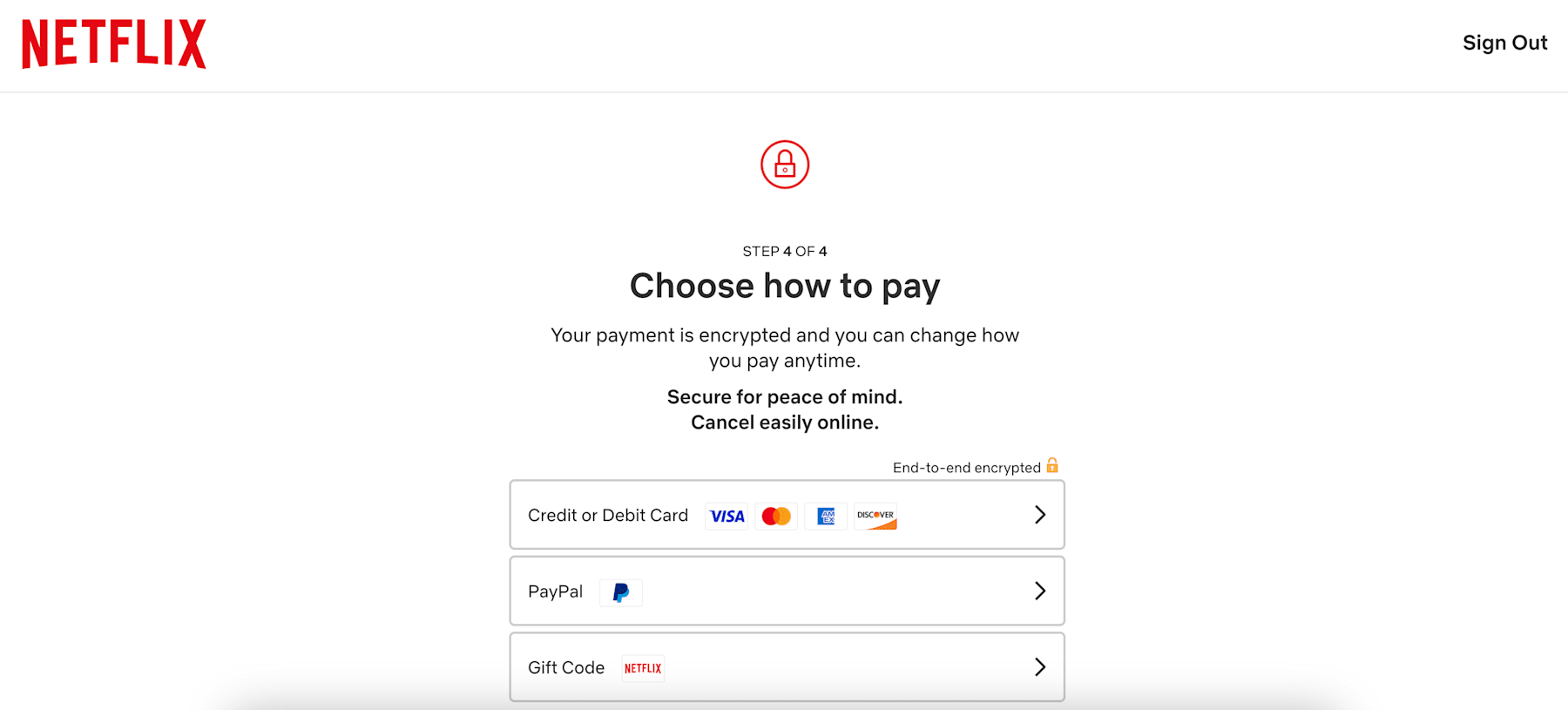
Choose Your Payment Method: Select how you want to pay your monthly subscription fee. Netflix accepts several options, including major credit or debit cards (including prepaid credit cards), PayPal, and Netflix Gift Codes or Gift Cards.
-
Enter Payment Details: Provide the necessary information for your chosen payment method. Payment details are required upfront to start your subscription. If using a Netflix Gift Card or Code, you'll enter the PIN or code here. Gift card balances are applied to your account, and Netflix will notify you as the balance runs low. You can redeem multiple gift cards on your account.
-
Start Streaming: Once your payment is confirmed and your account is set up, you're all set! You can immediately start creating profiles (to personalize the viewing experience for different members within your household) and begin streaming movies, TV shows, and playing mobile games.
Keep in mind that if you are signing up for Netflix as part of a third-party bundle offer (like through T-Mobile, Verizon, or Comcast), the sign-up process will typically start on the partner company's website or app and involve steps to link your existing Netflix account or create a new one through their specific promotional portal. If you encounter issues with bundling, checking the Netflix Help Center.
Extra Members and Password Sharing Rules
A significant change that impacted many Netflix users in 2023 was the company's widespread crackdown on password sharing outside of a single household. For years, sharing accounts freely with friends and family who didn't live with you was a common practice, but Netflix adjusted its policy to require that a Netflix account is used by people who live together in one primary household. This policy shift means that if someone outside your home is using your account, they may eventually be blocked from streaming unless they are added as an "Extra Member."
To accommodate users who want to share their account with individuals outside their primary household in accordance with the new rules, Netflix introduced the "Extra Member" feature. This isn't a separate account; it's an add-on profile tied to the primary account holder's membership that allows someone living elsewhere to use the service. Adding an Extra Member comes with an additional monthly fee of $9.99 per member. The primary account holder is responsible for paying this added cost, and the extra member gets their own profile and login details.
It's important to know that the ability to add Extra Members is not available on all Netflix plans. This feature is currently only offered on the Standard (Ad-Free) and Premium (Ad-Free) subscription tiers. The Standard plan allows you to add one Extra Member, while the top-tier Premium plan provides the option to add up to two Extra Members. The Standard with Ads plan and the discontinued Basic plan do not support adding Extra Members.
Understanding Netflix's Refund Policy
When subscribing to Netflix, it's important for deal hunters to be aware of their policy regarding payments and refunds. Unlike some services that might offer prorated refunds upon cancellation, Netflix does not offer a money-back guarantee or refunds for subscription fees once they have been paid for the current billing cycle. As a subscription-based service operating on a monthly cycle, you are charged upfront on your billing date for the upcoming month of service.
This means that if you decide to cancel your Netflix account, you won't receive a refund for any unused portion of your current billing period; you will simply retain access to streaming until the end of the month you've already paid for. The same principle applies if you choose to downgrade your plan mid-cycle; you won't get a partial refund for the price difference, but you'll keep the features of your higher-priced plan until your next billing date.
Must-Watch Netflix Originals: The Biggest Shows on the Platform
If you only have time for the blockbusters, start with these top Netflix originals. These are the critically acclaimed, fan-favorite shows that define the platform year-round.
-
Stranger Things: With its epic scale and supernatural 80s nostalgia, now is always a great time to get caught up on the thrilling adventures in Hawkins before the beloved saga officially concludes.
-
Squid Game: This Korean survival drama became a global phenomenon, making it the perfect binge for anyone looking for a shocking, high-stakes thriller from start to finish.
-
Bridgerton: One of the most successful historical romance series ever, the main seasons and spin-offs like Queen Charlotte offer a juicy, visually stunning escape anytime you need one.
-
Black Mirror: With its unsettling explorations of technology and human nature, this sci-fi anthology series provides thought-provoking entertainment perfect for a late-night binge.
Gripping International Hits
Netflix is a global platform, and some of its best content comes from around the world. These international series are so compelling you'll forget you're reading subtitles.
-
Lupin (France): A clever and charismatic heist series about a gentleman thief inspired by the classic French character Arsène Lupin. It's stylish, thrilling, and incredibly fun.
-
Money Heist (Spain): An adrenaline-fueled thriller about a group of misfit criminals who attempt to pull off the perfect robbery. It's a global phenomenon for a reason.
-
Alice in Borderland (Japan): A high-stakes sci-fi thriller where characters are forced to compete in a series of deadly games to survive in a mysterious, abandoned Tokyo.
-
The Glory (South Korea): An intense and meticulously plotted revenge drama that has captivated audiences worldwide with its powerful story of a woman seeking justice against her childhood bullies.
Mind-Bending Sci-Fi and Fantastical Escapes
For those who love stories that challenge the imagination, these sci-fi and fantasy epics offer incredible world-building and thought-provoking concepts.
-
3 Body Problem: From the creators of Game of Thrones, this ambitious hard sci-fi series follows a group of scientists as they confront humanity's greatest threat.
-
The Sandman: A visually stunning and faithful adaptation of Neil Gaiman's beloved comic book series about the King of Dreams. It's a dark, mythological fantasy masterpiece.
-
Avatar: The Last Airbender: A live-action adaptation of the cherished animated series, offering a grand, family-friendly fantasy adventure.
So, Is Netflix Worth It in 2026?
Despite the absence of free trials, Netflix remains a valuable service due to its extensive content library and original programming. Users can often find value through bundled offers from service providers, making it a worthy investment for entertainment seekers.
The introduction of the Standard with Ads plan at a budget-friendly $8.99 per month allows cost-conscious viewers to access most of the library at a significantly lower price than the ad-free tiers. While it includes commercials, it still provides access to a massive amount of content in Full HD quality.
For those who prefer an ad-free experience, the Standard and Premium plans, though more expensive, offer different levels of quality and simultaneous streams, plus the option to legitimately add extra members outside the household for an additional fee, adapting to modern viewing realities.
Streaming Alternatives Offering Free Trials
While Netflix may no longer offer a trial, the streaming market is filled with services ready to give you a taste of their offerings before you subscribe. Seven day trials like those from Apple TV Plus offer an opportunity to test the waters.
How We Find and Verify Netflix and Streaming Deals
We don't rely on automated scrapers or rumors to find ways to save on streaming. Instead, our editorial team manually hunts down and tests every third-party Netflix bundle, carrier promotion, and gift card discount. Because direct Netflix coupons don't really exist, our verification process dives deep into partner offers and telecommunications packages to make sure the savings are real.
Senior Editor Julie Ramhold uses her extensive background in tracking tech and smart home deals to spot legitimate streaming bundles. Since she frequently monitors sales on home entertainment systems—like tracking major TV markdowns at Best Buy or Costco—she meticulously reads the legal disclosures of streaming promos so you don't have to. She verifies if a "free Netflix" offer from an internet provider actually includes a premium tier or just a restricted ad-supported version.
Similarly, Content Editor Jason Savage brings over 10 years of cost-cutting expertise to our verification process. As a father of five who loves Duke sports and gaming, Jason knows firsthand how fast digital subscriptions add up for a large family. He actively investigates the stackability of multi-service bundles—like T-Mobile's "Netflix on Us" promotion—to ensure these offers seamlessly support multiple household profiles and can be applied to existing streaming accounts without surprise fees.
To ensure you never waste time navigating a fake offer, our routine testing includes:
-
Daily Audits: We cross-reference carrier promos and digital gift card discounts against historical data daily to ensure the bundles are still actively accepting sign-ups.
-
Monitoring Official Channels: We track newsletters and announcements from telecom providers like Verizon and Comcast to catch hidden streaming incentives before they hit public forums.
-
Testing Upgrades: We evaluate store policies to see if you can pay the difference to upgrade an ad-supported carrier bundle to a Premium 4K tier, ensuring the deal provides genuine value for your specific viewing habits.
-
Editorial Independence: While we may earn a commission when you save using our links, our verification is entirely independent. If a promotional bundle has overly restrictive terms or doesn't actively work for new and existing users alike, we simply won't list it.
What Else to Consider About Netflix in 2026
While scoring a free trial directly through Netflix is a thing of the past, evaluating the platform's overall value is still essential before committing. In 2026, the streaming landscape is incredibly competitive, but Netflix continues to justify its cost through a massive, rotating library of exclusive originals, live events, and expanding mobile gaming options. If you're on the fence, consider starting with the Standard with Ads tier; it offers a highly affordable entry point with minimal interruptions, allowing you to sample the catalog before you decide to upgrade to an ad-free or 4K Premium experience.
Always keep in mind that pricing and partner bundle availability can shift depending on your region and current internet or mobile carrier. Before locking into any third-party promotional offer, be sure to review the Netflix terms and conditions directly on their site to understand exactly how billing works, what the current account sharing rules are, and how cancellation policies apply to bundled packages.
Stay Updated on the Latest Netflix Deals
Netflix and its partners are always releasing new promotional bundles, exclusive carrier offers, and discounted gift card opportunities—sometimes with little warning. To make sure you never miss out on the best ways to save:
-
Bookmark this page: We regularly update our list of verified Netflix promotions and partner bundles, so check back before you make a change to your phone or internet plan.
-
Sign up for deal alerts: Subscribe to our DealNews Select newsletter to get the hottest streaming discounts delivered straight to your inbox.
-
Set a custom deal alert: Create a personalized deal alert for Netflix or your favorite entertainment services and receive instant notifications when a new promo goes live.
-
Follow us on social media: We frequently share flash promos and exclusive deals on our social channels. Follow us here:
Staying proactive is the best way to maximize your Netflix savings all year long!
A merging of our Streaming Services roundup writers into a singular, binge-watching, channel-surfing organism of expertise. Come for the convenient consolidation of promotions, promo codes, and free trials on top entertainment platforms like Disney Plus, YouTube TV, and Hulu—plus live sports streaming passes for the NFL, UFC, and beyond—stay for the rapid descent into absolute nonsense. Curated and manually verified by seasoned DealNews leaders Julie Ramhold and Jason Savage.
Sign In or Register