Lenovo · 1 wk ago
$26 $60
free shipping
more
↑ less
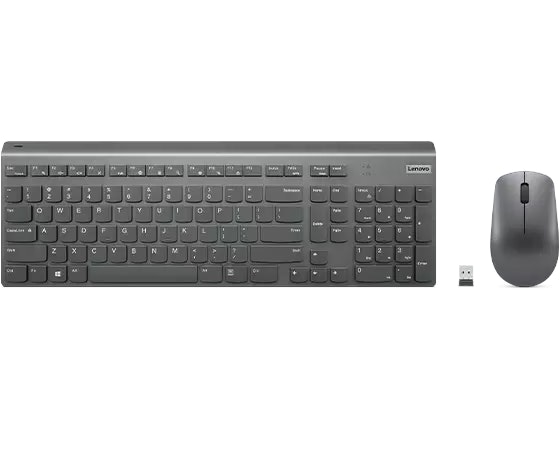
This Lenovo Select Wireless Modern Combo is $25.99, down from $59.99. That's $34 off and the lowest price we could find. The keyboard recharges via USB-C, while the mouse runs on a single AA battery for up to a year, and both share one USB receiver. It ships for free. Buy Now at Lenovo
Features
- 2.5 zone keyboard layout with numeric keypad
- Slim design with floating, responsive keys
- Keyboard recharges via USB-C
- 3-button, mid-size mouse with 1600 DPI
- Mouse runs on AA battery for up to 1 year
- Single USB receiver shared by keyboard and mouse
StackSocial · 1 wk ago
$10 $199
digital delivery
more
↑ less
Microsoft Windows 11 Pro is $9.97 at StackSocial, down from $199. This is a lifetime license installed on one PC with no subscription required. The Pro version adds BitLocker encryption, Hyper-V virtual machine support, and Azure AD business identity tools on top of the standard Windows 11 features. Buy Now at StackSocial
Features
- Lifetime license with a one-time purchase, no subscription required
- Includes BitLocker full-disk encryption for data security
- Supports Hyper-V and Windows Sandbox for running virtual machines and testing apps
- Includes Azure AD support for business identity and network access
- Supports biometric login backed by TPM 2.0 hardware security
- Installs on one PC and includes Copilot built into the taskbar
Dell Technologies · 1 wk ago
$440 $600
free shipping
more
↑ less
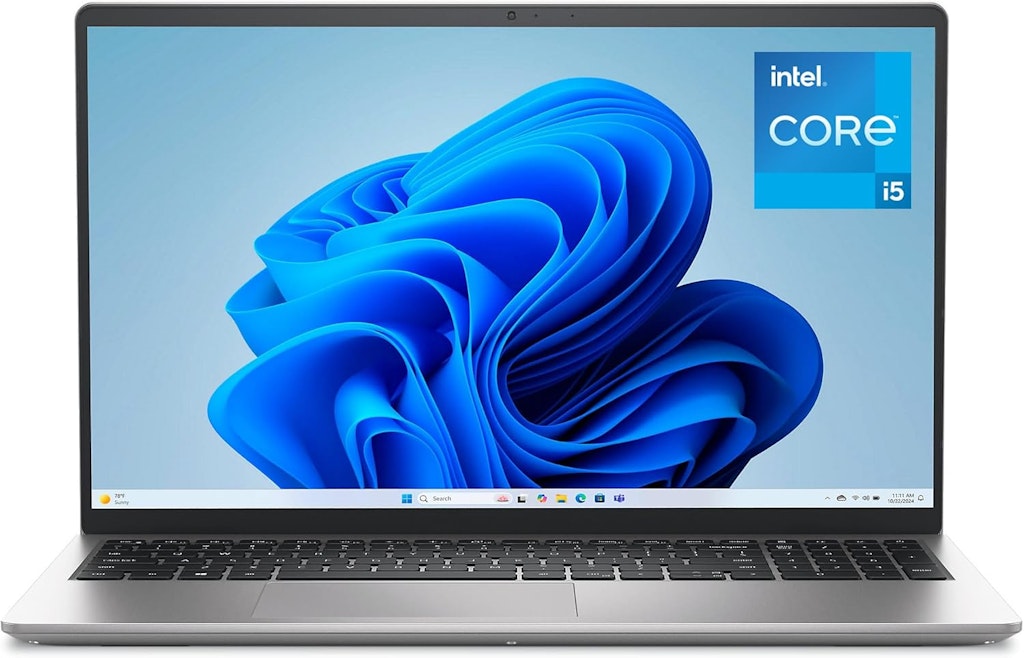
This Dell 15 Laptop is $160 off the regular price of $599.99. It pairs 8 GB of memory with a 512 GB SSD, and its 15.6" full HD display runs at a 120Hz refresh rate. Free shipping applies. Buy Now at Dell Technologies
Features
- 13th Generation Intel Core i5-1334U 3.4GHz Raptor Lake 10-core CPU
- 15.6" 1920x1080 (1080p) 120Hz display
- 16GB RAM & 512GB SSD
- Windows 11 Home
Ends Today
Woot! An Amazon Company · 1 wk ago
From $60
free shipping w/ Prime
more
↑ less
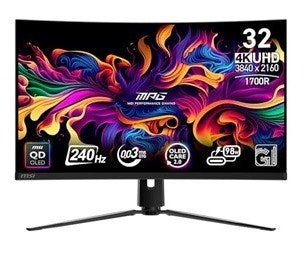
Woot's MSI Monitors sale covers a wide range of factory reconditioned displays, from a 22" FHD monitor at $59.99 up to a 49" DQHD curved QD-OLED monitor at $709.99. Gaming-focused QD-OLED models make up a large share of the lineup, alongside more basic productivity monitors for smaller budgets. Each model includes a 180-day MSI warranty. The sale runs through August 31. Buy Now at Woot! An Amazon Company
staff pick
Amazon · 1 wk ago
$27 $30
free shipping w/ Prime
more
↑ less
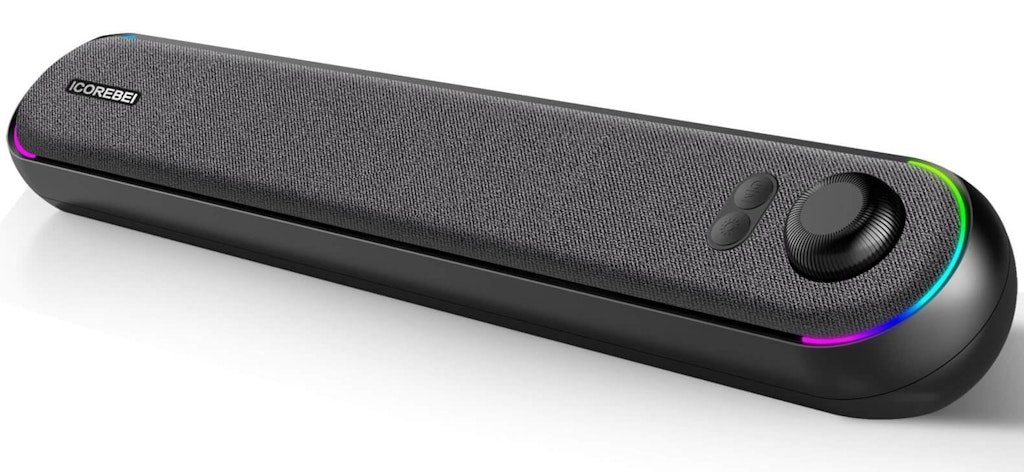
Clip the on-page coupon to get this Desktop Bluetooth 5.3 RGB Soundbar for $27. It's the best price Amazon has charged for this desktop soundbar. The soundbar pairs a USB-C connection for power and audio with Bluetooth 5.3, so it can stay wired to a PC while also streaming wirelessly from a phone or tablet. Customizable RGB lighting and a compact angled design that fits under a monitor round out the feature set. Buy Now at Amazon
Features
- Dual full-range drivers with a 50 x 90 mm passive bass radiator
- USB-C connection for audio and power, plus an included USB-C to USB-A adapter
- Bluetooth 5.3 for wireless streaming with source-switching controls
- Customizable RGB lighting with single-color, breathing, or gradient effects
- Compact 16.1" x 3.1" x 3.1" angled soundbar design
- Protective acoustic grille to shield drivers from dust
Popular Deal
staff pick
Amazon · 1 wk ago
Popular Deal
$16 $50
free shipping w/ Prime
more
↑ less
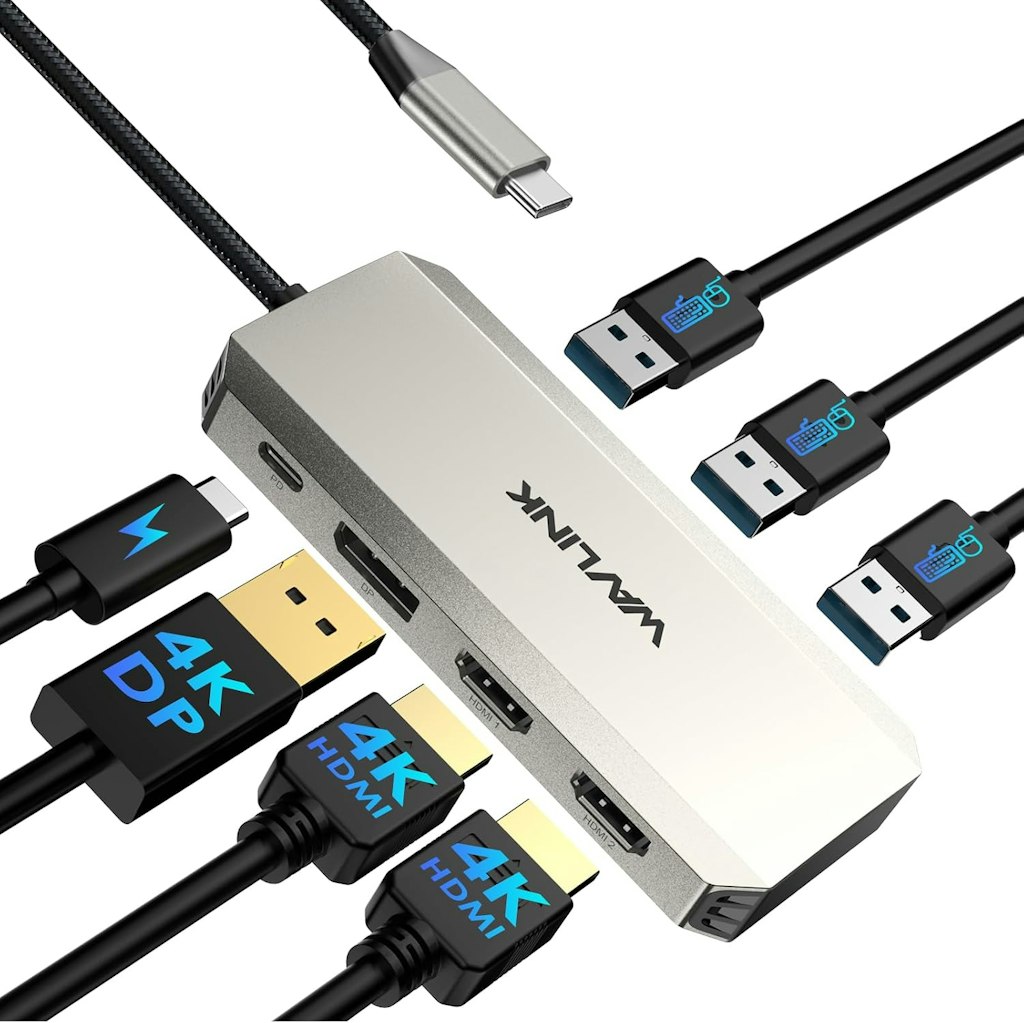
Amazon offers the Wavlink Triple 4K Docking Station for $15.99. That's a $25 low and its best-ever price. Shipping is free for Prime members. Buy Now at Amazon
Popular Deal
eBay · 1 wk ago
Popular Deal
From $163
free shipping
more
↑ less
Newegg's eBay store covers a wide range of laptops, from budget business models like the HP ProBook x360 11 at $163.49 to high-end gaming machines like the MSI Raider 18" with an RTX 5080 graphics chip at $3,619.99. Shoppers can find everyday laptops from Dell Latitude and HP EliteBook alongside gaming-focused models from MSI, Acer, and ASUS with high-refresh-rate displays and dedicated graphics. Free shipping applies. Buy Now at eBay
Features
- Gaming laptops with dedicated graphics from brands like MSI and Acer
- Business laptops from Dell Latitude, HP EliteBook, and Lenovo ThinkPad lines
- Screen sizes ranging from 11.6" to 18"
- Configurations with up to 64GB of memory and 2TB of storage

Staples · 1 wk ago
$600 $1,150
free shipping
more
↑ less
This HP OmniBook 3 is $599.99 at Staples, down from $1,149.99 and the lowest price we could find. It's a Copilot+ PC built around a Snapdragon X processor, with 16GB of RAM, a 512GB SSD, and a 16" 2K display, plus a battery rated for up to 33.5 hours. Free shipping applies. Buy Now at Staples
Features
- Qualcomm Snapdragon X 8-core processor with built-in AI chip
- 16GB of RAM and 512GB solid state storage
- 16" 2K IPS anti-glare display with 1920 x 1200 resolution
- Up to 33.5 hours of battery life with fast charging
- Wi-Fi 6E wireless connectivity
- Windows 11 Home with Copilot AI features

Staples · 1 wk ago
$700 $1,500
free shipping
more
↑ less
Staples has the HP OmniBook 5 16" Laptop (D40K0UA#ABA), for $699.99, down from $1,499.99 and the lowest price we could find. This Copilot+ PC pairs an Intel Core Ultra 7 355 processor with 16GB of RAM, a 512GB SSD, and up to 23 hours of battery life on a single charge. Free shipping applies. Buy Now at Staples
Features
- Intel Core Ultra 7 355 processor with built-in AI Boost NPU
- 16GB DDR5-5600 RAM and 512GB PCIe Gen4 NVMe SSD
- 16" 2K IPS anti-glare display with 1920 x 1200 resolution
- Up to 23 hours and 15 minutes of battery life w/ HP Fast Charge
- Wi-Fi 6 and Bluetooth 5.4 wireless connectivity
- Windows 11 Home with Copilot+ PC features
B&H Photo Video · 1 wk ago
From $1,699
free shipping
more
↑ less
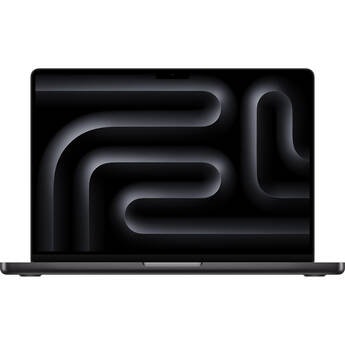
B&H has discounted a wide range of 14" and 16" MacBook Pro configurations, with M5, M5 Pro, and M5 Max chip options and savings on nearly every listing. We've pictured the 14" MacBook Pro with M5 chip, 16GB of memory, and 1TB of storage, which is $1,699, down from $2,019. Shoppers can choose across storage sizes up to 4TB and memory configurations up to 64GB, with Space Black and Silver finishes and Nano-Texture Glass options on select models. Buy Now at B&H Photo Video
Features
- Apple M5, M5 Pro, and M5 Max chip options
- 14" and 16" Liquid Retina XDR display sizes
- Storage configurations from 1TB up to 4TB SSD
- Unified memory options ranging from 16GB to 64GB
- Space Black and Silver finishes available
- Some models offer Nano-Texture Glass displays
Popular Deal
Best Buy · Aug 5, 2026
Popular Deal
From $132
free shipping
more
↑ less
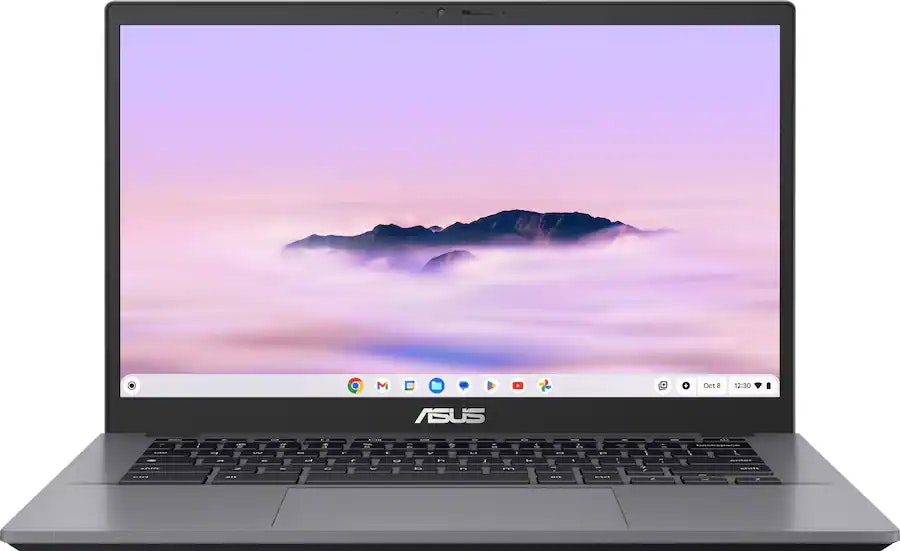
Best Buy's open-box section has laptops from big brands like ASUS, Lenovo, and Dell, massively discounted. The prices start as low as $132 and there are nearly 100 discounted builds to choose from. Open-box units are products returned under Best Buy's return policy and are verified to work, though they won't ship in their original packaging. My Best Buy members get free shipping on all orders (it's free to join). Buy Now at Best Buy
Newegg · Aug 14, 2026
$70 $125
free shipping
more
↑ less
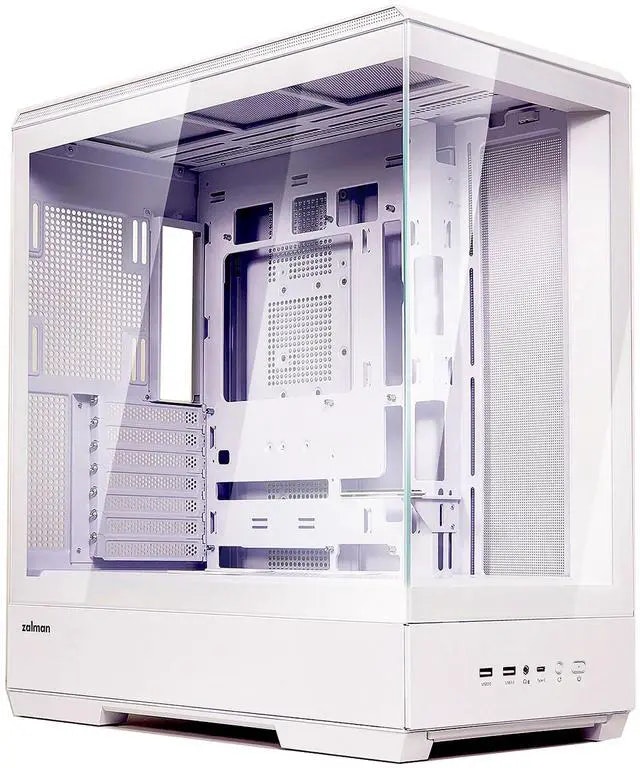
This Zalman P50 case is $70 at Newegg. That's $55 off and the lowest price we could find. It features panoramic tempered glass and tool-free panels that remove for easy access. It supports vertical GPU mounting, fits up to 10 fans, and is compatible with reverse-connection BTF motherboards for cleaner cable routing. Free shipping applies. Buy Now at Newegg
Features
- Panoramic tempered glass side panel
- Supports ATX, mATX, and Mini-ITX motherboards
- Fits up to 10 case fans
- Max GPU length of 17.1"
- Tool-free removable top, side, and back panels
- Compatible with reverse-connection (BTF) motherboards
Newegg · Aug 14, 2026
$30 $80
free shipping
more
↑ less
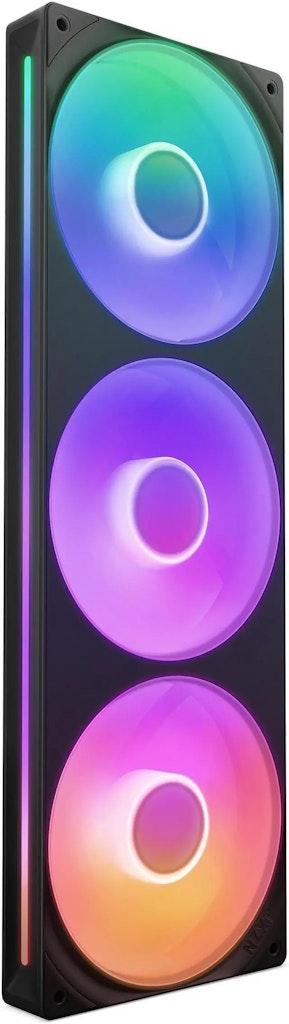
With promo code "SSF72876", this NZXT F360 RGB CORE fan unit drops to $29.99, $50 off the regular price. The 360mm unit delivers up to 75.12 CFM of airflow per fan at a noise level of 30 dBA. Buy Now at Newegg
Features
- 360mm triple-fan unit with single-frame RGB design
- 500 to 2,400 RPM (+/- 250) per fan
- 75.12 CFM airflow per fan
- Fluid dynamic bearing
- 30 dBA noise level per fan

staff pick
Newegg · Aug 13, 2026
$167
free shipping
more
↑ less
Newegg offers the Zebra USB Keyboard for $167. That's $497 off and the lowest price we could find. It's a wired keyboard built to work with vehicle mount computers. Free shipping applies. Buy Now at Newegg
Features
- Designed for use with vehicle mount computers
- QWERTY key layout
- Wired cable connection
- USB host interface
staff pick
HP · Aug 13, 2026
$1,212 $3,480
free shipping
more
↑ less
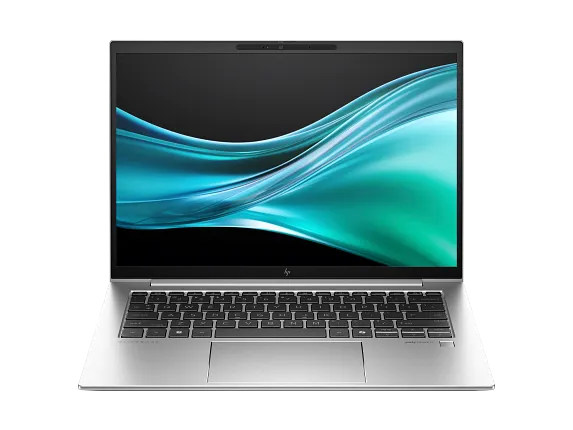
This HP EliteBook 840 G11 is $1,212, down from $3,480. It's $87 under our mention from two weeks ago and the lowest price we've seen. It includes an Intel Core Ultra 7 processor, 16 GB of memory, and a 512 GB SSD, along with a 14" WUXGA touch display built for business use. Buy Now at HP
Features
- Intel Core Ultra 7 165H processor with up to 5.0 GHz Turbo Boost
- 16 GB of memory and 512 GB SSD storage
- 14" WUXGA (1920 x 1200) touch display with anti-glare coating
- 5 MP IR camera with dual array microphones
- Wi-Fi 6E and Bluetooth 5.3 wireless connectivity
- Starting weight of 3.13 lb.
Macy's · Aug 13, 2026
$200 $286
free shipping
more
↑ less
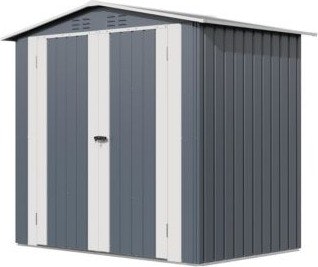
This gaomon storage shed is $199.95, down from $285.65. It's built from galvanized steel with a powder-coated finish to resist rust and corrosion, and includes a lockable door plus a built-in vent to keep stored items dry. Star Rewards members get free shipping (it's free to join). Buy Now at Macy's
Features
- 6x4 ft. footprint with a 71.2"L x 45.8"W x 70"H interior
- Galvanized steel construction w/ reinforced frame and powder-coated finish
- Lockable door helps secure contents and keep small animals out
- Built-in top vent promotes airflow to keep contents dry
- Sloped roof design helps rain and snow drain off
- Assembly recommended for 2-3 people
B&H Photo Video · Aug 12, 2026
$56 $80
free shipping
more
↑ less
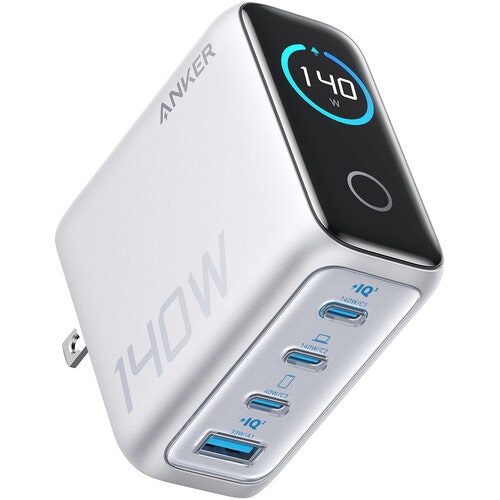
At B&H, this Anker 140W 4-Port USB Wall Charger is $24 off, priced at $56. That's $24 off and the lowest price we could find. It includes a built-in display that shows real-time power output and temperature. It also supports charging two laptops at once, with two of its USB-C ports each capable of delivering up to 70W simultaneously. Buy Now at B&H Photo Video
Features
- Delivers up to 140W total power output
- Includes 3 USB-C ports and 1 USB-A port
- Built-in color display shows power output and temperature
- ActiveShield 4.0 system monitors temperature in real time
- Uses GaN technology for a compact, travel-friendly size
- Ports face downward to reduce stress on the wall socket
Walmart · Aug 12, 2026
$899 $1,299
free shipping
more
↑ less
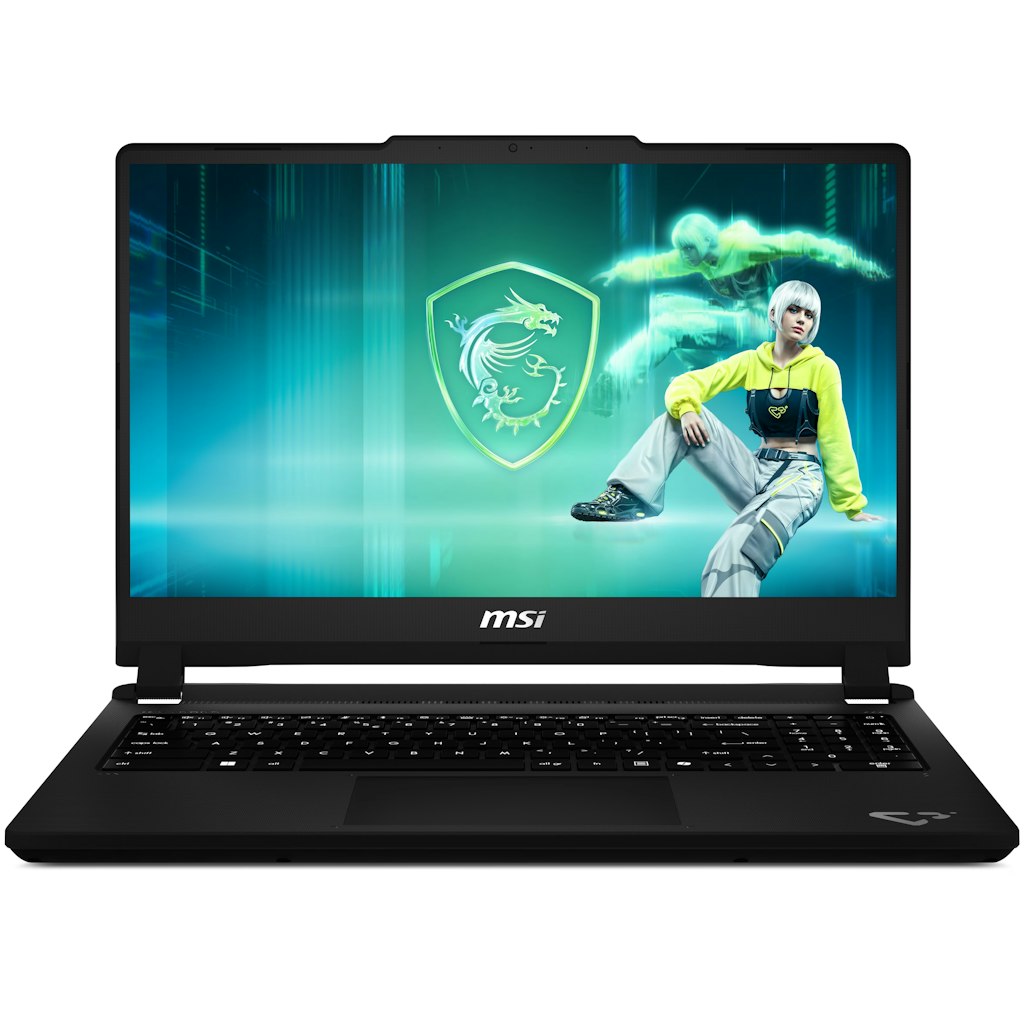
This MSI Cyborg gaming laptop is $899 at Walmart. That's $400 off. It pairs an NVIDIA GeForce RTX 5050 graphics card with a 144Hz Full HD display and 16GB of memory. Shipping is free. Buy Now at Walmart
Features
- 13th-Generation Intel Core i5-13420H 3.4GHz 8-core processor
- 15.6" 144Hz Full HD IPS thin-bezel display
- 16GB DDR5 memory & 512GB NVMe SSD storage
- NVIDIA GeForce RTX 5050 8GB graphics card
- Windows 11
dailysteals · Aug 12, 2026
From $95 $299
free shipping
more
↑ less
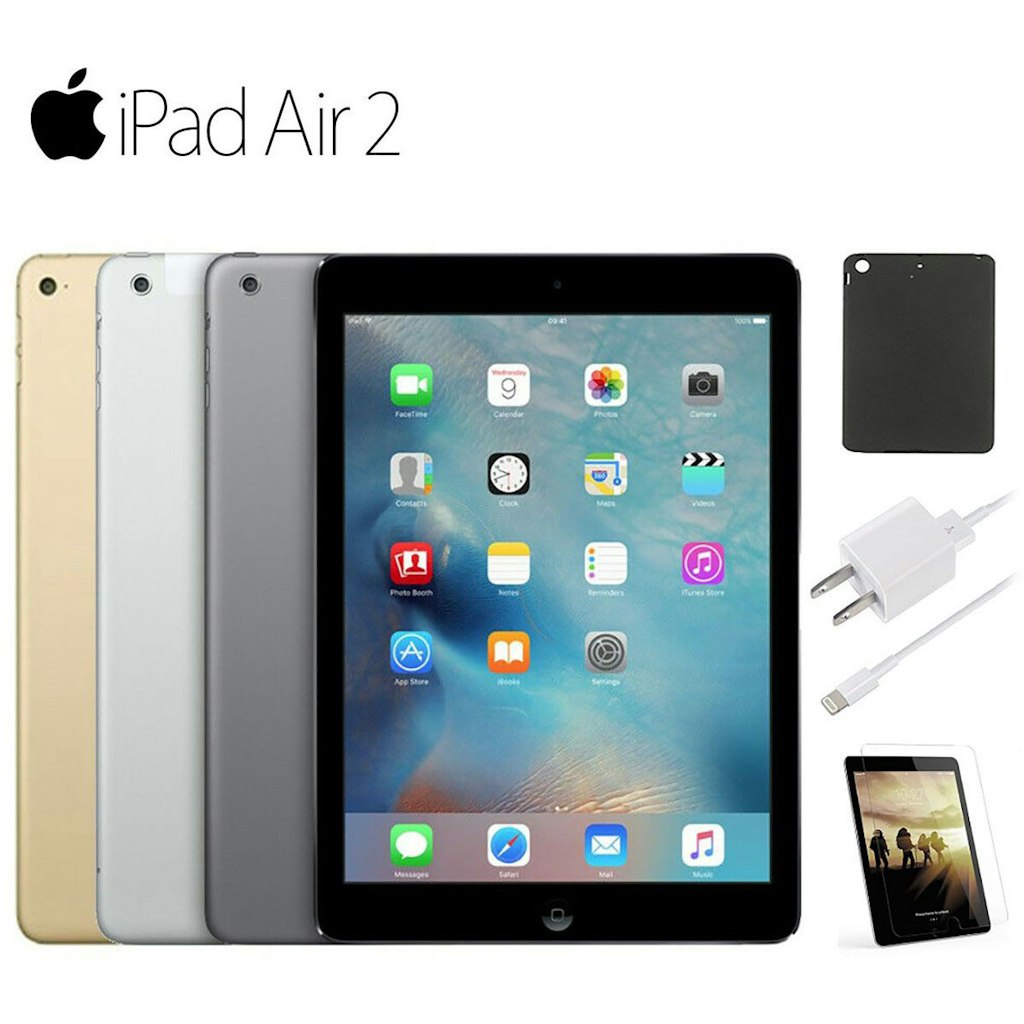
This refurbished iPad Air 2 comes bundled with a case, tempered glass screen protector, and charger at $95, down from $299. It includes a 90-day warranty and ships free. Buy Now at dailysteals
Features
- 9.7" IPS LCD retina display with 2048 x 1536 resolution
- Tri-core Apple A8X CPU with M8 chip
- Updated to run iOS 15
- Touch Fingerprint ID for secure unlocking
- Available with Wi-Fi only or 4G unlocked connectivity
- Includes tempered glass, case, and charger
Amazon · Aug 12, 2026
$15 $40
free shipping w/ Prime
more
↑ less
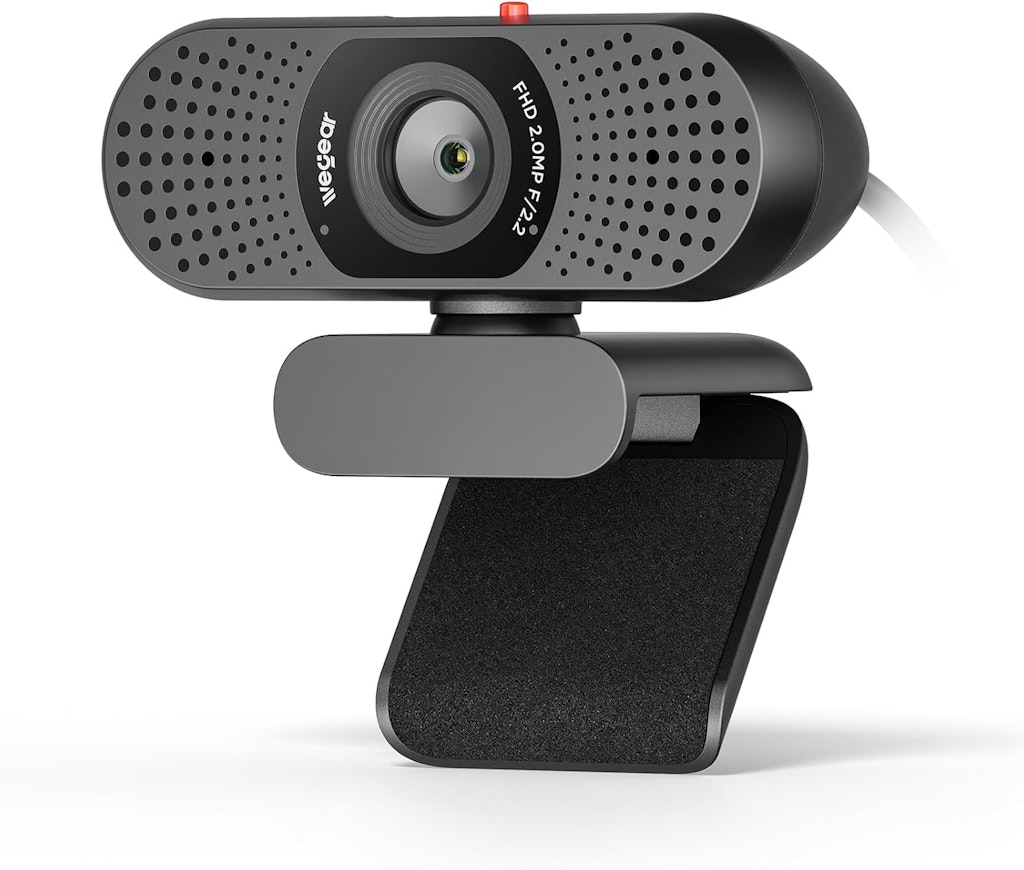
This webcam is a reasonable pick for anyone who needs a basic 1080p camera for video calls or remote work without spending much on hardware. Apply coupon code "4ZEDQD5R" for a total savings of $25. Buy Now at Amazon
Features
- Built-in sliding privacy cover
- 1080p 30FPS video resolution
- Plug-and-play USB connection
- Auto light balance with smart IQ algorithm
- Integrated dual microphones for clear audio
- Model: C100
Computers: The Basics
Shopping for computers doesn’t have to drain your savings — if you know how to find the best prices. Our team of experts review the sales and publish the best computer deals so you don’t have to work half as hard.
How to Save on Streaming Services
Computers: The Basics
Shopping for computers doesn’t have to drain your savings — if you know how to find the best prices. Our team of experts review the sales and publish the best computer deals so you don’t have to work half as hard.
Basic Computer Terminology
You don’t have to be a tech wiz to buy your next computer. Make note of these common terms to help you when you’re shopping computer sales!
- Operating System (OS): This is the system that controls how your computer performs basic functions. The most common operating systems you’ll see right now are Windows 10 and Mac OS X. They perform comparably, so picking one relies on personal preference.
- Random-access memory (RAM): The short-term memory of your computer. Your RAM controls how quickly and efficiently your computer is able to switch between tasks. The higher the RAM, generally, the better the performance.
- Processor (CPU): The powerhouse or “brain” of the computer, your processor handles your computer’s basic instructions, such as using your mouse and keyboard, or running applications. The two most popular CPU manufacturers are AMD and Intel. You can read about which processor is right for you in this article from Digital Trends.
- Storage: There are two types of physical computer storage, hard drives (HD) and solid state drives (SSD). SSD storage is more common these days because they are more stable and faster. While it’s ideal to aim for greater storage space, a bigger drive will cost more money. Determine your storage needs based on how you plan to use your computer. Abt recommends starting with at least 500 GB of storage space.
Additionally, some providers, like Verizon, offer streaming perks with select plans, giving you months of access to services like Disney+, Hulu, and ESPN+ at no extra cost. Annual payment options can also help you save, as they often come with a discount equivalent to getting one or two months free. For those on a budget, ad-supported plans provide the same great content at a fraction of the cost. Visit our Disney+ Subscription Cost page to explore pricing and options.
What Deals Are Available on Disney+ Bundles?
Disney+ bundle deals provide significant savings when combining services. For example, the Verizon Disney Bundle offered six months of Disney+, Hulu, and ESPN+ for free with select Unlimited plans. Bundles like the Disney+ Premium annual plan ($159.99) save you the cost of two months compared to monthly payments. Bundle options like the ad-supported Duo Basic plan (Disney+ and Hulu) start at $10.99 per month, while ad-free Duo Premium is $19.99. Learn more on the Disney+ Bundle Deals page.
You can also explore seasonal and promotional deals during events like Black Friday to maximize your savings. Check out the Best Disney+ Deals page for current offers.
How Much Is a Disney+ Subscription?
Disney+ subscriptions currently start at $8 per month for the ad-supported Basic plan, while the Premium ad-free plan is priced at $13.99 per month or $139.99 annually. Prices will increase beginning October 17, 2024, with the Premium plan rising to $15.99 per month or $159.99 annually. Explore all pricing options on the Disney+ Subscription Costs page.
Best Disney+ Deals
Disney+ offers value-packed streaming bundles, such as the Disney+, Hulu, and Max bundle starting at $17 per month with ads or $30 per month ad-free. Disney+ also supports paid sharing, allowing you to add one extra member for $6.99 per month with Basic or $9.99 per month with Premium. Prices are increasing on October 17, 2024, so finding deals like these is more important than ever. For more information, visit our Best Disney+ Deals page.
Best Disney+ Deals
Disney+ offers value-packed streaming bundles, such as the Disney+, Hulu, and Max bundle starting at $17 per month with ads or $30 per month ad-free. Disney+ also supports paid sharing, allowing you to add one extra member for $6.99 per month with Basic or $9.99 per month with Premium. Prices are increasing on October 17, 2024, so finding deals like these is more important than ever. For more information, visit our Best Disney+ Deals page.
Annual Disney+ Subscription Costs
Disney+ Premium annual plans cost $139.99 but will rise to $159.99 on October 17, 2024. Opting for the annual plan saves you the equivalent of two months compared to monthly billing. Note that annual payments are only available for standalone Disney+ Premium plans and not for bundles. Customize your subscription to include ad-supported or ad-free options with Hulu, ESPN+, or Max. See all pricing details on the Disney+ Subscription Cost page.
Basic Computer Terminology
You don’t have to be a tech wiz to buy your next computer. Make note of these common terms to help you when you’re shopping computer sales!
- Operating System (OS): This is the system that controls how your computer performs basic functions. The most common operating systems you’ll see right now are Windows 10 and Mac OS X. They perform comparably, so picking one relies on personal preference.
- Random-access memory (RAM): The short-term memory of your computer. Your RAM controls how quickly and efficiently your computer is able to switch between tasks. The higher the RAM, generally, the better the performance.
- Processor (CPU) : The powerhouse or “brain” of the computer, your processor handles your computer’s basic instructions, such as using your mouse and keyboard, or running applications. The two most popular CPU manufacturers are AMD and Intel. You can read about which processor is right for you in this article from Digital Trends.
- Storage: There are two types of physical computer storage, hard drives (HD) and solid state drives (SSD). SSD storage is more common these days because they are more stable and faster. While it’s ideal to aim for greater storage space, a bigger drive will cost more money. Determine your storage needs based on how you plan to use your computer. Abt recommends starting with at least 500 GB of storage space.
Basic Software for Your PC
When you start using your new computer, you’ll want to install some basic software to get going. Most pre-built computers come with a suite of software pre-installed with the OS.
Productivity Tools
Whether you opt for a package like Microsoft Office or iWork, opt for freeware like Open Office, or choose an online software pack like G Suite, it’s always a good idea to install a productivity software to help you with tasks like making spreadsheets, word processing, and viewing PDFs.
Internet Browser
Microsoft Edge and Safari are the standard browsers that come with a new computer, but many shoppers rely on browsers like Google Chrome or Mozilla Firefox.
Cloud Storage
Not only does cloud storage give you more space than the limited physical storage on your PC, but it also gives you access to your files anywhere. Many companies like Google or Dropbox offer a limited amount of free cloud storage.
Antivirus Software
Antivirus tools do more than simply keep viruses at bay; they also protect against malware, phishing, adware, spyware, and more. Windows 10 comes with Microsoft Security Essentials as a default, and security options are built into Mac OS X (as opposed to a standalone program). That said, antivirus suites like Norton, McAfee, and Bitdefender may offer you more protection.
Media Player
Many laptops and desktops no longer include a physical media drive. If you plan on watching any videos locally (not streamed online), it’s useful to have a media player. Typically, this software is built in, but check out this list for some info on the best media players for Windows 10 and this one for Mac.
Music Player
Not to be confused with a media player, a good music application is worth installing on your computer. Spotify, iTunes, and Pandora are some common favorites that give you access to a practically limitless selection. The desktop versions make it easier to browse and build playlists.
Computer Deal Subcategories
DealNews offers the best deals on computers and computing accessories. You can browse our deals in different categories including, but not limited to:
Whether you’re looking for a new work laptop, or want to find a quality gaming system, check out our selection of the best laptop deals here.
Did you know you should replace your computer every 4 to 5 years to keep up with the latest performance and security updates? Check out the best computer deals for your next desktop here.
Did you know that DealNews first launched as a deal website for Apple Macintosh products? While we’ve grown significantly since then, we still know how to find the best Apple computer deals!
Maybe you’re in the market for a larger streaming device for your kids, or maybe you’d like a device to serve as your e-reader (with a few extra perks). Whatever you’re searching for, check out the best tablet and iPad deals here.
- Peripherals
Routers , monitors , input devices , and more! These devices make using your computer more comfortable and practical. Be sure you search our site to save big!
When shopping computer sales, check out DealNews before going anywhere else, so you know you’ll always find the best deals!
Frequently Asked Questions
Should I purchase a laptop or desktop?
It’s important to review your needs before buying a laptop or desktop computer.
- What’s your budget? Because they’re bigger and more modular, desktop computers tend to outperform laptops. A desktop’s customizability means your budget can go a lot further. However, laptops have other advantages over desktops.
- Do you need portability? High-end laptops are generally more expensive, but a laptop will always win the portability debate.
- How much power do you need? Desktops have more room to work with, so you can add more RAM, more storage, a bigger graphics card, and other performance improvements. But if you don’t need all that, then a mid-tier laptop may be the cheaper choice.
- Are you a gamer? Laptops that are built for gaming are among the most expensive on the market. That said, if you’re not comfortable selecting individual pieces to build a gaming desktop, you may be willing to pay a premium to get that performance.
- Don’t forget the repairs. If you’re handy, you can often repair or replace parts in a desktop computer with the help of online guides. Most laptops require specialized tools and skills to repair, so desktop fixes tend to be cheaper.
Overall, desktop computers have a lot of advantages, but the lack of portability can be a deal breaker. No matter what you decide, be sure to check out specs and buying guides from the DealNews Blog and other reputable sources like CNET or PCMag. Then shop DealNews for the best computer deals!
How do I get my external hard drive to show up?
Once you’ve ensured that your external drive is plugged in and powered on, check out these steps from PCMag:
- Try a different USB port.
- Try a different PC.
- Update your drivers.
- Format the drive.
What is a VPN?
VPN stands for “virtual private network.” A VPN protects your internet usage by routing your internet connection through a private server. Using a VPN keeps your online browsing more private and also grants you access to websites and content that may not be available in your country.
For more information about VPNs, visit our NordVPN Free Trial Guide and our NordVPN Subscription Cost Page.
How can I boost my WiFi signal?
When your internet connection seems impossibly slow, the cause isn’t your provider, but your WiFi signal strength. Check out these options to boost your WiFi signal:
- Update your router firmware. Each router is different, but you can typically use the steps found here to run updates.
- Place your router in the most optimal space. You want to place your wireless router away from walls or obstructions. If possible, put it in the most central place in your home.
- Pick a different frequency. If you have a dual-band router, try using the 5GHz band. This band offers higher speeds and may get an additional boost if fewer devices are connected to it.
- Change the channel. While most routers will automatically choose the channel with the least congestion, some cheaper routers may require you to manually update it.
- Upgrade your router. How old is your current router? If it's a previous-generation 802.11b model, upgrading could improve your wireless signal. If you already have a newer 802.11n or Wi-Fi 6 router, you're in good shape.
- Replace the antenna. You may boost your signal by adding or replacing an external antenna. PCMag recommends purchasing one marked “high-gain” and opting for a directional antenna rather than an omnidirectional one.
- Add a wireless range extender. If you only want to boost coverage in one or two rooms, a WiFi extender can help you eliminate dead spots. Check out this guide from the DealNews Blog.
Switch to a mesh WiFi system. Wireless mesh networking is becoming more popular because it can provide more complete coverage throughout the home. Mesh systems replace your router and work seamlessly to eliminate coverage gaps.
By: Kristen Harris, Manager
A Georgia girl with three years of experience in IP Law and grounded in understanding marketing and consumer motives. When she's not working with the fabulous staff of DealNews, you can find her whining at rowing practice and browsing the Hot Deals on the site.
Want to know the moment we post a great deal on Computers?
Create an Alert