staff pick
New
Amazon · 3 hrs ago
$320 $800
free shipping
more
↑ less
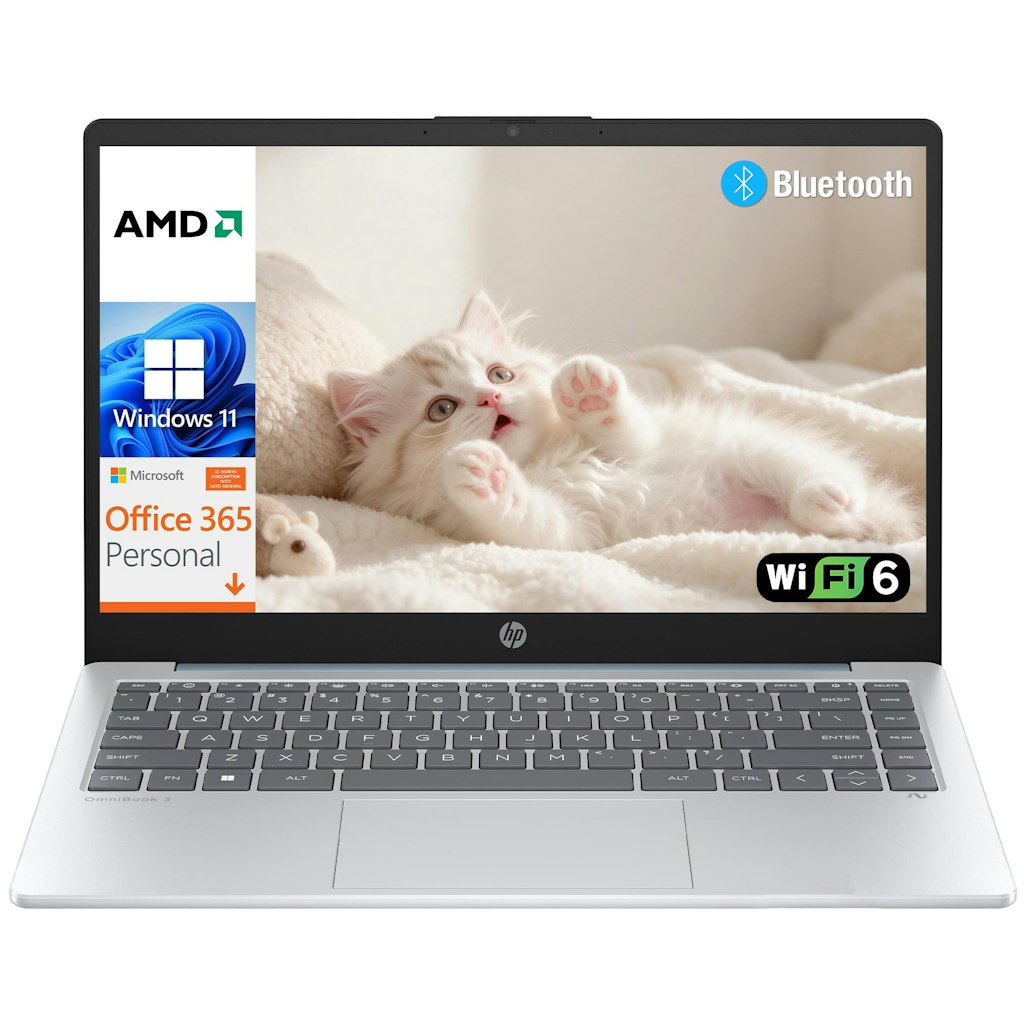
This HP 14 laptop is priced at $320, which is its Amazon all-time low. That is also below its 90-day average of $688. It includes a one-year Office 365 subscription and ships with Windows 11 Home S. Shipping is free. Buy Now at Amazon
Features
- AMD Athlon Silver 7120U processor with Radeon 610M integrated graphics
- 14" HD (1366 x 768) display
- 128GB solid-state drive
- Windows 11 Home S with 1-year Office 365 subscription
- Wi-Fi 6 & Bluetooth 5.4
- 3.09-lb. weight with 1080p webcam & privacy shutter
Amazon · 4 hrs ago
$1,400 $2,399
free shipping
more
↑ less
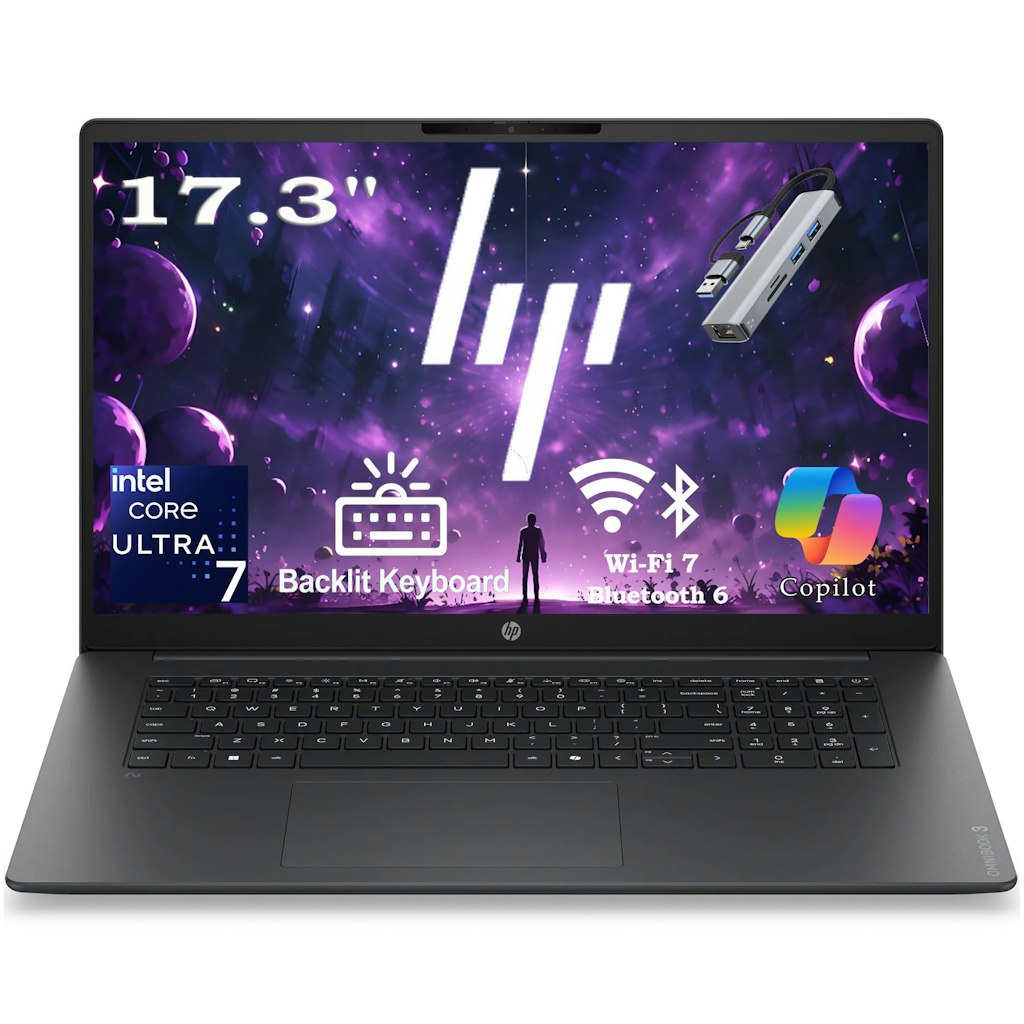
This HP Pavilion laptop hits its Amazon all-time low of $1,400 and sits well below its 90-day Amazon average of $2,191. It pairs 32GB of DDR5 memory with a 1TB solid-state drive and a 17.3" Full HD display. A 5-in-1 port expansion hub is bundled in. Shipping is free. Buy Now at Amazon
Features
- 17.3" Full HD (1920x1080) IPS anti-glare display
- Intel Core Ultra 7 255U processor, up to 5.2GHz
- 32GB DDR5 RAM
- 1TB PCIe Gen4 NVMe SSD
- Wi-Fi 7, Bluetooth 6.0, HDMI 2.1, and 2 USB-C ports
- Backlit keyboard w/ number pad and 1080p webcam
staff pick
Walmart · 4 days ago
$629 $1,000
free shipping
more
↑ less
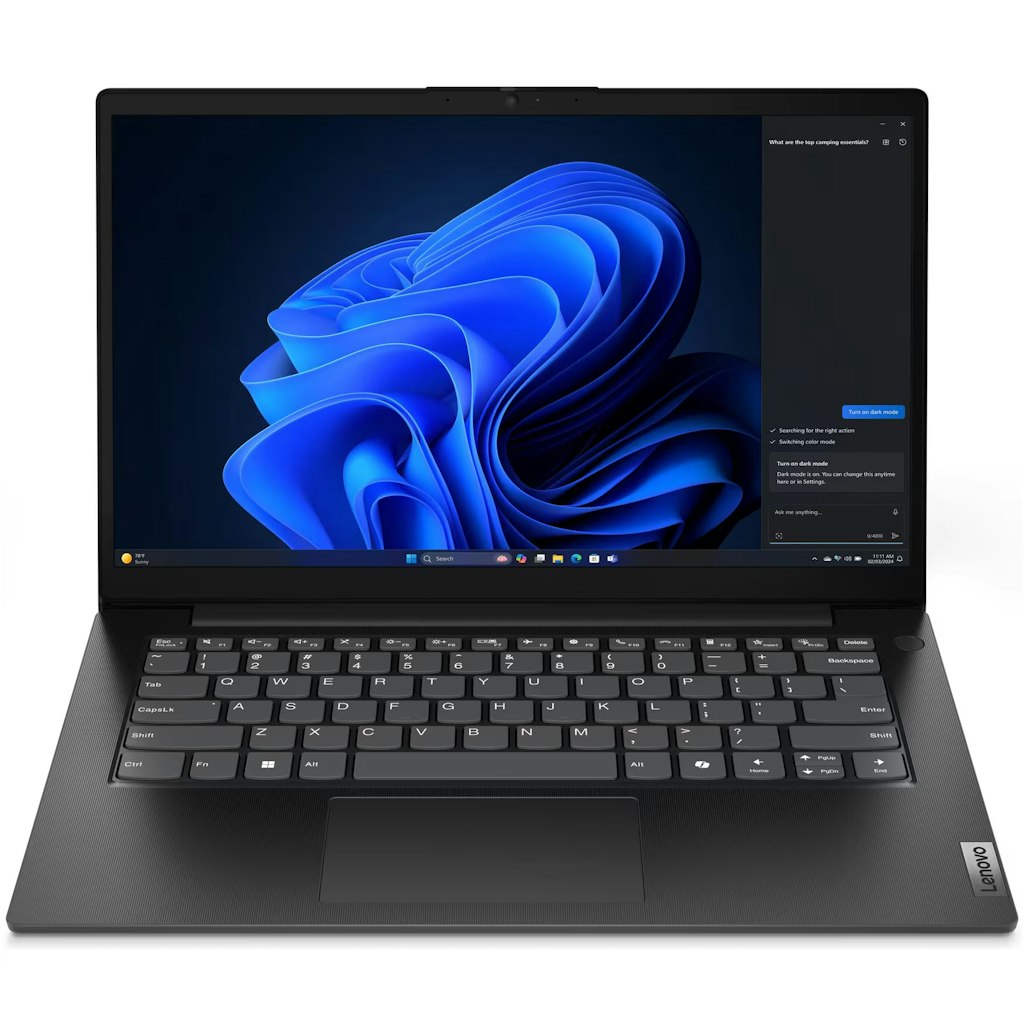
At Walmart, this Lenovo V14 G5 laptop is down to just $629. It's a strong price for a build with these specs. For context, we saw the same build with a 512GB SSD for just $30 less in July; this one has a 1TB SSD. It also has 16GB of RAM. Shipping is free. Buy Now at Walmart
Features
- 14" FHD display
- Intel Core i7-13620H processor
- 16GB DDR5 RAM
- 1TB PCIe Gen 4 SSD
- Windows 11 Home
Popular Deal
eBay · 1 day ago
Popular Deal
Up to 55% off + extra 10% off
free shipping
more
↑ less
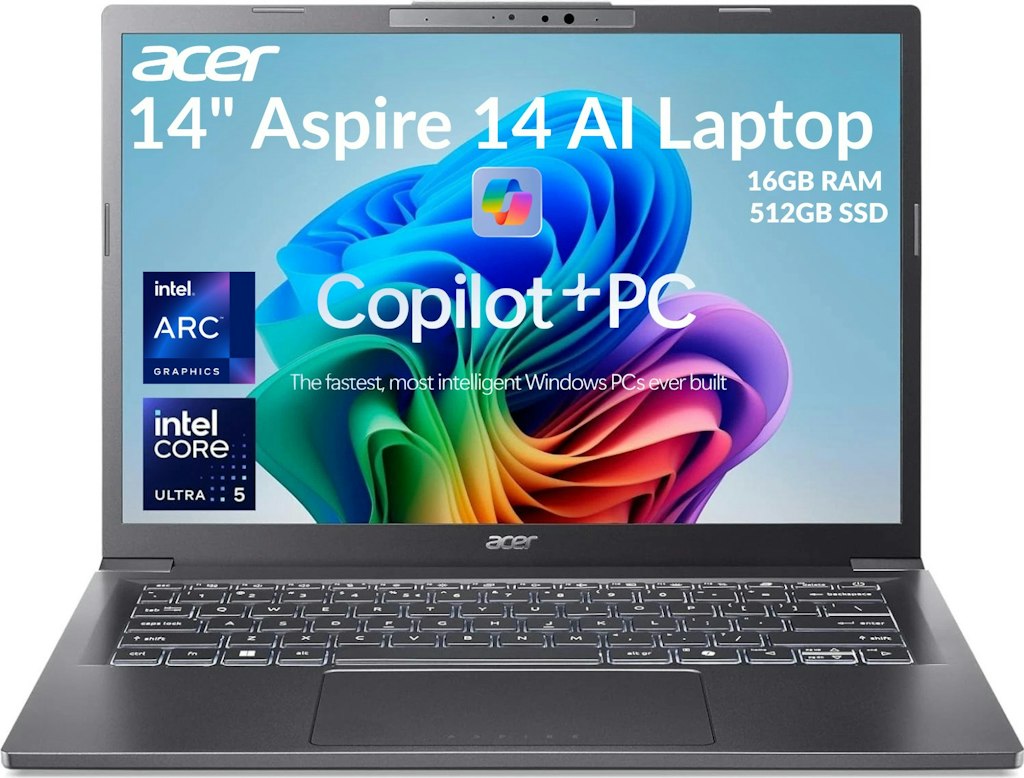
At eBay, promo code "NICEFIND10" takes an extra 10% off a lineup of certified refurbished Acer laptops, monitors, and desktops that are already marked down, including a Predator Helios Neo 16S gaming laptop for $1,600, down from $1,899. An Acer Aspire Ultra 5 14" Laptop is also down to $437 after the coupon code ($372 off). Every item in the sale carries eBay's two-year warranty serviced by Allstate. The coupon ends on December 31. Shop Now at eBay
Features
- Lineup includes Acer laptops, desktops, monitors, and Chromebooks
- Certified Refurbished items are backed by a two-year warranty serviced by Allstate
- Laptop options include models with Intel Core Ultra and AMD Ryzen AI processors
- Monitor sizes range from 15.6" portable screens up to 34" curved gaming displays
- Some gaming laptops and monitors include RTX 50-series graphics or high refresh rates up to 240Hz
Best Buy · Oct 12, 2026
$450 $850
free shipping
more
↑ less
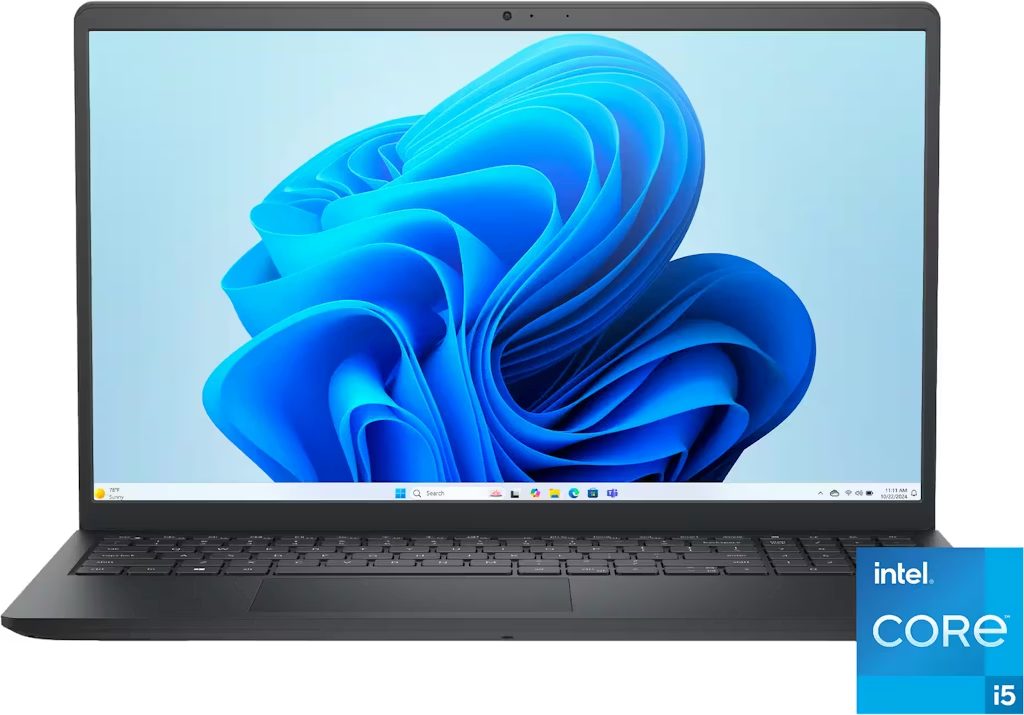
At $449.99, this Dell laptop is $400 off the regular price of $849.99. It pairs a 13th Generation Intel Core i5 processor with a 15.6" Full HD touchscreen display. My Best Buy members get free shipping on all orders (it's free to join). Buy Now at Best Buy
Features
- 13th-Gen. Intel Core i5-1334U 1.3GHz 10-Core CPU
- 15.6" 1920x1080 (1080p) Touch IPS display
- 8GB RAM & 512GB SSD
- Windows 11 Home
Best Buy · Oct 2, 2026
$1,050 $1,500
free shipping
more
↑ less
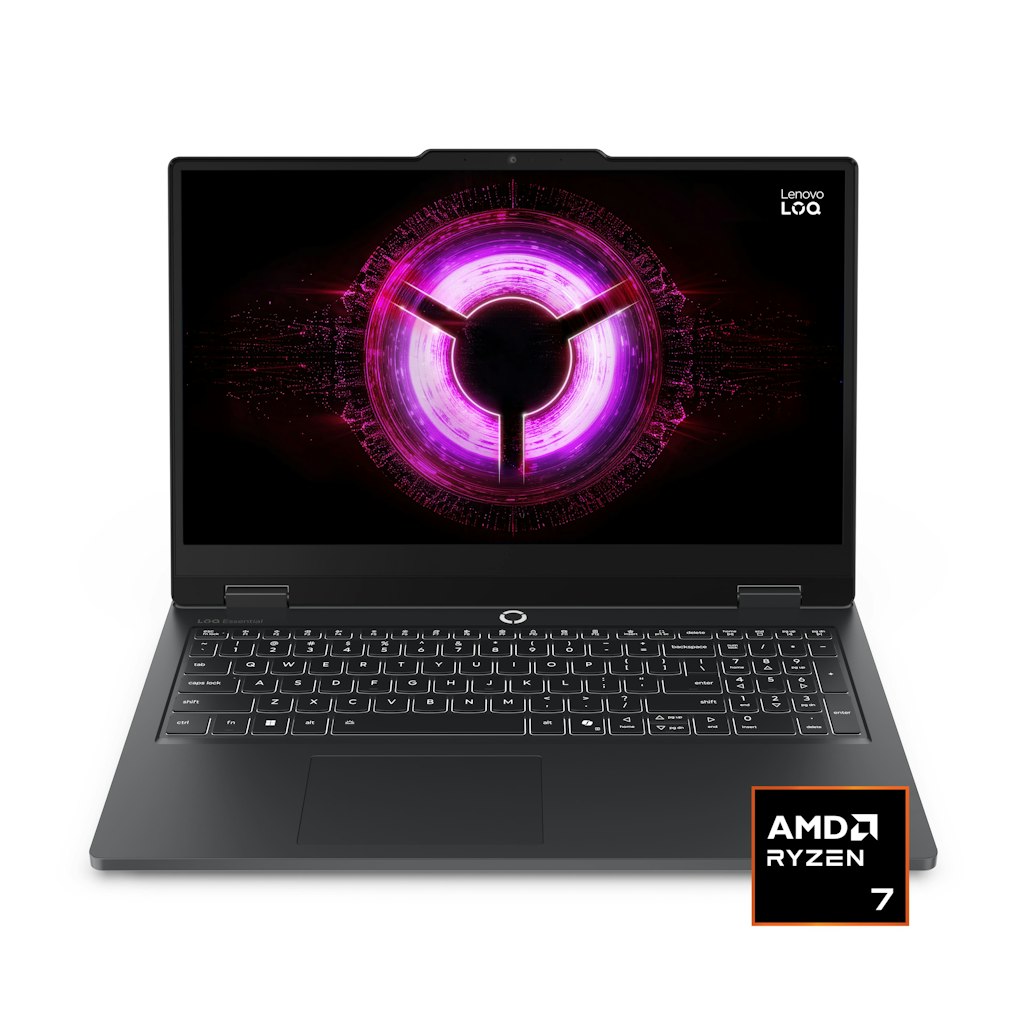
This Lenovo LOQ gaming laptop is $1,049.99 at Best Buy. That's $450 below the original price. It pairs an AMD Ryzen 7 processor with NVIDIA GeForce RTX 5050 graphics and a 144Hz Full HD display. My Best Buy members get free shipping on all orders (it's free to join). Buy Now at Best Buy
Features
- AMD Ryzen 7 170 CPU
- 15.6" 1920x1080 (1080p) 144Hz IPS display
- 16GB RAM & 512GB SSD
- NVIDIA GeForce RTX 5050 8GB GPU
- Windows 11 Home
Popular Deal
Dell Refurbished Store · Aug 8, 2026
Popular Deal
Extra 45% off
free shipping
more
↑ less
The Dell Refurb Strore promo code "AFPRE3460" cuts an extra 45% off all the refurbished Dell Precision 3460 workstations in this section. It puts the starting price at just $440. The Precision 3460 Small Form Factor chassis measures just 3.6" wide with an 11.5" depth, which is notably compact for a workstation-class desktop with a 12th-gen. Intel Core i7 or 13th-gen. Intel Core i5 processor inside. These units are off-lease systems restored to Dell's refurbished standards and backed by a 100-day limited warranty. Shipping is free on all orders here, too. Shop Now at Dell Refurbished Store
Features
- Small form factor chassis
- 12th Gen Intel Core i7 or 13th Gen Intel Core i5 processors
- 16 GB or 32 GB of memory
- 256 GB up to 1 TB SSD storage options
- 64-bit Windows 11 Pro included
- Available with Nvidia Quadro graphics on select models
Dell Technologies · Aug 18, 2026
Up to $1,300 off
free shipping
more
↑ less
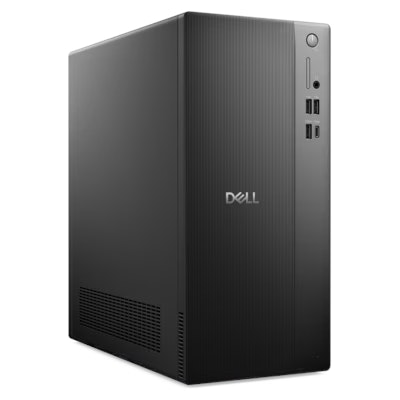
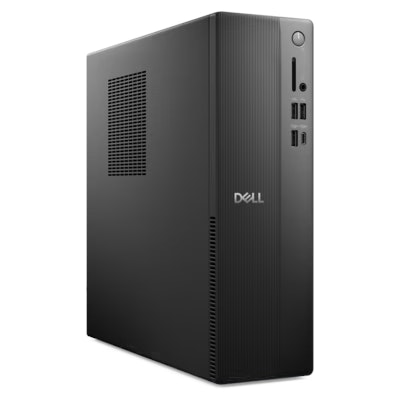
Dell's Back to School sale covers desktops across nearly every category, from compact all-in-ones to high-end Alienware gaming towers. The Dell Slim Desktop drops to $600, while an Alienware Area-51 Gaming Desktop with an NVIDIA GeForce RTX 5080 graphics card is $1,300 off at $4,580. Shoppers can filter by form factor, processor, memory, and graphics card to find a configuration that fits their budget. Shop Now at Dell Technologies
Features
- Desktop towers, all-in-ones, slim, and micro form factors available
- Configurations from Intel Core processors to Alienware gaming rigs with NVIDIA GeForce RTX graphics
- Prices starting around $600 and ranging up to premium gaming desktops
- Windows 11 Home or Pro operating systems
- Storage options from 256 GB up to 2 TB SSD
- Optional extended Dell Care Plus or ProSupport coverage plans
Dell Technologies · Aug 13, 2026
Up to $600 off
free shipping
more
↑ less
Dell's Back to School sale covers desktops across its Dell, Dell Pro, and Alienware lines, with savings up to $600 off select models. The Alienware Aurora Gaming Desktop with an RTX 5080 graphics card and 32 GB of memory is priced at $3,729.99, down from $4,529.99, while compact Dell Pro Micro desktops start under $800. The range spans everyday productivity desktops to high-end gaming rigs. Free shipping applies. Shop Now at Dell Technologies
Features
- Includes Dell, Dell Pro, and Alienware desktop lines
- Tower, all-in-one, slim, and micro form factors available
- Configurations with Intel Core Ultra processors and Windows 11
- Options with NVIDIA GeForce RTX 5070 and RTX 5080 graphics for gaming
- Storage options ranging from 256 GB to 2 TB SSDs
- Memory configurations from 8 GB up to 32 GB DDR5
Popular Deal
Amazon · 5 days ago
Popular Deal
Up to 41% off
free shipping
more
↑ less
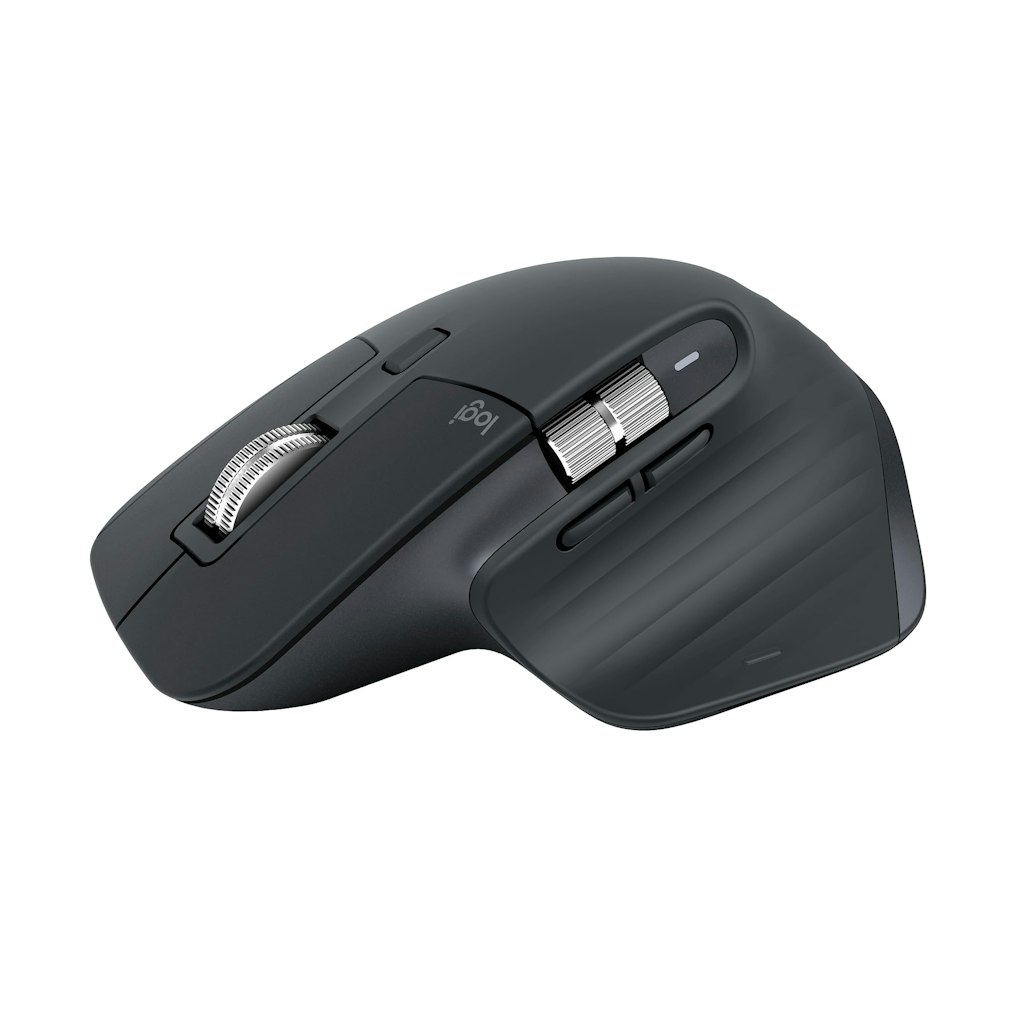
Logitech Deals at Amazon spans the brand's lineup of wireless mice, keyboards, webcams, and iPad keyboard cases. The MX Master 3S wireless mouse, Logitech's flagship model for office and productivity use, is down to $79.99. Elsewhere, the Ergo K860 split ergonomic keyboard sits at $119.99 and the MK270 keyboard and mouse combo starts at $19.99. Shop Now at Amazon
Features
- Wireless mice range from $14.99 to $79.99, including the MX Master 3S and Ergo M575S trackball mouse
- Keyboard and mouse combos start at $19.99 with the MK270 and reach $179.99 with the MX Keys S Combo for Mac
- Standalone keyboards include the ergonomic Ergo K860 at $119.99 and the mechanical MX Mechanical at $149.99
- iPad keyboard cases for the 11" and 13" iPad Pro and Air models range from $109.99 to $129.99
- Presentation clickers include the R400 at $29.99 and the Spotlight remote at $99.99
- A Full HD 1080p 60 fps webcam, the StreamCam, is priced at $99.99
Popular Deal
Best Buy · Sep 28, 2026
Popular Deal
Up to 20% off
free shipping
more
↑ less
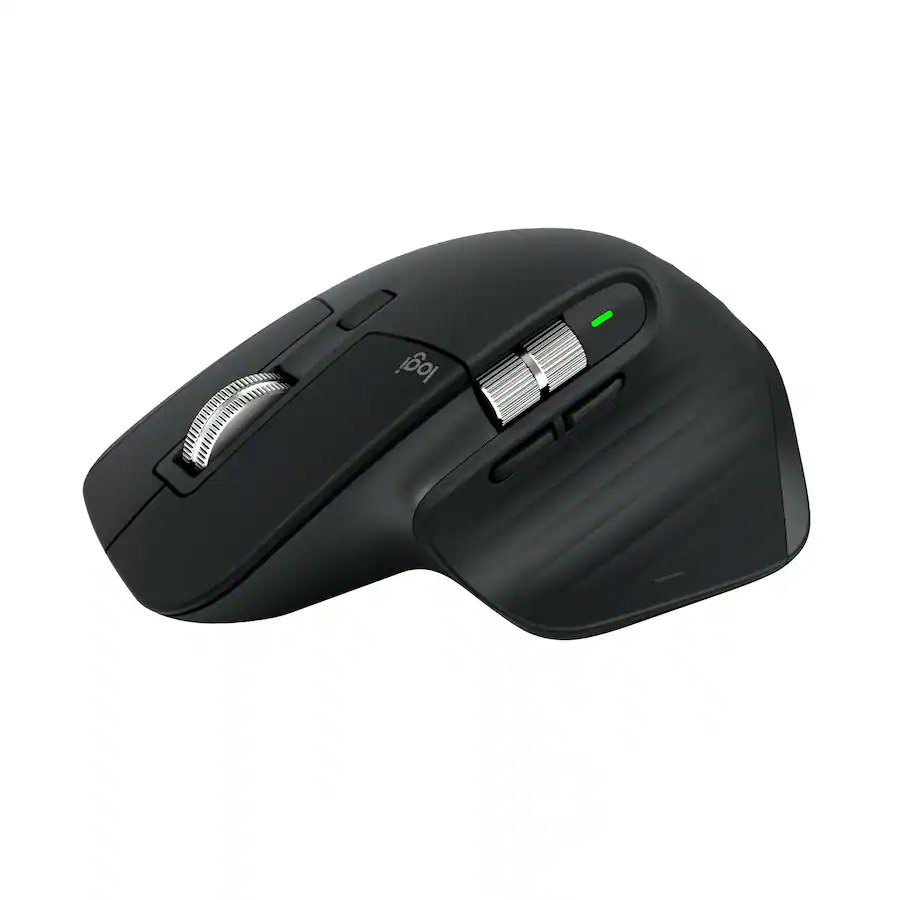
Best Buy's accessories sale covers Logitech keyboard and mouse combos, quiet-click wireless mice, and Belkin USB-C adapters, with savings of up to 20% off. The Logitech MX Master 3S (pictured) is $89.99, down from $99.99, while smaller Logitech mice like the M220 and M310 run $14.99 to $18.99. Belkin's USB-C adapters, including a USB-C to HDMI option with 4K video support, start at $12.49. My Best Buy members get free shipping on all orders, and it's free to join. Shop Now at Best Buy
Features
- Logitech wireless keyboard and mouse combos
- Logitech wireless mice with quiet click options
- Belkin USB-C to USB 3.0 and HDMI adapters
- Prices range from about $12 to $90
Adorama · Aug 13, 2026
Up to $750 off
free shipping w/ $50
more
↑ less
Adorama's Back to School Tech Deals cover a wide range of categories, from laptops and monitors to printers and storage. A Dell UltraSharp U4025QW 39.7" curved monitor is $750 off at $1,649.99, while the Dell Pro 16 PC16250 laptop drops to $1,024.99, a $474 discount. The sale also includes Apple MacBook Air models with the M5 chip, gaming desktops, and accessories like SSDs and memory cards for students setting up a home or dorm workspace. All orders over $50 ship for free. Shop Now at Adorama
Features
- Laptops and desktop computers from brands like Apple, Dell, and Lenovo
- Monitors including 4K and curved ultrawide displays
- Storage options such as portable SSDs, memory cards, and NAS drives
- Printers, projectors, webcams, and headphones
- Computer accessories including keyboards, docking stations, and laptop bags
Popular Deal
eBay · 3 days ago
Popular Deal
$35 $70
free shipping
more
↑ less
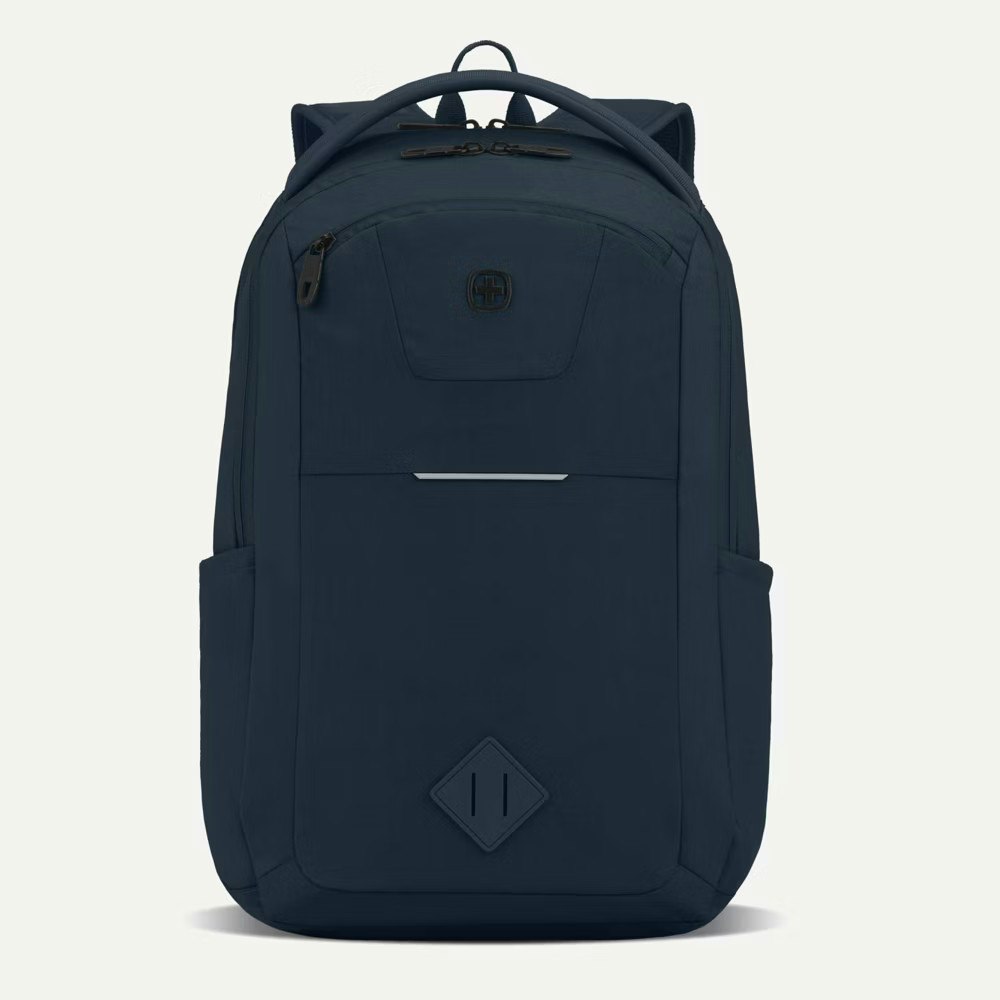
At eBay, this SwissGear laptop backpack is 50% off, with free shipping from the Target Outlet Bullseye Deals. The 26-liter bag holds laptops up to 16" and includes a padded tablet sleeve and multiple compartments. It is new and weighs 1.9 lbs. Buy Now at eBay
Features
- Padded laptop pocket fits up to a 16" laptop
- Dedicated padded tablet sleeve
- 26-liter capacity
- Padded mesh back panel & adjustable shoulder straps
- Water-resistant & stain-resistant polyester
- Weighs 1.9 lbs.
staff pick
Amazon · 3 days ago
$9 $19
free shipping w/ Prime
more
↑ less
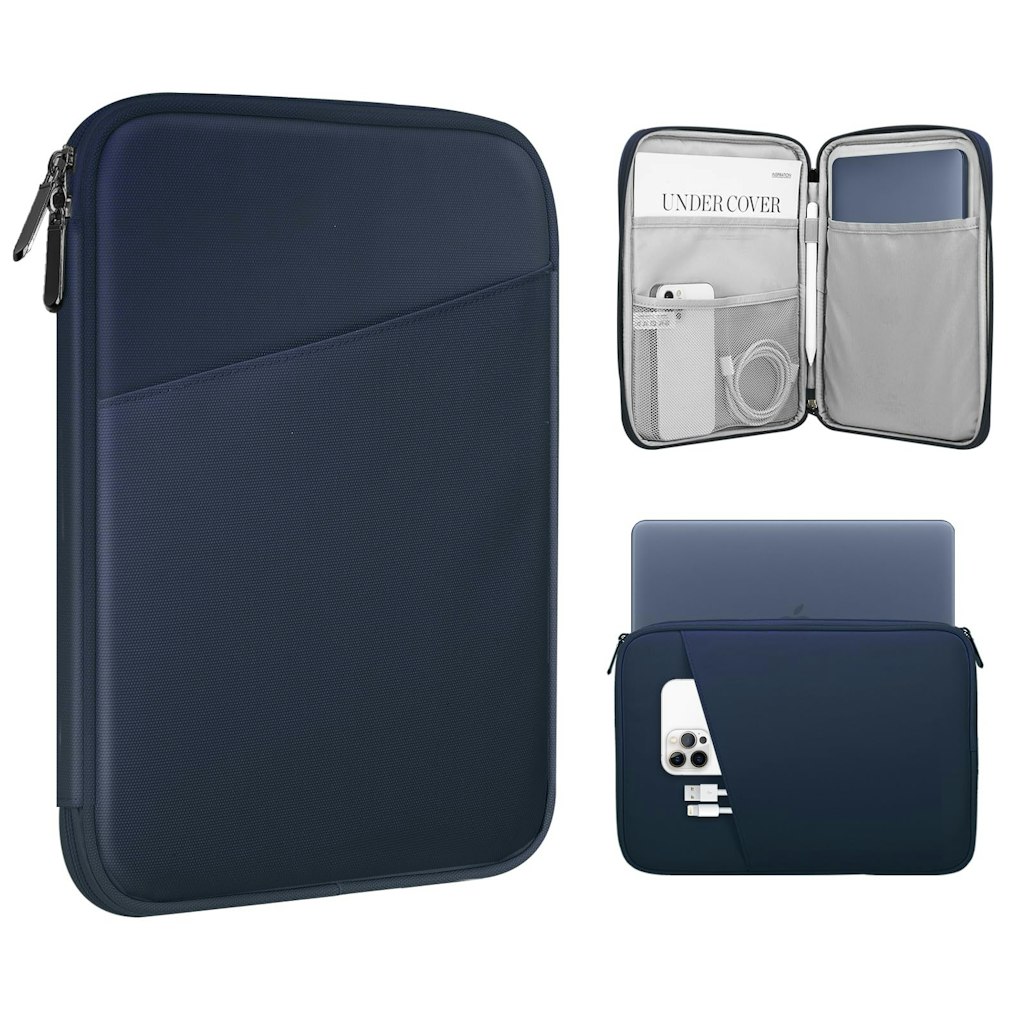
This TiMOVO laptop sleeve is 50% off at Amazon and hits its Amazon all-time low of $9. The water-resistant polyester sleeve fits 13.3" to 14" laptops and has a front pocket for small accessories. Shipping is free for Prime members. Buy Now at Amazon
Features
- Fits 13.3" to 14" laptops, including MacBook Air 13", MacBook Pro 13.3", Surface Laptop, & Dell XPS 13
- Water-resistant polyester shell
- Front pocket for cables, a mouse, earphones, & small accessories
- Soft shell weighs 10.2 oz.
- Slim profile slides into backpacks & briefcases
Amazon · 3 days ago
$28 $35
free shipping w/ Prime
more
↑ less
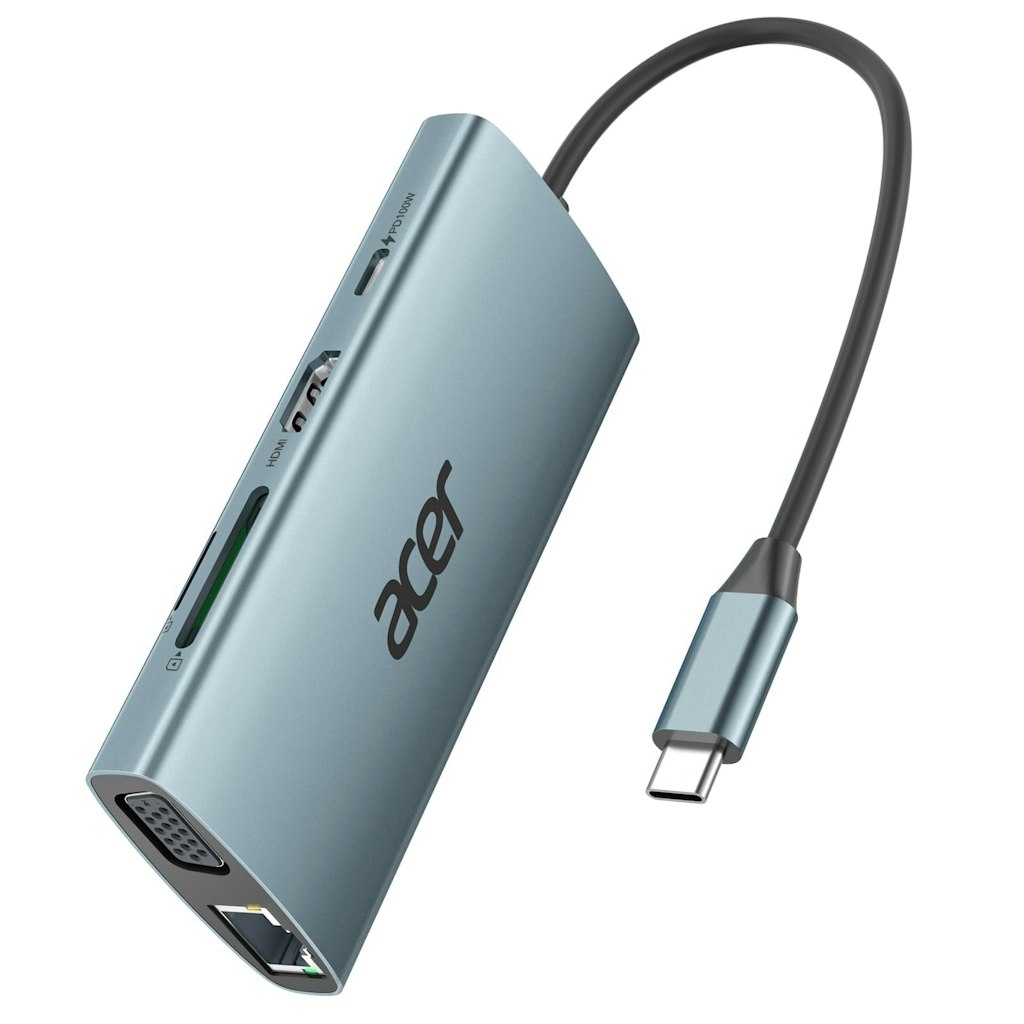
This Acer 9-in-1 USB-C hub is $7 off at Amazon, and its price is $2 below its 90-day average of $30 on Amazon. It turns one USB-C port into HDMI, VGA, Ethernet, three USB-A ports, and SD and microSD card slots. It also passes through up to 100W of power, though a 100W charger and cable are not included. Shipping is free. Buy Now at Amazon
Features
- 9 ports: HDMI, VGA, Ethernet, 3 USB-A 3.0, SD, microSD, & USB-C charging
- HDMI output up to 4K at 30Hz, or HDMI + VGA dual display at 1080p
- Gigabit Ethernet port (CAT6 or higher cable needed for full speed)
- USB-A ports transfer data at up to 5Gbps; card slots read up to 1TB
- Passes through up to 100W and delivers up to 90W to a connected laptop
- Aluminum body, 4.33" x 1.97" x 0.67", weighs 2.88 oz.
Amazon · 3 days ago
$14 $18
free shipping w/ Prime
more
↑ less
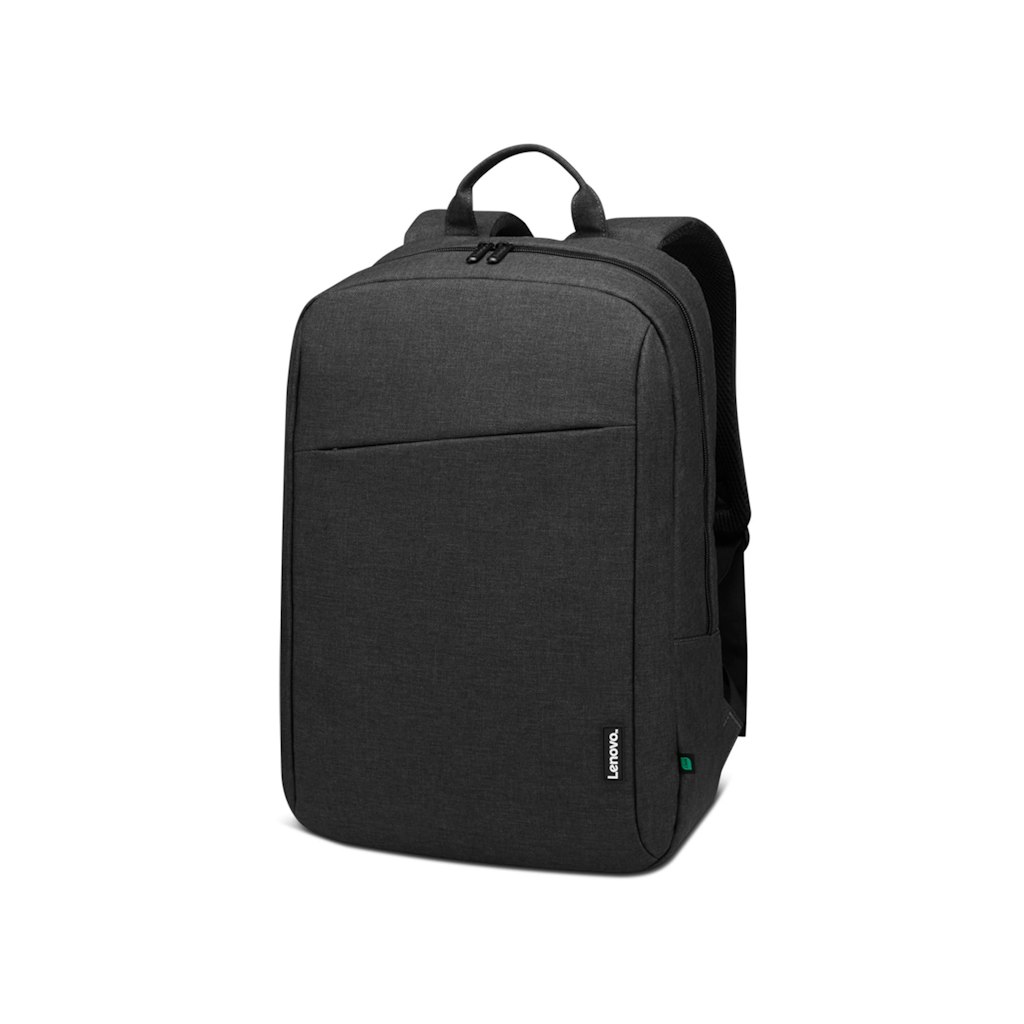
This Lenovo B210 ECO laptop backpack is 20% off at Amazon. Its $14 price is below its 90-day average of $16 on Amazon. The padded compartment fits laptops up to 16" and the exterior is 80% recycled material. Shipping is free for Prime members. Buy Now at Amazon
Features
- Fits laptops up to 16"
- Made from 80% recycled PET polyester
- Water-repellent exterior fabric
- Padded laptop compartment w/ quick-access pockets for phones & business cards
- 12.2" x 4.7" x 17.5" overall size
- Weighs 1.02 lb., includes a one-year warranty
Amazon · 1 wk ago
$110 $170
free shipping
more
↑ less
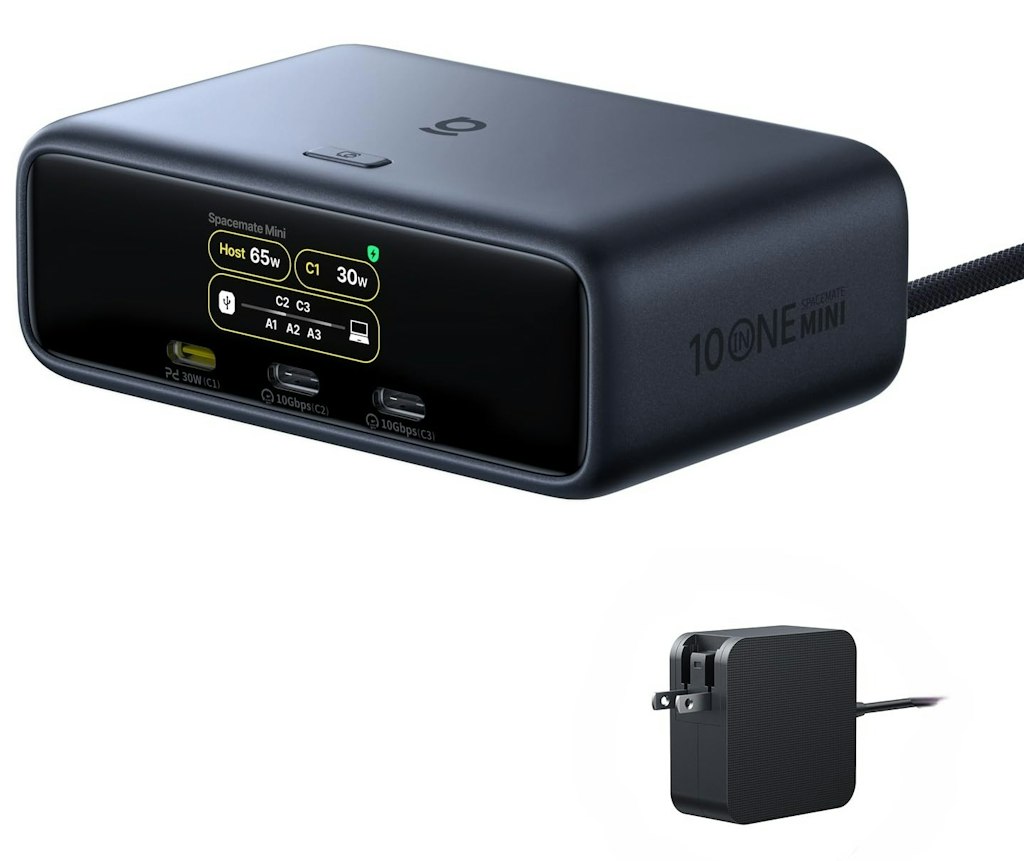
Baseus Spacemate RD1 Mini docking station is 35% off at Amazon. It's $60 less here than the price Best Buy is currently charging. The dock connects two 4K monitors, wired internet, and several USB devices to a laptop through one USB-C cable. The 120W power adapter is included, and the dock carries a 2-year warranty. Shipping is free. Buy Now at Amazon
Features
- 10 ports including 2 HDMI, 3 USB-A, 2 USB-C, and Gigabit Ethernet
- Dual 4K 60Hz display support on Windows, single extended display on macOS
- 100W laptop charging through a single USB-C cable
- Built-in display shows charging power and port status
- Includes a 120W power adapter
Computers: The Basics
Shopping for computers doesn’t have to drain your savings — if you know how to find the best prices. Our team of experts review the sales and publish the best computer deals so you don’t have to work half as hard.
How to Save on Streaming Services
Computers: The Basics
Shopping for computers doesn’t have to drain your savings — if you know how to find the best prices. Our team of experts review the sales and publish the best computer deals so you don’t have to work half as hard.
Basic Computer Terminology
You don’t have to be a tech wiz to buy your next computer. Make note of these common terms to help you when you’re shopping computer sales!
- Operating System (OS): This is the system that controls how your computer performs basic functions. The most common operating systems you’ll see right now are Windows 10 and Mac OS X. They perform comparably, so picking one relies on personal preference.
- Random-access memory (RAM): The short-term memory of your computer. Your RAM controls how quickly and efficiently your computer is able to switch between tasks. The higher the RAM, generally, the better the performance.
- Processor (CPU): The powerhouse or “brain” of the computer, your processor handles your computer’s basic instructions, such as using your mouse and keyboard, or running applications. The two most popular CPU manufacturers are AMD and Intel. You can read about which processor is right for you in this article from Digital Trends.
- Storage: There are two types of physical computer storage, hard drives (HD) and solid state drives (SSD). SSD storage is more common these days because they are more stable and faster. While it’s ideal to aim for greater storage space, a bigger drive will cost more money. Determine your storage needs based on how you plan to use your computer. Abt recommends starting with at least 500 GB of storage space.
Additionally, some providers, like Verizon, offer streaming perks with select plans, giving you months of access to services like Disney+, Hulu, and ESPN+ at no extra cost. Annual payment options can also help you save, as they often come with a discount equivalent to getting one or two months free. For those on a budget, ad-supported plans provide the same great content at a fraction of the cost. Visit our Disney+ Subscription Cost page to explore pricing and options.
What Deals Are Available on Disney+ Bundles?
Disney+ bundle deals provide significant savings when combining services. For example, the Verizon Disney Bundle offered six months of Disney+, Hulu, and ESPN+ for free with select Unlimited plans. Bundles like the Disney+ Premium annual plan ($159.99) save you the cost of two months compared to monthly payments. Bundle options like the ad-supported Duo Basic plan (Disney+ and Hulu) start at $10.99 per month, while ad-free Duo Premium is $19.99. Learn more on the Disney+ Bundle Deals page.
You can also explore seasonal and promotional deals during events like Black Friday to maximize your savings. Check out the Best Disney+ Deals page for current offers.
How Much Is a Disney+ Subscription?
Disney+ subscriptions currently start at $8 per month for the ad-supported Basic plan, while the Premium ad-free plan is priced at $13.99 per month or $139.99 annually. Prices will increase beginning October 17, 2024, with the Premium plan rising to $15.99 per month or $159.99 annually. Explore all pricing options on the Disney+ Subscription Costs page.
Best Disney+ Deals
Disney+ offers value-packed streaming bundles, such as the Disney+, Hulu, and Max bundle starting at $17 per month with ads or $30 per month ad-free. Disney+ also supports paid sharing, allowing you to add one extra member for $6.99 per month with Basic or $9.99 per month with Premium. Prices are increasing on October 17, 2024, so finding deals like these is more important than ever. For more information, visit our Best Disney+ Deals page.
Best Disney+ Deals
Disney+ offers value-packed streaming bundles, such as the Disney+, Hulu, and Max bundle starting at $17 per month with ads or $30 per month ad-free. Disney+ also supports paid sharing, allowing you to add one extra member for $6.99 per month with Basic or $9.99 per month with Premium. Prices are increasing on October 17, 2024, so finding deals like these is more important than ever. For more information, visit our Best Disney+ Deals page.
Annual Disney+ Subscription Costs
Disney+ Premium annual plans cost $139.99 but will rise to $159.99 on October 17, 2024. Opting for the annual plan saves you the equivalent of two months compared to monthly billing. Note that annual payments are only available for standalone Disney+ Premium plans and not for bundles. Customize your subscription to include ad-supported or ad-free options with Hulu, ESPN+, or Max. See all pricing details on the Disney+ Subscription Cost page.
Basic Computer Terminology
You don’t have to be a tech wiz to buy your next computer. Make note of these common terms to help you when you’re shopping computer sales!
- Operating System (OS): This is the system that controls how your computer performs basic functions. The most common operating systems you’ll see right now are Windows 10 and Mac OS X. They perform comparably, so picking one relies on personal preference.
- Random-access memory (RAM): The short-term memory of your computer. Your RAM controls how quickly and efficiently your computer is able to switch between tasks. The higher the RAM, generally, the better the performance.
- Processor (CPU) : The powerhouse or “brain” of the computer, your processor handles your computer’s basic instructions, such as using your mouse and keyboard, or running applications. The two most popular CPU manufacturers are AMD and Intel. You can read about which processor is right for you in this article from Digital Trends.
- Storage: There are two types of physical computer storage, hard drives (HD) and solid state drives (SSD). SSD storage is more common these days because they are more stable and faster. While it’s ideal to aim for greater storage space, a bigger drive will cost more money. Determine your storage needs based on how you plan to use your computer. Abt recommends starting with at least 500 GB of storage space.
Basic Software for Your PC
When you start using your new computer, you’ll want to install some basic software to get going. Most pre-built computers come with a suite of software pre-installed with the OS.
Productivity Tools
Whether you opt for a package like Microsoft Office or iWork, opt for freeware like Open Office, or choose an online software pack like G Suite, it’s always a good idea to install a productivity software to help you with tasks like making spreadsheets, word processing, and viewing PDFs.
Internet Browser
Microsoft Edge and Safari are the standard browsers that come with a new computer, but many shoppers rely on browsers like Google Chrome or Mozilla Firefox.
Cloud Storage
Not only does cloud storage give you more space than the limited physical storage on your PC, but it also gives you access to your files anywhere. Many companies like Google or Dropbox offer a limited amount of free cloud storage.
Antivirus Software
Antivirus tools do more than simply keep viruses at bay; they also protect against malware, phishing, adware, spyware, and more. Windows 10 comes with Microsoft Security Essentials as a default, and security options are built into Mac OS X (as opposed to a standalone program). That said, antivirus suites like Norton, McAfee, and Bitdefender may offer you more protection.
Media Player
Many laptops and desktops no longer include a physical media drive. If you plan on watching any videos locally (not streamed online), it’s useful to have a media player. Typically, this software is built in, but check out this list for some info on the best media players for Windows 10 and this one for Mac.
Music Player
Not to be confused with a media player, a good music application is worth installing on your computer. Spotify, iTunes, and Pandora are some common favorites that give you access to a practically limitless selection. The desktop versions make it easier to browse and build playlists.
Computer Deal Subcategories
DealNews offers the best deals on computers and computing accessories. You can browse our deals in different categories including, but not limited to:
Whether you’re looking for a new work laptop, or want to find a quality gaming system, check out our selection of the best laptop deals here.
Did you know you should replace your computer every 4 to 5 years to keep up with the latest performance and security updates? Check out the best computer deals for your next desktop here.
Did you know that DealNews first launched as a deal website for Apple Macintosh products? While we’ve grown significantly since then, we still know how to find the best Apple computer deals!
Maybe you’re in the market for a larger streaming device for your kids, or maybe you’d like a device to serve as your e-reader (with a few extra perks). Whatever you’re searching for, check out the best tablet and iPad deals here.
- Peripherals
Routers , monitors , input devices , and more! These devices make using your computer more comfortable and practical. Be sure you search our site to save big!
When shopping computer sales, check out DealNews before going anywhere else, so you know you’ll always find the best deals!
Frequently Asked Questions
Should I purchase a laptop or desktop?
It’s important to review your needs before buying a laptop or desktop computer.
- What’s your budget? Because they’re bigger and more modular, desktop computers tend to outperform laptops. A desktop’s customizability means your budget can go a lot further. However, laptops have other advantages over desktops.
- Do you need portability? High-end laptops are generally more expensive, but a laptop will always win the portability debate.
- How much power do you need? Desktops have more room to work with, so you can add more RAM, more storage, a bigger graphics card, and other performance improvements. But if you don’t need all that, then a mid-tier laptop may be the cheaper choice.
- Are you a gamer? Laptops that are built for gaming are among the most expensive on the market. That said, if you’re not comfortable selecting individual pieces to build a gaming desktop, you may be willing to pay a premium to get that performance.
- Don’t forget the repairs. If you’re handy, you can often repair or replace parts in a desktop computer with the help of online guides. Most laptops require specialized tools and skills to repair, so desktop fixes tend to be cheaper.
Overall, desktop computers have a lot of advantages, but the lack of portability can be a deal breaker. No matter what you decide, be sure to check out specs and buying guides from the DealNews Blog and other reputable sources like CNET or PCMag. Then shop DealNews for the best computer deals!
How do I get my external hard drive to show up?
Once you’ve ensured that your external drive is plugged in and powered on, check out these steps from PCMag:
- Try a different USB port.
- Try a different PC.
- Update your drivers.
- Format the drive.
What is a VPN?
VPN stands for “virtual private network.” A VPN protects your internet usage by routing your internet connection through a private server. Using a VPN keeps your online browsing more private and also grants you access to websites and content that may not be available in your country.
For more information about VPNs, visit our NordVPN Free Trial Guide and our NordVPN Subscription Cost Page.
How can I boost my WiFi signal?
When your internet connection seems impossibly slow, the cause isn’t your provider, but your WiFi signal strength. Check out these options to boost your WiFi signal:
- Update your router firmware. Each router is different, but you can typically use the steps found here to run updates.
- Place your router in the most optimal space. You want to place your wireless router away from walls or obstructions. If possible, put it in the most central place in your home.
- Pick a different frequency. If you have a dual-band router, try using the 5GHz band. This band offers higher speeds and may get an additional boost if fewer devices are connected to it.
- Change the channel. While most routers will automatically choose the channel with the least congestion, some cheaper routers may require you to manually update it.
- Upgrade your router. How old is your current router? If it's a previous-generation 802.11b model, upgrading could improve your wireless signal. If you already have a newer 802.11n or Wi-Fi 6 router, you're in good shape.
- Replace the antenna. You may boost your signal by adding or replacing an external antenna. PCMag recommends purchasing one marked “high-gain” and opting for a directional antenna rather than an omnidirectional one.
- Add a wireless range extender. If you only want to boost coverage in one or two rooms, a WiFi extender can help you eliminate dead spots. Check out this guide from the DealNews Blog.
Switch to a mesh WiFi system. Wireless mesh networking is becoming more popular because it can provide more complete coverage throughout the home. Mesh systems replace your router and work seamlessly to eliminate coverage gaps.
By: Kristen Harris, Manager
A Georgia girl with three years of experience in IP Law and grounded in understanding marketing and consumer motives. When she's not working with the fabulous staff of DealNews, you can find her whining at rowing practice and browsing the Hot Deals on the site.
Want to know the moment we post a great deal on Computers?
Create an Alert