
That's a saving of $360 and the first discount we've seen on this build. Buy Now at Lenovo
- 14th-Gen. Intel Core i5-14400F 4.7GHz 10-Core CPU
- 16GB RAM & 512GB SSD
- Nvidia GeForce RTX 4060 8GB GPU
- Windows 11 Home
- Model: 90UT0019US
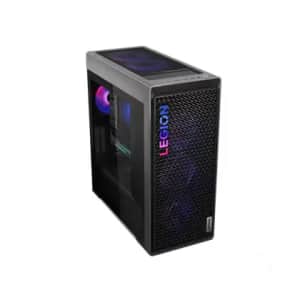
Shop the Back to School Sale at Lenovo to get up to $520 off several models of desktops. Select models are discounted by the on page coupon listed on the individual product pages Shop Now at Lenovo
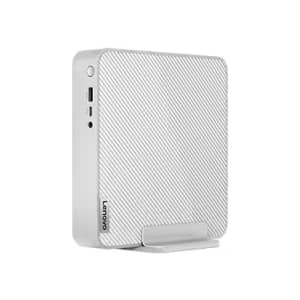
It's $150 off and the lowest price we could find. Buy Now at Lenovo
- 13th Generation Intel Core i5-13500H 1.9GHz Raptor Lake 12-Core CPU
- 8GB RAM, 512GB SSD
- Windows 11 Home
- Model: 90W2000GUT
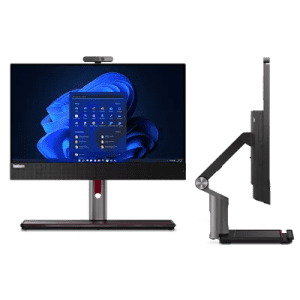
Use coupon code "SUMMERDT" to save over $1,000 on this AIO, which has an Intel Core i5-12400 CPU and 21.5" 1080p display. Buy Now at Lenovo
- 12th Generation Intel® Core™ i5-12400 Processor (P-cores 2.50 GHz up to 4.40 GHz)
- 8 GB DDR4-3200MHz (SODIMM)
- 256 GB SSD M.2 2280 PCIe Gen4 TLC Opal
- 21.5" FHD (1920 x 1080), IPS, Anti-Glare, Non-Touch, 250 nits, LED Backlight
- Slim DVD-RW
- Windows 11 Pro 64
- Model: 11VL004DUS
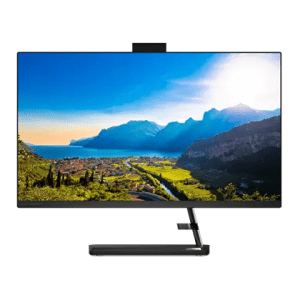
Apply coupon code "EXTRAFIVE" to save. Buy Now at Lenovo
- 12th Generation Intel Core i5-12450H 3.3GHz Alder Lake 8-core CPU
- 8GB RAM and 256GB SSD
- 23.8" 1920x1080 (1080p) IPS touch display
- Windows 11 Home
- Model: F0GH00PCUS

Headsets start at $33, sounds cards from $47, consoles from $50, monitors from $90, and more. We've pictured the Lenovo ThinkVision P32p-20 31.5" 4K IPS LED Monitor for $599 ($435 off). Shop Now at Lenovo
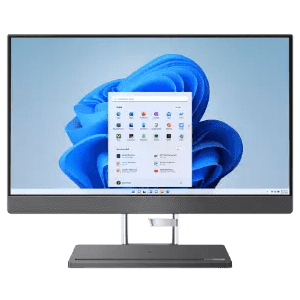
Coupon code "EXTRAFIVE" cuts it to $256 off list price. Buy Now at Lenovo
- 13th Generation Intel Core i7-13700H 3.7GHz Raptor Lake 14-core processor
- 23.8" 1920x1080 IPS touchscreen
- 16GB RAM & 512GB SSD
- Windows 11 Home 64-bit
- Model: F0GR0075US
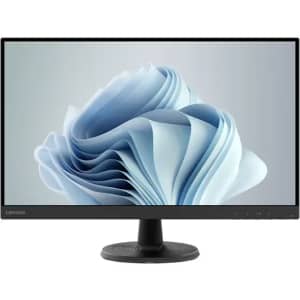
Use code "MONITORS10" to get $13 under our mention from last week and a total savings of $62. Buy Now at Lenovo
- VGA and HDMI ports
- 1920x1080 (1080p) resolution
- Model: 67A3KCC6US
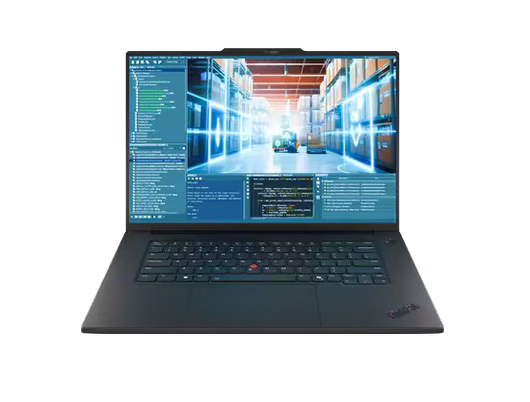
Use promo code "LENOVOPOWER" to get 35% off Lenovo ThinkPad P1 Gen 8 Mobile Workstations. Plus, shipping is free. This offer ends March 24, 2026. Shop Now at Lenovo
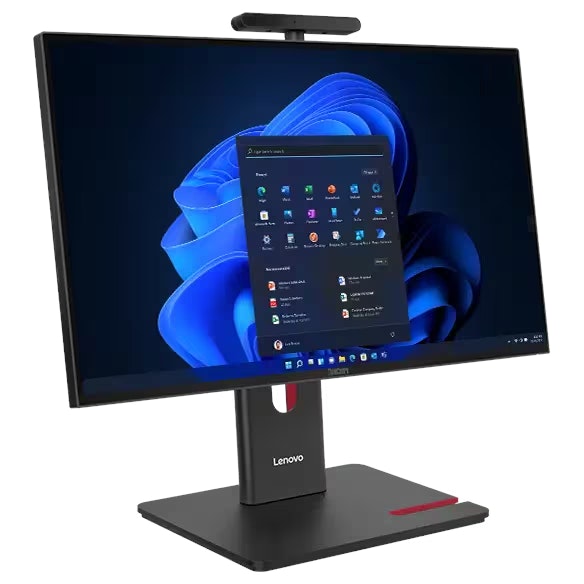
Get an extra 8% off Lenovo ThinkCentre Desktops. Plus, all of these ships for free. This offer ends March 31, 2026. Shop Now at Lenovo
Computers: The Basics
Shopping for computers doesn’t have to drain your savings — if you know how to find the best prices. Events like Prime Day at Amazon can mean finding truly great deals when you least expect them. Wondering "when is Prime Day this year?" We've got all the info you need to get the best offers. Our team of experts reviews the sales and publishes the best computer deals so you don’t have to work half as hard.
Desktop Computers: The Basics
Desktop computers are practically essential. This staple allows you to work from home, play games, or simply surf the web. The market is saturated with options, so it might feel like a challenge to find the right desktop for you. DealNews is here to help you find the best desktop deals for you!
Basic Computer Terminology
You don’t have to be a tech wiz to buy your next computer. Make note of these common terms to help you when you’re shopping computer sales!
- Operating System (OS): This is the system that controls how your computer performs basic functions. The most common operating systems you’ll see right now are Windows 10 and Mac OS X. They perform comparably, so picking one relies on personal preference.
- Random-access memory (RAM): The short-term memory of your computer. Your RAM controls how quickly and efficiently your computer is able to switch between tasks. The higher the RAM, generally, the better the performance.
- Processor (CPU): The powerhouse or “brain” of the computer, your processor handles your computer’s basic instructions, such as using your mouse and keyboard, or running applications. The two most popular CPU manufacturers are AMD and Intel. You can read about which processor is right for you in this article from Digital Trends.
- Storage: There are two types of physical computer storage, hard drives (HD) and solid state drives (SSD). SSD storage is more common these days because they are more stable and faster. While it’s ideal to aim for greater storage space, a bigger drive will cost more money. Determine your storage needs based on how you plan to use your computer. Abt recommends starting with at least 500 GB of storage space.
What Deals Are Available on Disney+ Bundles?
Disney+ bundle deals provide significant savings when combining services. For example, the Verizon Disney Bundle offered six months of Disney+, Hulu, and ESPN+ for free with select Unlimited plans. Bundles like the Disney+ Premium annual plan ($159.99) save you the cost of two months compared to monthly payments. Bundle options like the ad-supported Duo Basic plan (Disney+ and Hulu) start at $10.99 per month, while ad-free Duo Premium is $19.99. Learn more on the Disney+ Bundle Deals page.
How Much Is a Disney+ Subscription?
Disney+ subscriptions currently start at $8 per month for the ad-supported Basic plan, while the Premium ad-free plan is priced at $13.99 per month or $139.99 annually. Prices will increase beginning October 17, 2024, with the Premium plan rising to $15.99 per month or $159.99 annually. Explore all pricing options on the Disney+ Subscription Costs page.
Best Disney+ Deals
Disney+ offers value-packed streaming bundles, such as the Disney+, Hulu, and Max bundle starting at $17 per month with ads or $30 per month ad-free. Disney+ also supports paid sharing, allowing you to add one extra member for $6.99 per month with Basic or $9.99 per month with Premium. Prices are increasing on October 17, 2024, so finding deals like these is more important than ever. For more information, visit our Best Disney+ Deals page.
Annual Disney+ Subscription Costs
Disney+ Premium annual plans cost $139.99 but will rise to $159.99 on October 17, 2024. Opting for the annual plan saves you the equivalent of two months compared to monthly billing. Note that annual payments are only available for standalone Disney+ Premium plans and not for bundles. Customize your subscription to include ad-supported or ad-free options with Hulu, ESPN+, or Max. See all pricing details on the Disney+ Subscription Costs page.
What is a VPN?
VPN stands for “virtual private network.” It encrypts your internet usage and routes it through private servers, enhancing your online privacy and security. With a VPN, you can access region-locked content or ensure your data is safe on public networks. It’s an especially helpful tool for laptops, where public Wi-Fi is commonly used. For details, check out our NordVPN Free Trial Guide and NordVPN Subscription Cost Page.