Newegg · 14 hrs ago
$26
more
↑ less
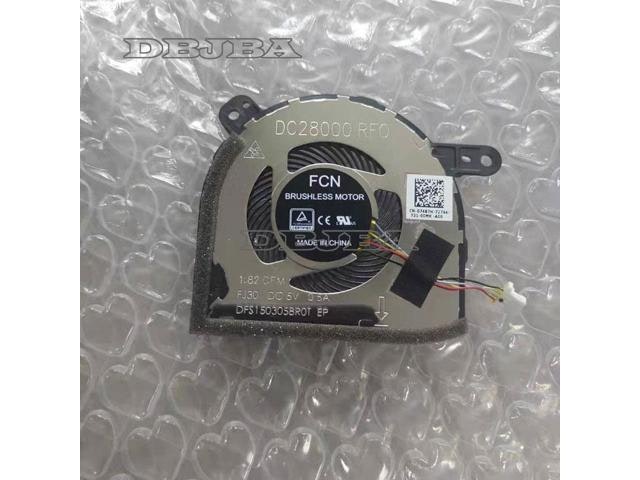
Anyone replacing a failing cooling fan in older electronics or small appliances will want to check compatibility with this one first, since it's built to the specific 5V 0.5A spec many CPU setups rely on for steady airflow. Buy Now at Newegg
Features
- 5V 0.5A cooling fan
- FCN DFS5K12304363L model compatibility
- Efficient CPU heat dissipation
- Replacement fan and heatsink unit
- Model: DFS5K12304363L
Newegg · 14 hrs ago
$26
more
↑ less
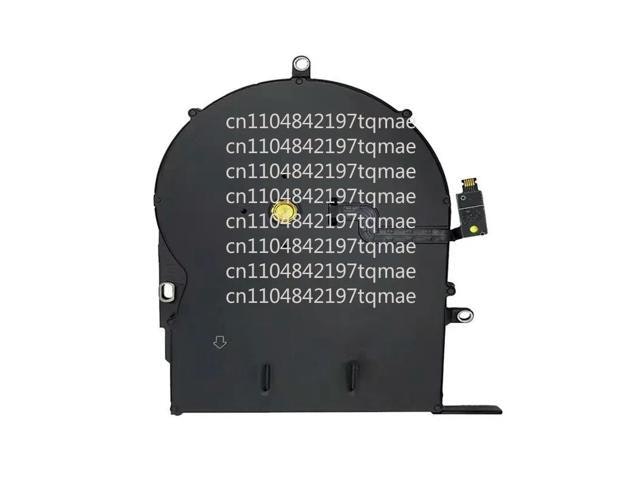
Anyone dealing with a MacBook Pro 13" (A1502) that's running hot or making grinding noises can swap this fan in themselves rather than paying for a repair shop visit. Buy Now at Newegg
Features
- Laptop CPU cooling fan
- Compatible with MacBook Pro 13 A1502
- DC5V power input
- Model: 610-0212
Newegg · 14 hrs ago
$60 $80
more
↑ less
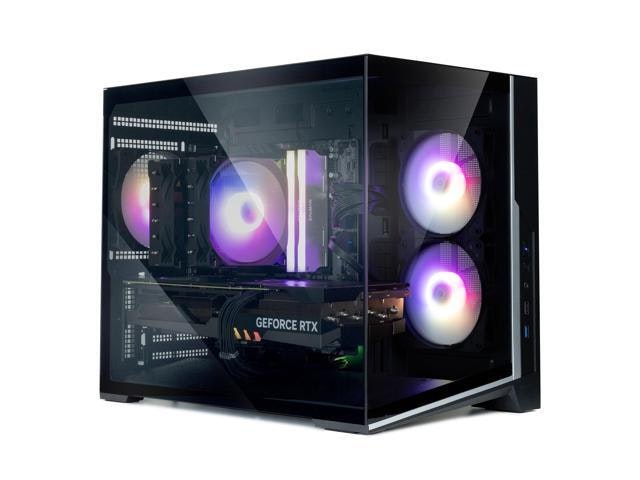
Budget-conscious PC builders looking for a compact micro-ATX case with room for airflow will find this one practical, and Newegg has it for $20 off the usual $80 list price. Buy Now at Newegg
Features
- 3x 120mm ARGB fans pre-installed
- Panoramic tempered glass panels
- Supports 360mm AIO radiators
- Supports 410mm GPUs
- Front USB 3.1 Type-C port
Newegg · 14 hrs ago
$60
more
↑ less
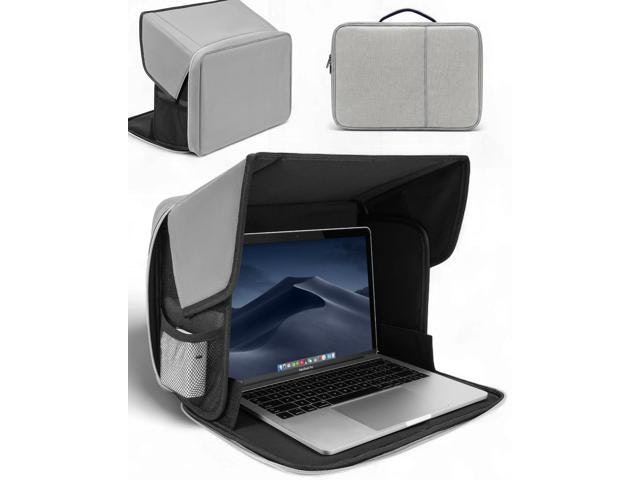
Working outdoors tends to mean squinting at a washed-out screen, so this sun shade suits anyone who wants to actually see their laptop display in bright light without hauling a tent or umbrella around. Buy Now at Newegg
Features
- Fits 13-16 inch laptops
- Reflects UV rays and heat
- Water-resistant protective material
- Portable case for outdoor working
- Lightweight design for easy travel
Newegg · 14 hrs ago
$21
more
↑ less
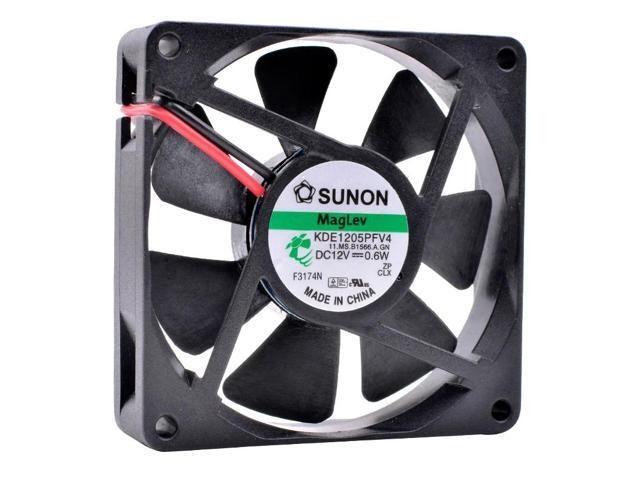
Small enough to fit tight case clearances but still built for continuous duty, so it suits anyone replacing a failing stock cooler on a compact PC or server without wanting to fuss over sizing. Buy Now at Newegg
Features
- 50x50x10mm compact cooling fan
- DC 12V 0.6W power rating
- Ideal for motherboard and CPU cooling
- Model: KDE1205PFV4
Newegg · 14 hrs ago
$14
more
↑ less
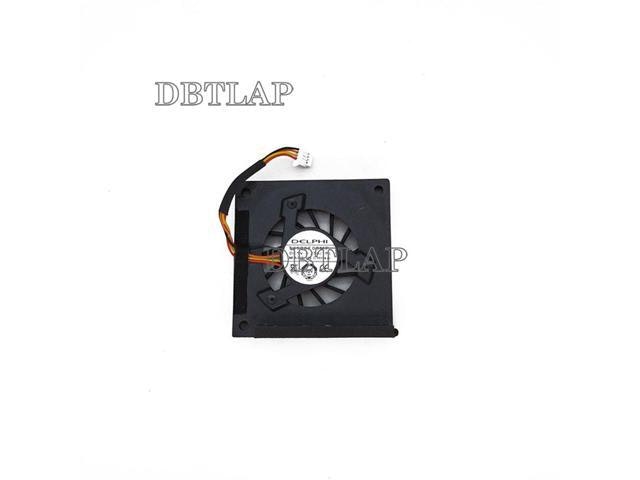
Netbook owners still hanging onto an aging Eee PC will want this on hand once the original fan starts grinding or overheating becomes a problem, since replacements for these older models aren't easy to track down. Newegg carries it as a straightforward, inexpensive way to keep that old machine running rather than retiring it. Buy Now at Newegg
Features
- Compatible with multiple ASUS Eee PC models
- Efficient cooling fan for laptop thermal management
- Reliable hardware replacement for ASUS cooling systems
- Precision fit for 700 through 1000 series
- Restores original fan performance and system airflow
Newegg · 14 hrs ago
$103
more
↑ less
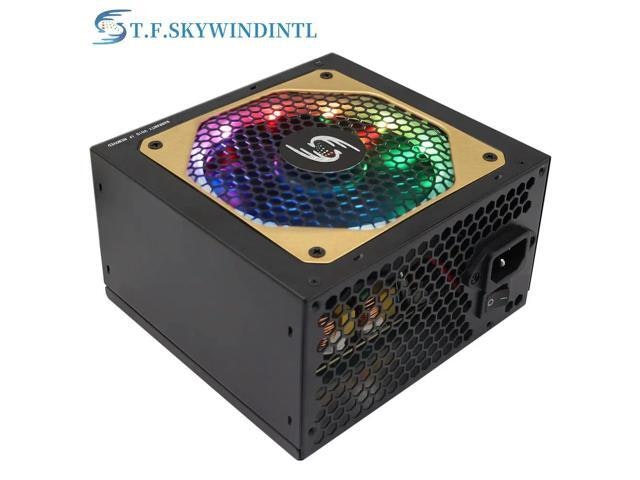
Gamers and PC builders running high-end GPUs will appreciate the 850W of headroom, and the RGB lighting adds a nice touch if your build has a windowed side panel. Buy Now at Newegg
Features
- 850W continuous power output
- 1200W peak power capacity
- Bivolt 220V compatibility
- ATX standard form factor
- 20/24 pin motherboard connector
Newegg · 14 hrs ago
$80 $100
more
↑ less
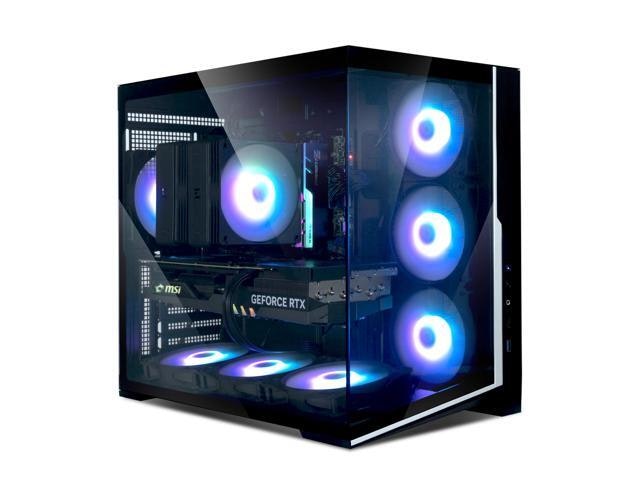
Budget-conscious builders looking for solid airflow without a flashy price tag will find this a reasonable pick, with mesh front paneling for better ventilation than most cases in this range; it's $20 off the $100 list price at Newegg. Buy Now at Newegg
Features
- 7x 120mm pre-installed ARGB fans
- Panoramic tempered glass side panels
- Supports 360mm AIO radiators and 410mm GPUs
- High airflow dual chamber design
- USB 3.1 Type-C front port connectivity
Newegg · 14 hrs ago
$34
more
↑ less
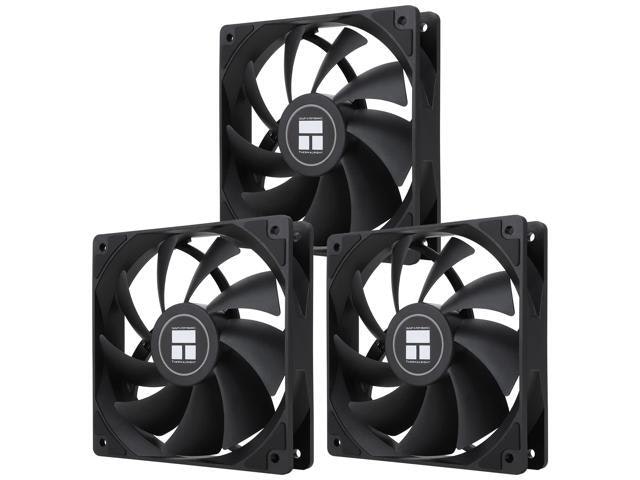
Three fans in one pack makes this a solid pick if you're setting up a new build or replacing multiple fans at once without buying them one at a time, and the PWM control lets you tie speed to your system's temps instead of running at full noise constantly. Buy Now at Newegg
Features
- 120mm PWM case cooling fan
- Up to 1550RPM fan speed
- Silent S-FDB bearing technology
- 4-pin PWM control interface
- Includes three fan units
Newegg · 14 hrs ago
$212
more
↑ less
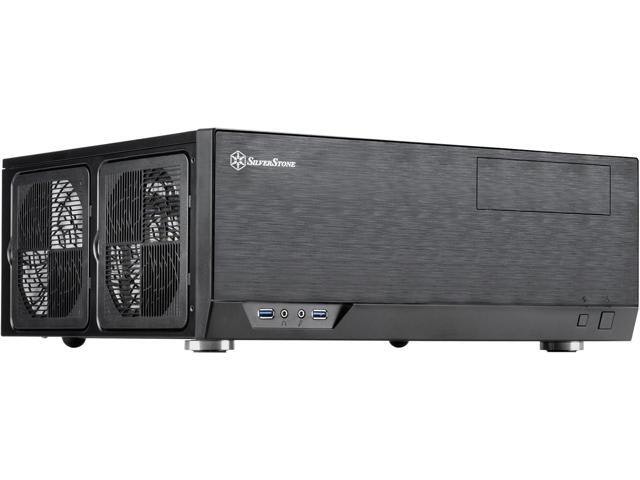
SilverStone's GD09 fits ATX motherboards into a low-profile, horizontal case, making it a good match if you're building a media center PC meant to sit under a TV rather than beside a desk. Buy Now at Newegg
Features
- Supports ATX and Micro-ATX motherboards
- Faux aluminum front panel design
- Home theater PC optimized form factor
- Model: SST-GD09B
Newegg · 14 hrs ago
$252
more
↑ less
Silverstone's GD09B keeps a full-size ATX build in a low-profile, living room-friendly cabinet, so it suits anyone building a media center PC that needs to sit under a TV without looking out of place next to other AV components. Buy Now at Newegg
Features
- Supports ATX and Micro-ATX motherboards
- Faux aluminum aesthetic design
- Optimized for home theater PC configurations
- Model: SST-GD09B
Newegg · 14 hrs ago
$50
more
↑ less
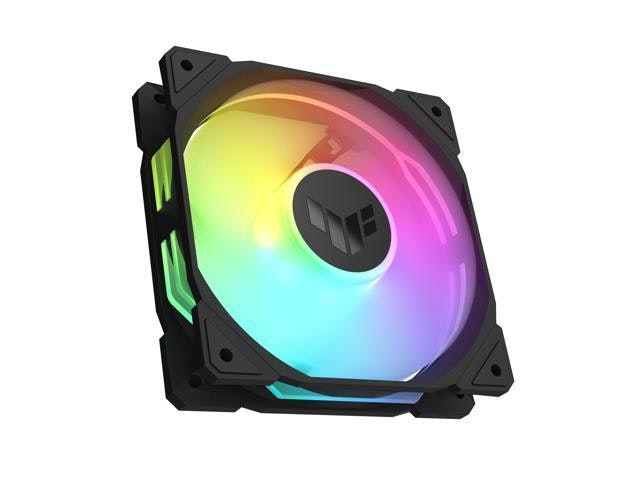
Cooling matters more than most people realize once a build starts pulling serious wattage, and this fan's static-pressure design makes it a solid pick for anyone routing airflow through radiators or dense filters rather than just moving open air. The addressable RGB adds a lighting option for builders who care about aesthetics, but the fan holds up on performance even if you keep it unlit. Buy Now at Newegg
Features
- 120mm computer case fan
- Addressable RGB lighting
- High-performance airflow design
- TUF Gaming build quality
- Model: 90DA0090-B09000
Newegg · 14 hrs ago
$60
more
↑ less
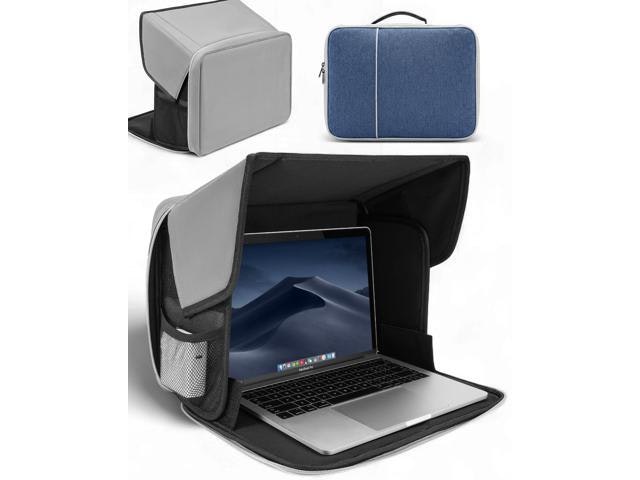
Working outdoors tends to mean squinting at a washed-out screen, so this sun shade suits anyone who wants to actually see their laptop display in bright light without hauling a tent or umbrella around. Buy Now at Newegg
Features
- Fits 13-16 inch laptops
- UV-heat reflective material
- Water-resistant exterior
- Portable design for outdoor use
- Protective storage for travel
Newegg · 14 hrs ago
$11
more
↑ less
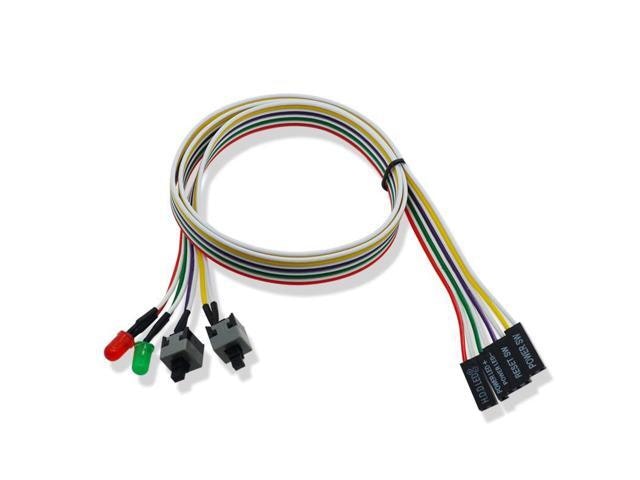
Handy for anyone building or troubleshooting a PC without a case front panel, since it lets you power on and reset your motherboard directly without wiring the original switches. Buy Now at Newegg
Features
- Dual power and reset buttons
- Integrated LED status indicator
- Easy desktop computer case connectivity
- Reliable PC power supply control
- Simple plug-and-play installation
Newegg · 14 hrs ago
$19
more
↑ less
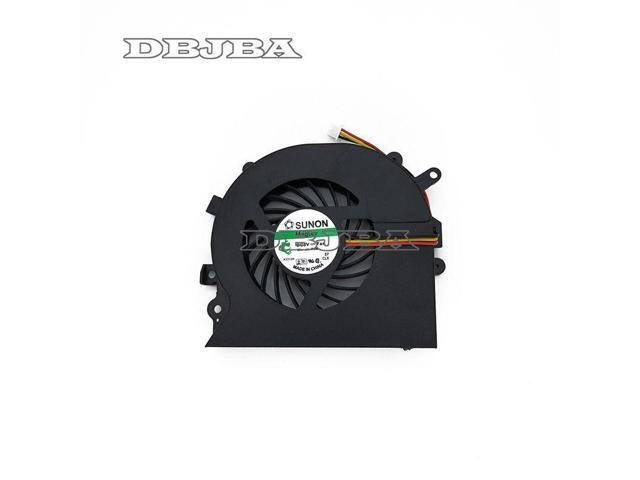
Anyone dealing with a Sony EA/EB series laptop that's running hot or shutting down unexpectedly should look at swapping in this cooling fan before assuming the whole board is shot. It's a straightforward, budget-friendly fix for a common overheating issue rather than a full repair job. Buy Now at Newegg
Features
- Compatible with Sony VAIO E-Series laptops
- Cooling fan accessory
- Model: PCG-61211T
Newegg · 14 hrs ago
$18
more
↑ less
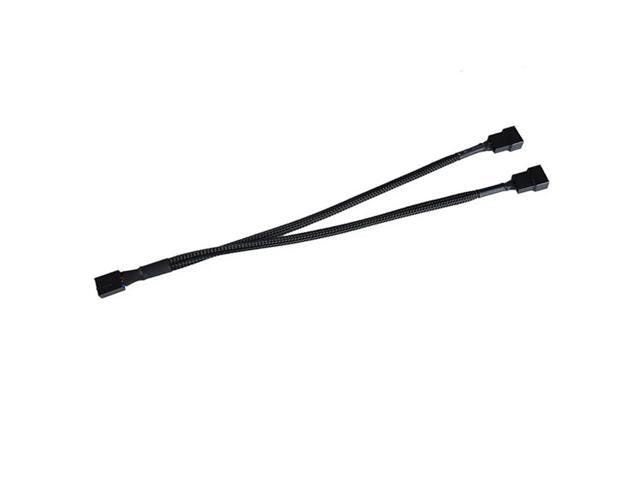
Running multiple case fans off a single motherboard header is the main use case here, so builders with cramped or header-limited motherboards will get the most out of this pack. Buy Now at Newegg
Features
- 4-pin PWM support for automatic speed control
- Dual output for connecting multiple cooling fans
- Braided cable design for increased durability and organization
Newegg · 14 hrs ago
$235
more
↑ less
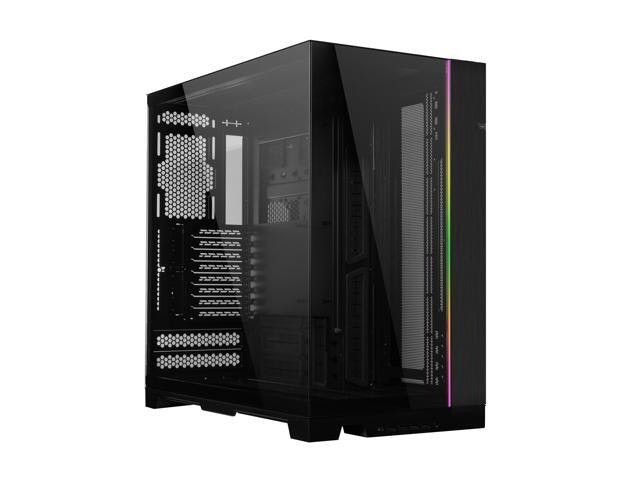
Anyone building a large-scale water-cooling setup or multi-GPU rig will appreciate the extra room and dual-chamber layout, which keeps cable clutter separate from the main build area. Newegg's version comes with the tool-free panels Lian Li is known for, making component swaps easier down the line. Buy Now at Newegg
Features
- Supports ATX, E-ATX, Micro ATX, and Mini ITX motherboards
- Features four USB 3.0 and one USB Type-C port
- Dual tempered glass side panels for hardware visibility
- Durable aluminum and steel construction
- Model: O11DEXL-X
Newegg · 14 hrs ago
$40
more
↑ less
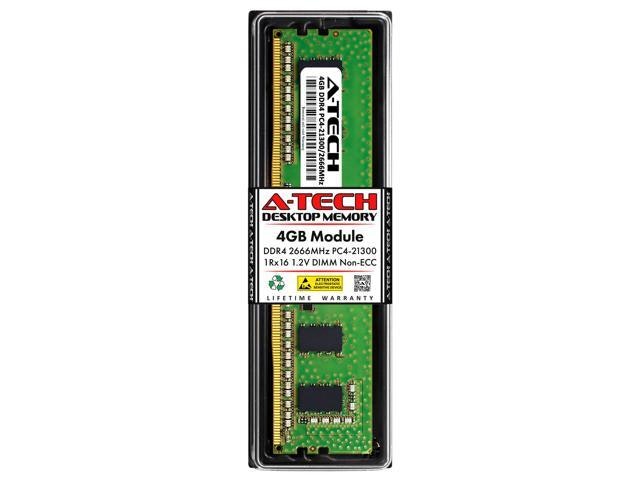
Upgrading an older desktop's RAM is one of the cheapest ways to speed up everyday tasks, and this stick suits anyone running a budget build or adding capacity to a machine that's starting to lag. Newegg has it at a price that makes sense if you just need a single module rather than a full kit. Buy Now at Newegg
Features
- 4GB DDR4 2666MHz desktop memory
- Compatible with AMD and Intel systems
- 1.20V energy efficient operation
- Unbuffered performance for reliable processing
- Lifetime parts and labor warranty
Newegg · 14 hrs ago
$25
more
↑ less
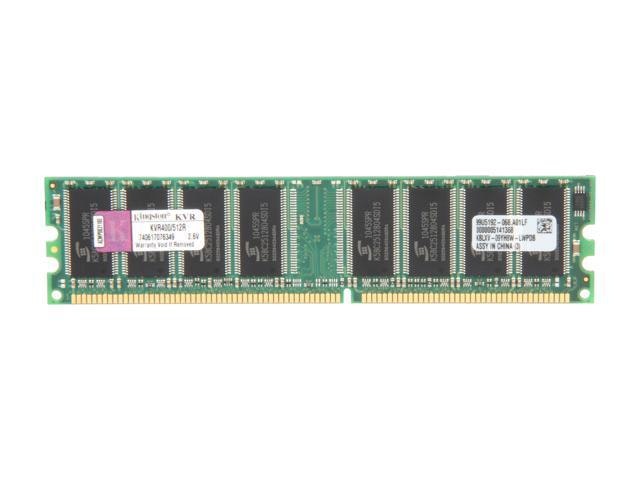
Older desktops and legacy systems needing a basic RAM upgrade are the main use case here, since 512MB is well below what modern software expects but still fits plenty of budget builds or spare-parts projects. Buy Now at Newegg
Features
- 512MB DDR 400 PC 3200 memory
- CL3 CAS latency
- 184-pin DDR SDRAM
- Lifetime limited warranty
- Model: KVR400/512R
Newegg · 14 hrs ago
$32
more
↑ less
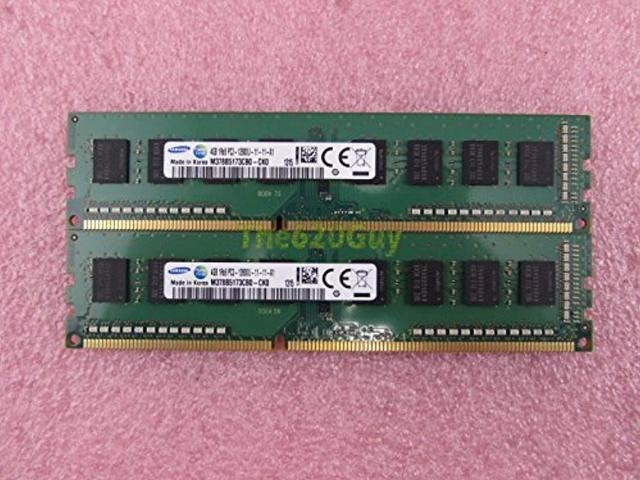
Older desktop builds or budget upgrades still running DDR3 boards are where this kit makes sense, since newer DDR4 and DDR5 modules won't work in those older motherboards at all. Buy Now at Newegg
Features
- 8GB total capacity
- 2x 4GB memory modules
- 1600MHz memory speed
- DDR3 desktop memory
- Model: M378B5173CB0-CK0
Newegg · 14 hrs ago
$145
more
↑ less
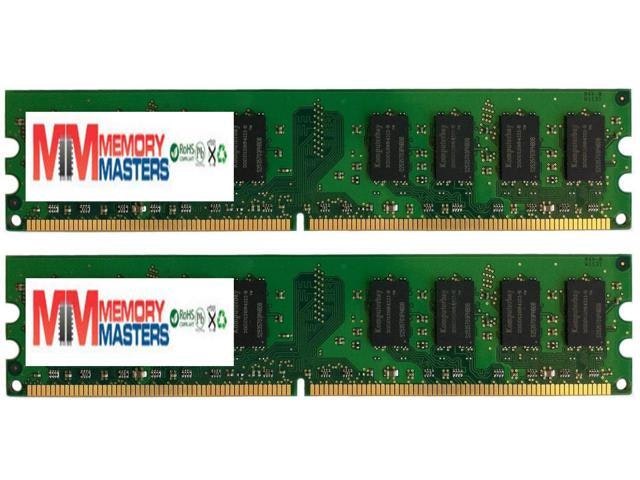
Older desktop builds running DDR2 boards will find this pack handy for maxing out RAM without hunting down discontinued sticks, and the 2-pack setup lets you run dual-channel for a small performance bump. Buy Now at Newegg
Features
- 8GB DDR2 memory capacity
- 533MHz memory speed
- 240-pin DIMM desktop form factor
- Dual 4GB module configuration
- PC2-4200/4300 compatibility
Newegg · 14 hrs ago
$19
more
↑ less
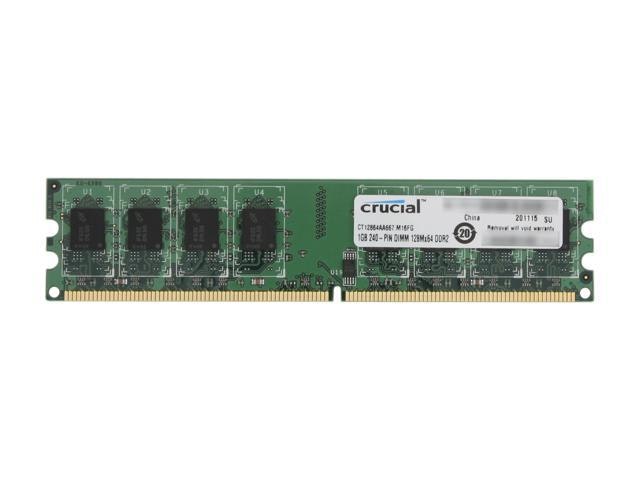
Upgrading an older desktop with a DDR2 motherboard is about the only reason to pick this up these days, and it's a straightforward way to squeeze more life out of aging hardware without replacing the whole system. Buy Now at Newegg
Features
- 1GB DDR2 667MHz memory
- CAS latency CL5
- 1.80V operating voltage
- Unbuffered memory design
- Model: CT12864AA667
Newegg · 14 hrs ago
$460
more
↑ less
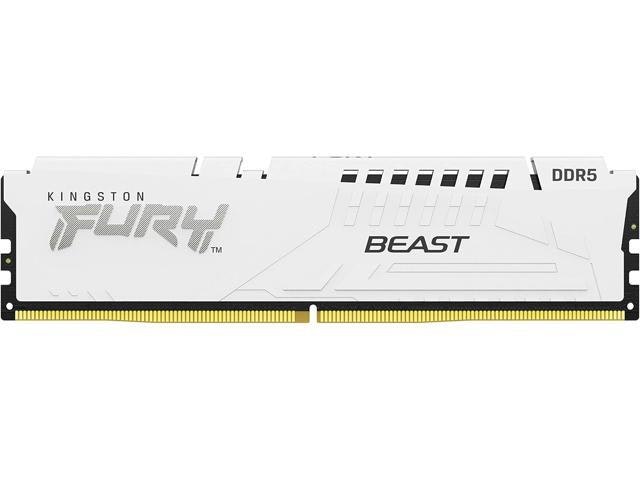
Anyone building or upgrading a gaming or workstation PC will notice the difference, since 6000MT/s hits the sweet spot for AMD and Intel's latest platforms without stretching your budget. It's a solid pick if you want reliable speed without paying for the premium RGB versions. Buy Now at Newegg
Features
- 16GB DDR5 memory capacity
- 6000MT/s high-speed performance
- Supports AMD EXPO and Intel XMP 3.0
- On-die ECC for improved stability
- CL36 low latency timing
Newegg · 14 hrs ago
$899
more
↑ less
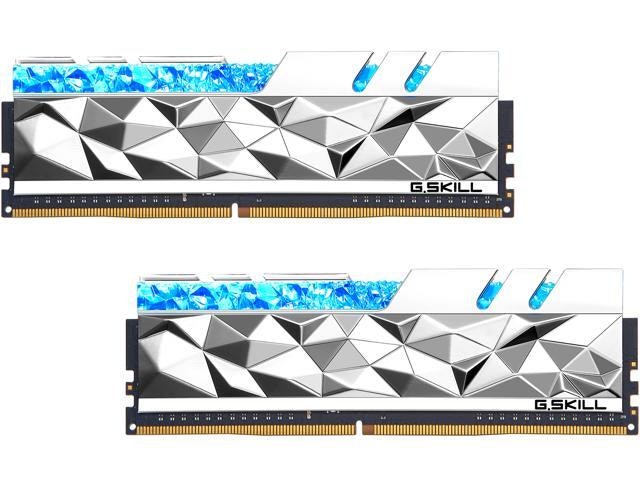
Serious multitaskers and content creators building a high-performance rig will notice the difference 64GB of fast RAM makes when juggling large files across multiple applications at once. Buy Now at Newegg
Features
- 64GB DDR4 4000MHz memory
- Low 18-22-22-42 latency timings
- Dual channel kit architecture
- Integrated heat spreader
- Model: F4-4000C18D-64GTES
Newegg · 14 hrs ago
$208
more
↑ less
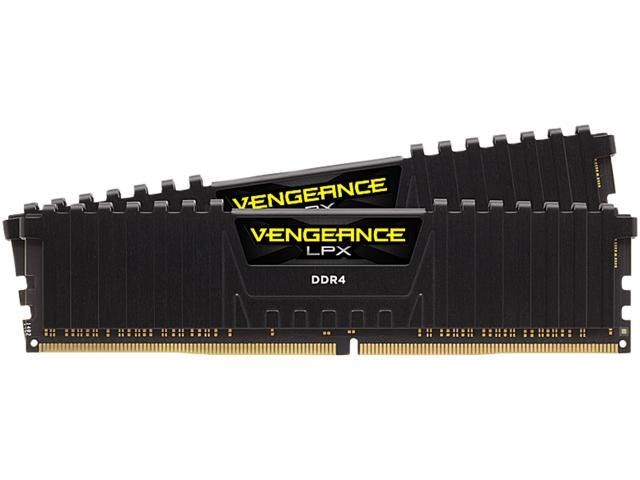
Anyone building or upgrading a desktop for gaming or multitasking will notice the difference 32GB makes, and DDR4 3200 speed keeps things quick without paying a premium for faster kits your motherboard might not fully use. Buy Now at Newegg
Features
- 32GB DDR4 3200MHz memory
- CL16 low latency performance
- Aluminum heat spreader for thermal management
- Optimized for AMD Ryzen and Intel platforms
- Model: CMK32GX4M2Z3200C16
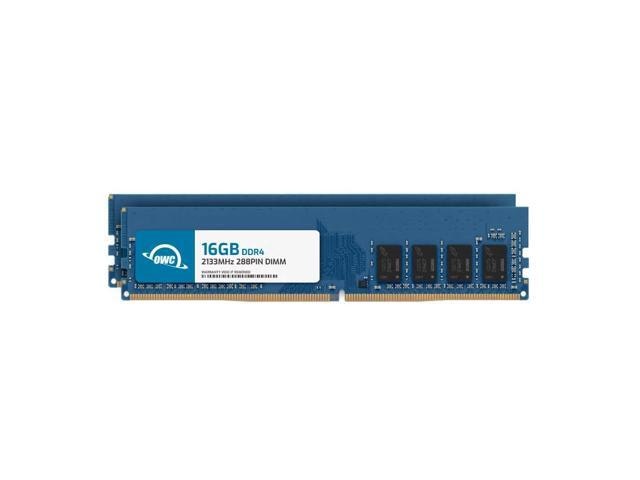
Newegg · 14 hrs ago
$220
more
↑ less
Bumping your desktop's RAM up to 32GB in one shot makes sense if you're running memory-hungry apps like video editors or virtual machines and don't want to fuss with individual stick upgrades later. Buy Now at Newegg
Features
- 32GB capacity for high-performance multitasking
- 2133MHz speed for faster data processing
- Low CL15 latency for quicker response times
- Dual channel kit optimizes memory bandwidth
- Model: 2U1D42R8032P
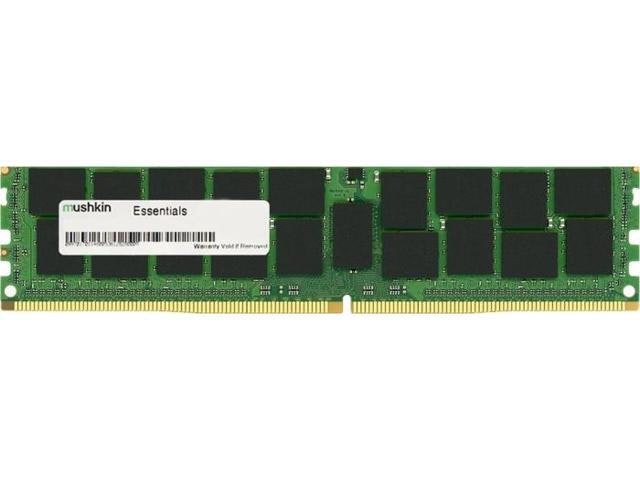
Newegg · 14 hrs ago
$55
more
↑ less
This Mushkin 4GB stick suits older desktop builds needing a straightforward DDR4 upgrade rather than a high-capacity setup, and Newegg's price makes it an easy add if you're just filling an open slot or reviving a budget rig. Buy Now at Newegg
Features
- 4GB DDR4 memory
- 2666MHz speed
- 288-pin desktop form factor
- Model: MES4U266KF4G
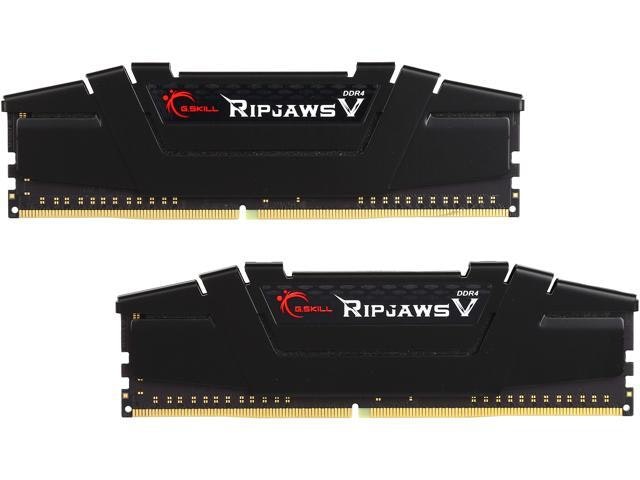
Newegg · 14 hrs ago
$147
more
↑ less
Doubling your RAM in one shot works well if your desktop's been choking on multitasking or heavier games, and 3200MHz is a sweet spot for pairing with most modern builds without overpaying for speed you won't notice. Buy Now at Newegg
Features
- 16GB DDR4 3200MHz memory
- CL16 low latency timing
- Dual channel kit architecture
- Aluminum heat spreader for cooling
- Model: F4-3200C16D-16GVKB
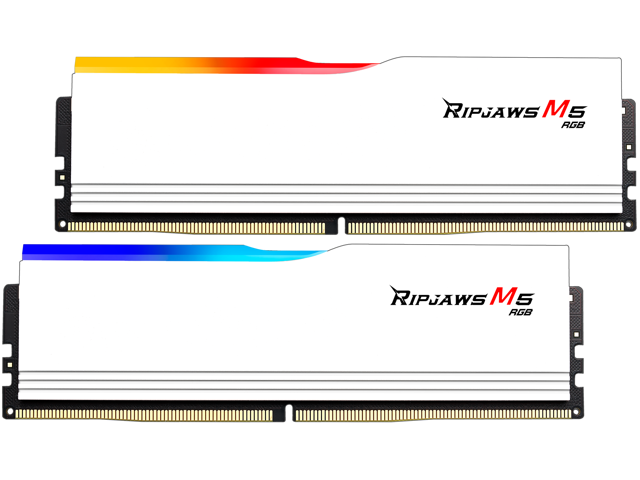
Newegg · 14 hrs ago
$1,664.82
more
↑ less
Doubling up your RAM with two 48GB sticks makes sense if you run memory-heavy tasks like video editing or virtual machines and want headroom without filling every slot on your motherboard. Buy Now at Newegg
Features
- 96GB DDR5 5600MT/s dual channel memory
- Low 40-40-40 latency for faster performance
- Integrated heat spreader for thermal management
- Optimized for 13th and 14th Gen Intel processors
- Model: F5-5600J4040D48GX2-RM5RW
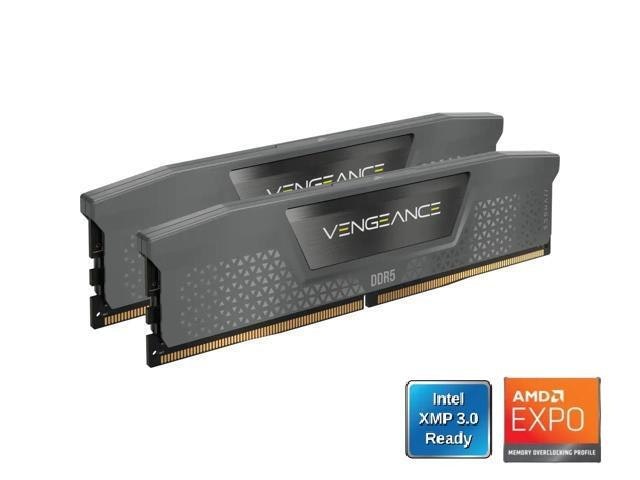
Newegg · 14 hrs ago
$630 $650
more
↑ less
Anyone building or upgrading a gaming or workstation PC will want the speed bump here, since 6400MHz DDR5 keeps up with newer CPUs better than standard 5200 or 5600 kits. Newegg has it for $630, just $20 off the $650 list price. Buy Now at Newegg
Features
- 32GB DDR5 6400MHz dual channel memory
- Low CL30 latency for faster system response
- Optimized 1.40V voltage for performance
- Stable dual-channel architecture
- Model: CMK32GX5M2B6400Z30
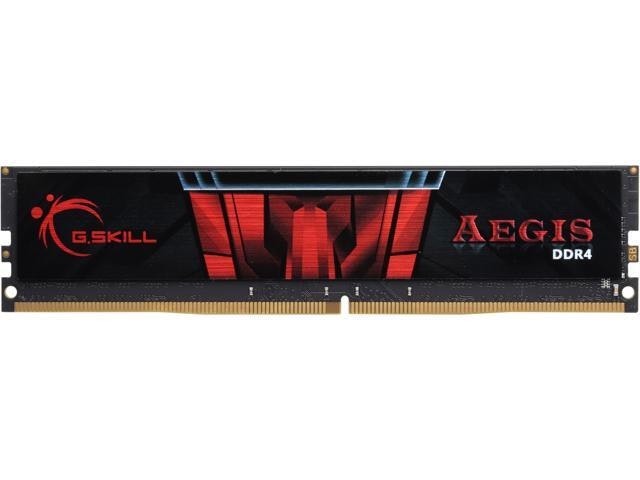
Newegg · 14 hrs ago
$79
more
↑ less
Anyone building or upgrading a budget desktop can use this for a straightforward RAM boost without paying for speeds or capacity you likely won't notice in everyday use. Buy Now at Newegg
Features
- 8GB DDR4 2400MHz high-speed memory
- Low latency CL17 performance
- 1.20V power efficient operation
- Unbuffered for high-speed responsiveness
- Model: F4-2400C17S-8GIS
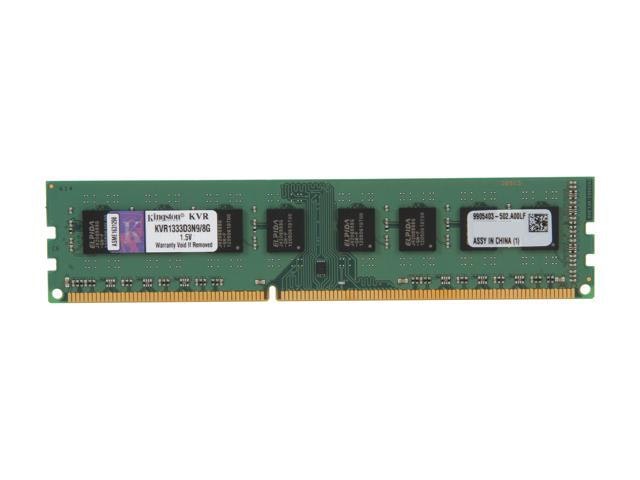
Newegg · 14 hrs ago
$35
more
↑ less
Older desktops still running on DDR3 boards can get a straightforward capacity bump with this stick, making it a sensible pick if you're maintaining a legacy system rather than upgrading to something newer. Buy Now at Newegg
Features
- 8GB DDR3 1333MHz desktop memory
- CL9 CAS latency for fast response
- 1.50V power efficient operation
- Unbuffered architecture for stability
- Model: KVR1333D3N9/8G
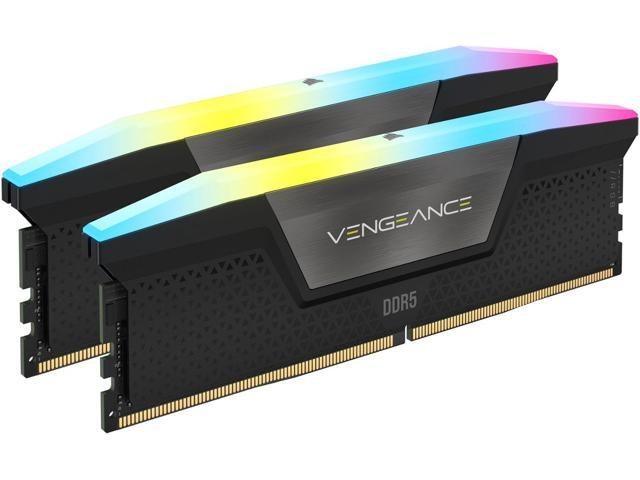
Newegg · 14 hrs ago
$640 $660
more
↑ less
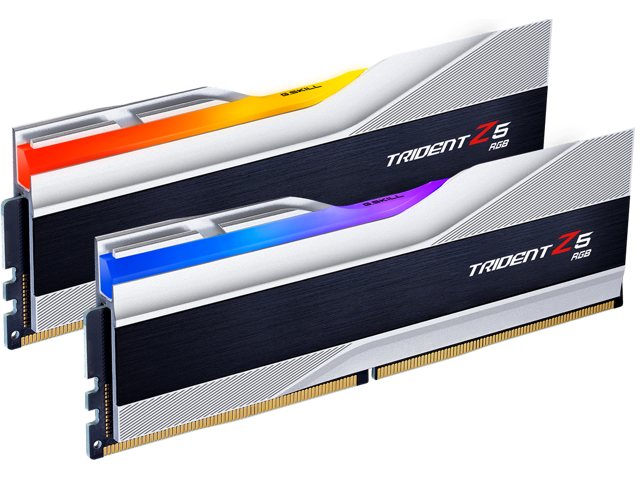
Suits anyone building or upgrading a high-performance PC where fast memory matters for gaming or multitasking, and this 32GB kit runs at 7000MHz with RGB. Newegg has it for $640, about $20 off the $660 list price. Buy Now at Newegg
Features
- DDR5 7000MT/s high-speed performance
- Low CL34 latency for faster processing
- Dynamic ten-zone individually addressable RGB lighting
- Intel XMP 3.0 support for easy overclocking
- Model: CMH32GX5M2X7000C34
Newegg · 14 hrs ago
$562
more
↑ less
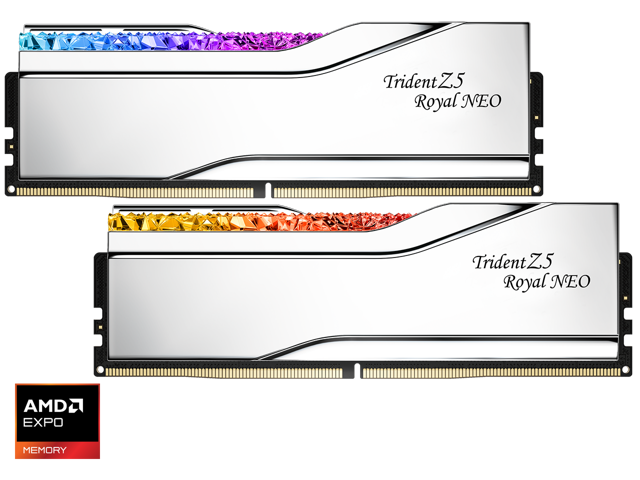
Builders running a modern Intel or AMD DDR5 platform will want the speed and headroom here, and the RGB heat spreaders sync with most major motherboard lighting software if you care about matching your build's look. Buy Now at Newegg
Features
- 32GB DDR5 5600MHz high-speed memory
- Dual channel kit performance optimization
- CL40 low latency timing
- Integrated aluminum heat spreader for thermal management
- Model: F5-5600J4040C16GX2-TZ5RS
Newegg · 14 hrs ago
$2,199.99 $2,300
more
↑ less
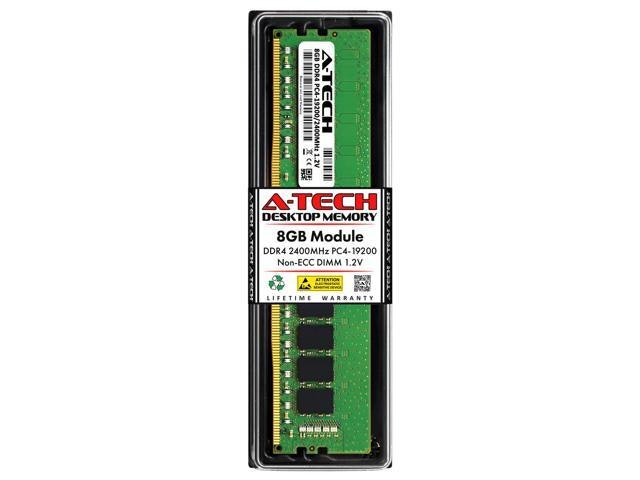
Two 64GB sticks give you 128GB total, which suits video editors, 3D renderers, or anyone running virtual machines that need serious headroom beyond typical gaming builds. Newegg has it for $2,200, about $100 off the $2,300 list price. Buy Now at Newegg
Features
- 64GB DDR5 6000MHz high-performance memory
- Low CL28 latency for faster responsiveness
- AMD EXPO profile for easy overclocking
- Optimized for AMD Ryzen and 600/800 series motherboards
- Model: F5-6000J2836G32GX2-TR5NS
Newegg · 14 hrs ago
$60
more
↑ less
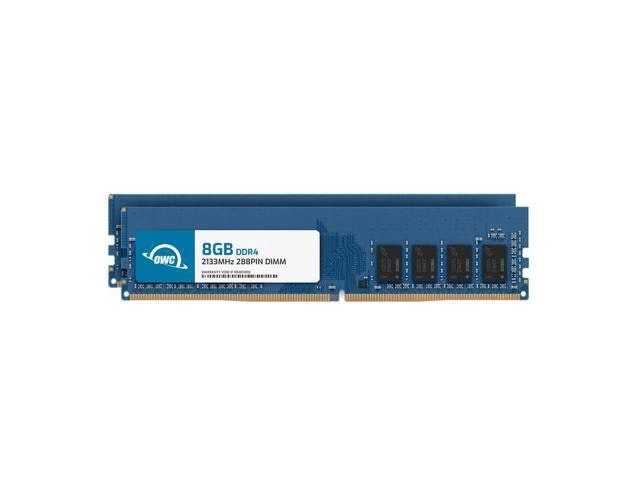
Anyone looking to breathe new life into an aging desktop without a full upgrade will find this a straightforward way to add headroom for multitasking and smoother performance, and Newegg's price makes it an easy add to your cart. Buy Now at Newegg
Features
- 2400MHz DDR4 desktop memory
- 8GB high-performance RAM capacity
- CL17 CAS latency for faster response
- Compatible with AMD and Intel systems
- 1.20V energy-efficient design
Newegg · 14 hrs ago
$119
more
↑ less
Upgrading an older iMac or PC to handle heavier multitasking gets a lot cheaper with this kit, and the matched 2x8GB pair means you're set for dual-channel performance right out of the box. Buy Now at Newegg
Features
- 16GB DDR4 2133MHz memory upgrade
- Dual channel kit for improved performance
- Low 1.2V power consumption
- Unbuffered non-ECC for desktop compatibility
- Model: 2U1D42R8016P
Newegg · 14 hrs ago
$30
more
↑ less
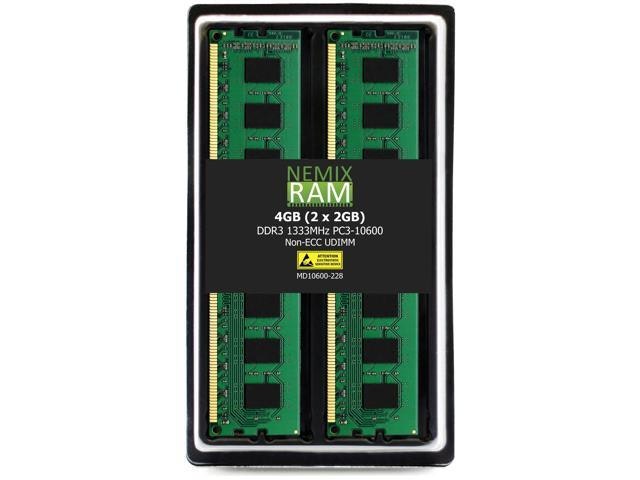
Older desktops or budget upgrades needing basic DDR3 support are the sweet spot here, especially if you're reviving an aging system rather than chasing speed. Buy Now at Newegg
Features
- 4GB DDR3 1333MHz desktop memory kit
- Low latency CL9 performance
- Reliable non-ECC unbuffered architecture
- Major OEM chipset components
- Model: MD10600-228K2
Newegg · 14 hrs ago
$525
more
↑ less
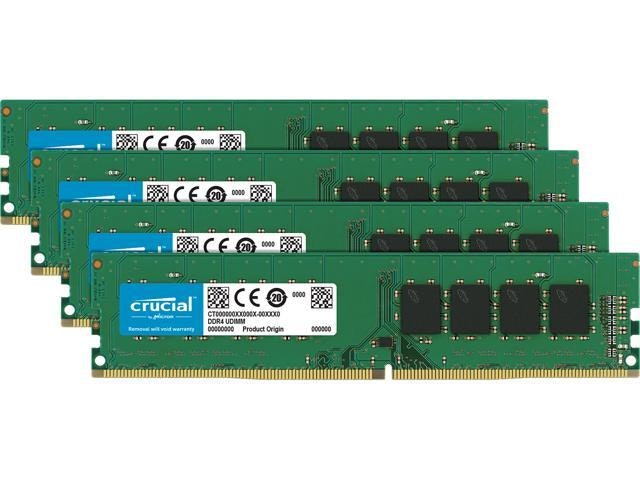
Anyone building or upgrading a workstation for heavy multitasking, video editing, or virtual machines will appreciate having 64GB on hand, and buying it as a matched 4-pack keeps your system running on identical, compatible sticks. Buy Now at Newegg
Features
- 64GB quad-channel DDR4 memory kit
- 2400MHz speed with CL17 latency
- 32% increased memory bandwidth
- 40% lower power consumption
- Model: CT4K16G4DFD824A
Newegg · 14 hrs ago
$990 $1,000
more
↑ less
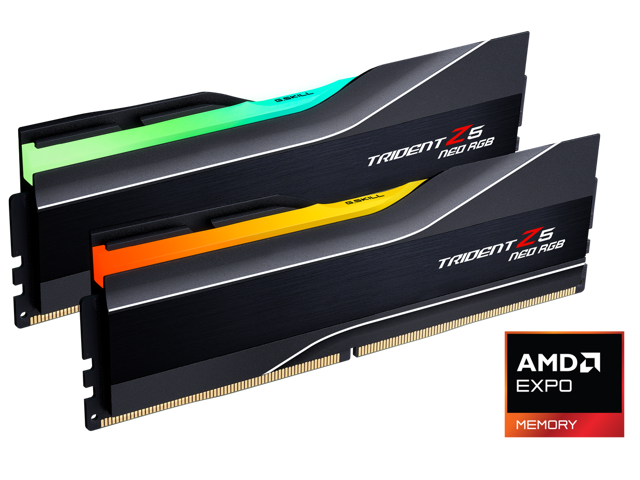
Builders doing high-refresh gaming or heavy multitasking on AMD's newest platforms will appreciate this kit's tight timings and EXPO compatibility for quick, no-fuss overclocking, though at $10 off the $1,000 list price, the discount here is minimal. Buy Now at Newegg
Features
- 32GB DDR5 6400MHz dual channel memory
- Low latency CL30 performance
- Optimized for AMD Ryzen 7000/9000 series processors
- AMD EXPO overclocking support
- Model: F5-6400J3039G16GX2-TZ5NR
Newegg · 14 hrs ago
$1,974.42
more
↑ less
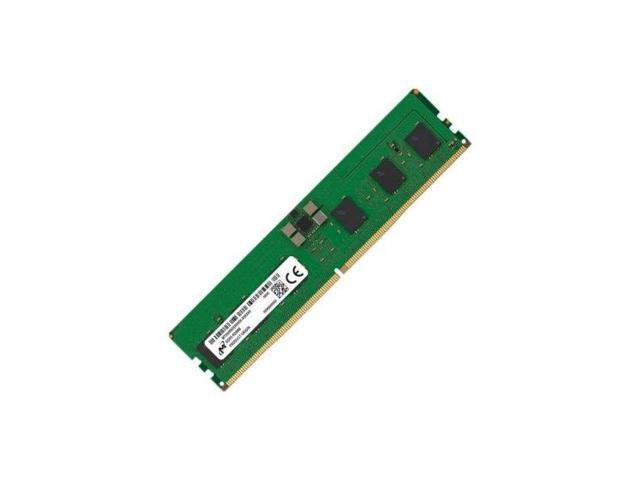
Anyone running a workstation or server that supports ECC memory should look at this for the added protection against data corruption, especially in memory-intensive tasks like data processing or CAD work. At 5600MHz, it's fast enough to keep up with newer desktop platforms without sacrificing the stability ECC provides. Buy Now at Newegg
Features
- 16GB DDR5 5600MHz memory capacity
- Error Correcting Code (ECC) technology
- Low latency CL46 performance
- Standard 288-pin DIMM desktop form factor
- Model: MTC10C1084S1EC56BR
Newegg · 14 hrs ago
$640
more
↑ less
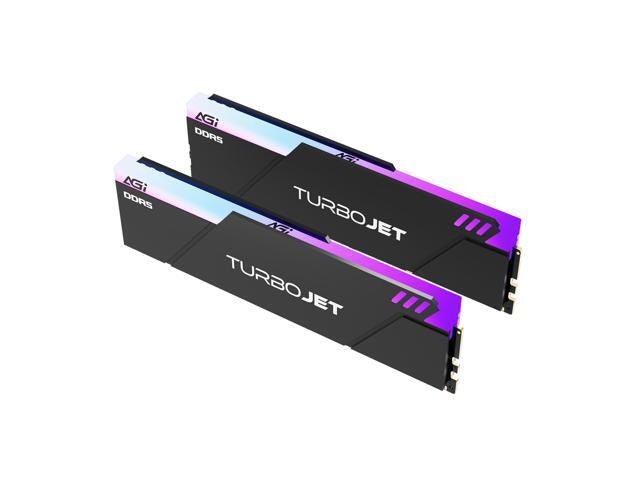
Anyone building or upgrading a desktop for gaming or heavy multitasking will appreciate this 64GB kit, since 6000MHz DDR5 hits the sweet spot for speed without the premium pricing of faster kits. Newegg's dual-stick pack also makes it easy to run in dual-channel mode right out of the box. Buy Now at Newegg
Features
- 32GB DDR5 6000MHz dual-channel memory kit
- Low CAS latency 30 for high performance
- On-die ECC for enhanced data stability
- AMD and Intel system compatibility
- Model: AGI6APC16UD858
Newegg · 14 hrs ago
$1,499.99 $1,600
more
↑ less
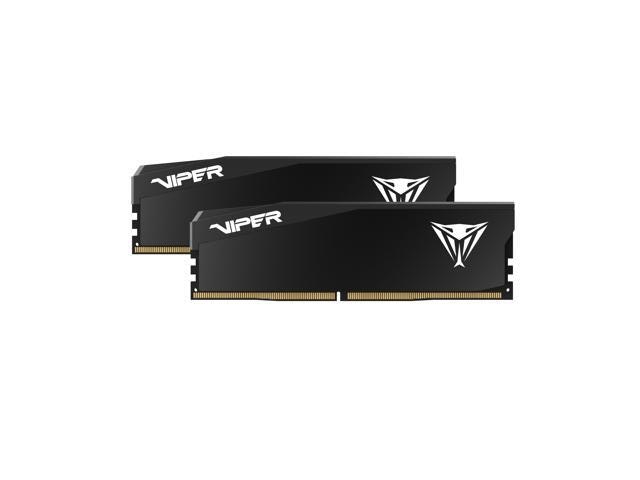
Anyone running heavy multitasking, video editing, or virtualization workloads will appreciate having 64GB of fast 6000MHz memory across two sticks for smoother performance under load, and it's currently $100 off the $1,600 list price at Newegg. Buy Now at Newegg
Features
- 64GB DDR5 6000MHz high-speed memory
- Ultra-low CL28 latency for faster processing
- Optimized for latest AMD and Intel chipsets
- DDR5 architecture for enhanced system performance
- Model: VEU564G6028K
Newegg · 14 hrs ago
$283
more
↑ less
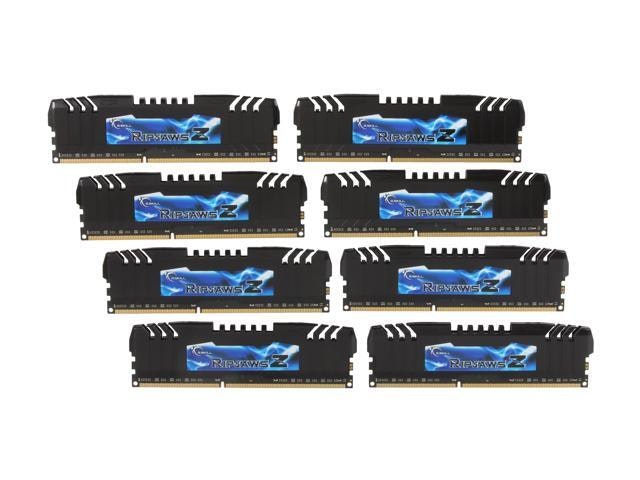
Building or upgrading an older DDR3 rig, this kit gives you 32GB spread across eight sticks, which suits multi-channel motherboards that need every slot populated to hit full bandwidth. Buy Now at Newegg
Features
- 32GB DDR3 2133MHz memory capacity
- Low CL9 latency for fast performance
- Intel XMP 1.3 memory profile support
- Optimized for quad-channel X79 platforms
- Model: F3-17000CL9Q2-32GBZH
Newegg · 14 hrs ago
$1,169.99 $1,250
more
↑ less
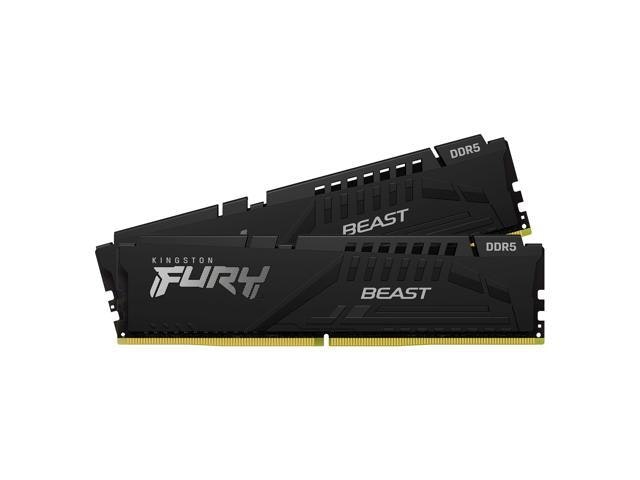
For anyone building or upgrading a memory-heavy workstation or gaming rig, this 64GB (2-pack) DDR5 kit at 5600MT/s gives you solid multitasking headroom, and Newegg has it at $1170, about $80 off the $1250 list price. Buy Now at Newegg
Features
- 64GB DDR5 5600MHz dual-channel memory kit
- Low 1.10V power consumption
- AMD and Intel motherboard compatibility
- Optimized CL40 CAS latency
- Model: KF556C40BBK2-64
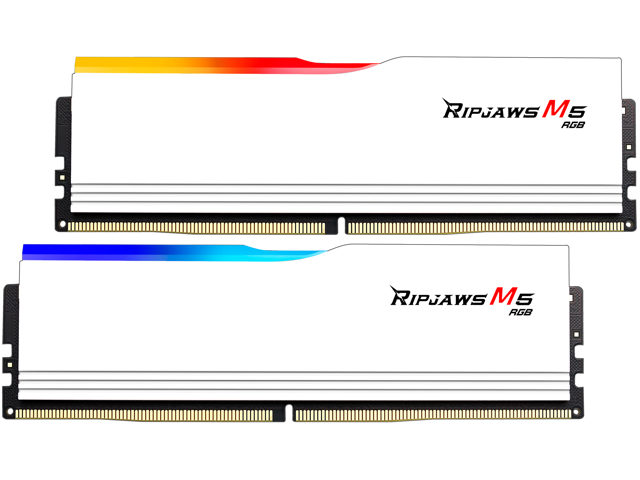
Newegg · 14 hrs ago
$930 $950
more
↑ less
This 64GB kit (2x32GB) suits content creators or heavy multitaskers running memory-hungry apps alongside a browser full of tabs, and at $930, it's just $20 off the $950 list price. Buy Now at Newegg
Features
- 64GB DDR5 5200MHz high-speed dual channel memory
- CL40 latency for efficient data processing
- Reliable 1.10V low voltage operation
- Integrated RGB lighting for aesthetic customization
- Model: F5-5200J4040A32GX2-RM5RW
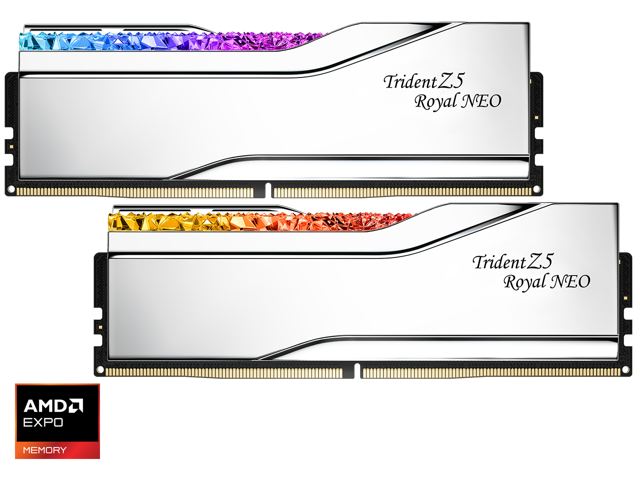
Newegg · 14 hrs ago
$1,380
more
↑ less
Anyone building or upgrading a DDR5 gaming rig will appreciate the 6000MHz speed and 48GB capacity, which handles heavy multitasking and modern titles without bottlenecking your CPU. Buy Now at Newegg
Features
- 48GB DDR5 6000MHz dual-channel memory kit
- Low CL26 latency for high-speed performance
- Optimized for AMD Ryzen and 800 series chipsets
- Built-in heat spreader for efficient thermal management
- Model: F5-6000J2636H24GX2-TR5NS
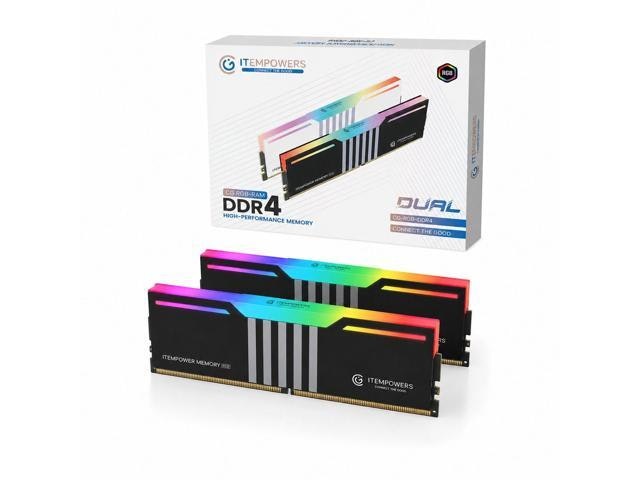
Newegg · 14 hrs ago
$220
more
↑ less
Building or upgrading a gaming rig on a budget, this kit gives you enough RAM for modern multitasking plus RGB lighting to match the rest of your setup without paying a premium for a name brand. Buy Now at Newegg
Features
- 32GB DDR4 dual channel memory kit
- 3200MHz high-speed performance
- CL19 low latency timing
- Integrated RGB lighting
- Micron chipset for reliability
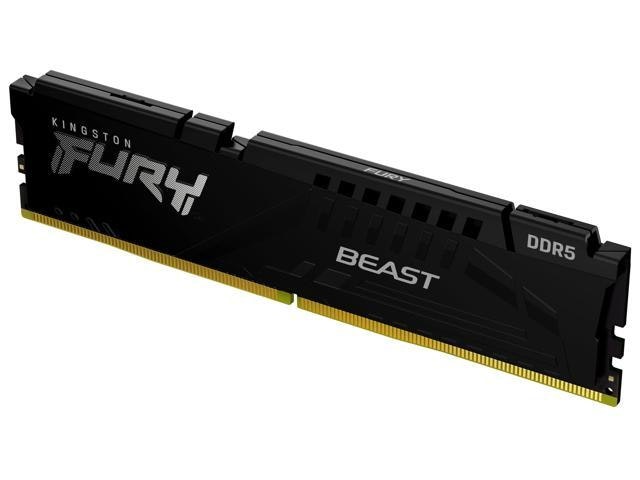
Newegg · 14 hrs ago
$417
more
↑ less
Anyone building or upgrading a gaming or workstation PC will notice the difference the 6000MT/s speed and CL30 timing make for smooth multitasking and quick load times, and Newegg's price on this kit makes it an easy add to your build. Buy Now at Newegg
Features
- 6000MT/s DDR5 high-speed performance
- Low latency CL30 timing
- AMD Expo optimized for easy overclocking
- Plug N Play automatic installation
- Model: KF560C30BBE-16
Newegg · 14 hrs ago
$119
more
↑ less
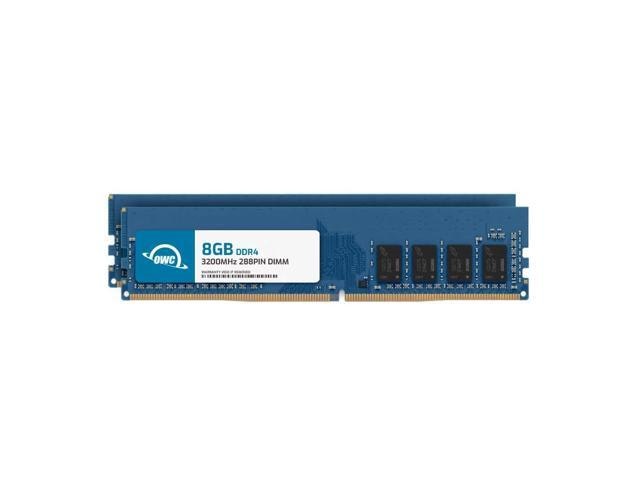
Anyone running memory-hungry apps or multitasking heavily on a desktop will notice the difference this kit makes, and it's a straightforward way to extend the life of a machine that's starting to feel sluggish. Buy Now at Newegg
Features
- 16GB DDR4 3200MHz memory upgrade
- Dual channel kit performance
- Low 1.2V power consumption
- Unbuffered non-ECC desktop compatibility
- Part number: 3U2D41R8016P
Computers: The Basics
Shopping for computers doesn’t have to drain your savings — if you know how to find the best prices. Our team of experts review the sales and publish the best computer deals so you don’t have to work half as hard.
How to Save on Streaming Services
Computers: The Basics
Shopping for computers doesn’t have to drain your savings — if you know how to find the best prices. Our team of experts review the sales and publish the best computer deals so you don’t have to work half as hard.
Basic Computer Terminology
You don’t have to be a tech wiz to buy your next computer. Make note of these common terms to help you when you’re shopping computer sales!
- Operating System (OS): This is the system that controls how your computer performs basic functions. The most common operating systems you’ll see right now are Windows 10 and Mac OS X. They perform comparably, so picking one relies on personal preference.
- Random-access memory (RAM): The short-term memory of your computer. Your RAM controls how quickly and efficiently your computer is able to switch between tasks. The higher the RAM, generally, the better the performance.
- Processor (CPU): The powerhouse or “brain” of the computer, your processor handles your computer’s basic instructions, such as using your mouse and keyboard, or running applications. The two most popular CPU manufacturers are AMD and Intel. You can read about which processor is right for you in this article from Digital Trends.
- Storage: There are two types of physical computer storage, hard drives (HD) and solid state drives (SSD). SSD storage is more common these days because they are more stable and faster. While it’s ideal to aim for greater storage space, a bigger drive will cost more money. Determine your storage needs based on how you plan to use your computer. Abt recommends starting with at least 500 GB of storage space.
Additionally, some providers, like Verizon, offer streaming perks with select plans, giving you months of access to services like Disney+, Hulu, and ESPN+ at no extra cost. Annual payment options can also help you save, as they often come with a discount equivalent to getting one or two months free. For those on a budget, ad-supported plans provide the same great content at a fraction of the cost. Visit our Disney+ Subscription Cost page to explore pricing and options.
What Deals Are Available on Disney+ Bundles?
Disney+ bundle deals provide significant savings when combining services. For example, the Verizon Disney Bundle offered six months of Disney+, Hulu, and ESPN+ for free with select Unlimited plans. Bundles like the Disney+ Premium annual plan ($159.99) save you the cost of two months compared to monthly payments. Bundle options like the ad-supported Duo Basic plan (Disney+ and Hulu) start at $10.99 per month, while ad-free Duo Premium is $19.99. Learn more on the Disney+ Bundle Deals page.
You can also explore seasonal and promotional deals during events like Black Friday to maximize your savings. Check out the Best Disney+ Deals page for current offers.
How Much Is a Disney+ Subscription?
Disney+ subscriptions currently start at $8 per month for the ad-supported Basic plan, while the Premium ad-free plan is priced at $13.99 per month or $139.99 annually. Prices will increase beginning October 17, 2024, with the Premium plan rising to $15.99 per month or $159.99 annually. Explore all pricing options on the Disney+ Subscription Costs page.
Best Disney+ Deals
Disney+ offers value-packed streaming bundles, such as the Disney+, Hulu, and Max bundle starting at $17 per month with ads or $30 per month ad-free. Disney+ also supports paid sharing, allowing you to add one extra member for $6.99 per month with Basic or $9.99 per month with Premium. Prices are increasing on October 17, 2024, so finding deals like these is more important than ever. For more information, visit our Best Disney+ Deals page.
Best Disney+ Deals
Disney+ offers value-packed streaming bundles, such as the Disney+, Hulu, and Max bundle starting at $17 per month with ads or $30 per month ad-free. Disney+ also supports paid sharing, allowing you to add one extra member for $6.99 per month with Basic or $9.99 per month with Premium. Prices are increasing on October 17, 2024, so finding deals like these is more important than ever. For more information, visit our Best Disney+ Deals page.
Annual Disney+ Subscription Costs
Disney+ Premium annual plans cost $139.99 but will rise to $159.99 on October 17, 2024. Opting for the annual plan saves you the equivalent of two months compared to monthly billing. Note that annual payments are only available for standalone Disney+ Premium plans and not for bundles. Customize your subscription to include ad-supported or ad-free options with Hulu, ESPN+, or Max. See all pricing details on the Disney+ Subscription Cost page.
Basic Computer Terminology
You don’t have to be a tech wiz to buy your next computer. Make note of these common terms to help you when you’re shopping computer sales!
- Operating System (OS): This is the system that controls how your computer performs basic functions. The most common operating systems you’ll see right now are Windows 10 and Mac OS X. They perform comparably, so picking one relies on personal preference.
- Random-access memory (RAM): The short-term memory of your computer. Your RAM controls how quickly and efficiently your computer is able to switch between tasks. The higher the RAM, generally, the better the performance.
- Processor (CPU) : The powerhouse or “brain” of the computer, your processor handles your computer’s basic instructions, such as using your mouse and keyboard, or running applications. The two most popular CPU manufacturers are AMD and Intel. You can read about which processor is right for you in this article from Digital Trends.
- Storage: There are two types of physical computer storage, hard drives (HD) and solid state drives (SSD). SSD storage is more common these days because they are more stable and faster. While it’s ideal to aim for greater storage space, a bigger drive will cost more money. Determine your storage needs based on how you plan to use your computer. Abt recommends starting with at least 500 GB of storage space.
Basic Software for Your PC
When you start using your new computer, you’ll want to install some basic software to get going. Most pre-built computers come with a suite of software pre-installed with the OS.
Productivity Tools
Whether you opt for a package like Microsoft Office or iWork, opt for freeware like Open Office, or choose an online software pack like G Suite, it’s always a good idea to install a productivity software to help you with tasks like making spreadsheets, word processing, and viewing PDFs.
Internet Browser
Microsoft Edge and Safari are the standard browsers that come with a new computer, but many shoppers rely on browsers like Google Chrome or Mozilla Firefox.
Cloud Storage
Not only does cloud storage give you more space than the limited physical storage on your PC, but it also gives you access to your files anywhere. Many companies like Google or Dropbox offer a limited amount of free cloud storage.
Antivirus Software
Antivirus tools do more than simply keep viruses at bay; they also protect against malware, phishing, adware, spyware, and more. Windows 10 comes with Microsoft Security Essentials as a default, and security options are built into Mac OS X (as opposed to a standalone program). That said, antivirus suites like Norton, McAfee, and Bitdefender may offer you more protection.
Media Player
Many laptops and desktops no longer include a physical media drive. If you plan on watching any videos locally (not streamed online), it’s useful to have a media player. Typically, this software is built in, but check out this list for some info on the best media players for Windows 10 and this one for Mac.
Music Player
Not to be confused with a media player, a good music application is worth installing on your computer. Spotify, iTunes, and Pandora are some common favorites that give you access to a practically limitless selection. The desktop versions make it easier to browse and build playlists.
Computer Deal Subcategories
DealNews offers the best deals on computers and computing accessories. You can browse our deals in different categories including, but not limited to:
Whether you’re looking for a new work laptop, or want to find a quality gaming system, check out our selection of the best laptop deals here.
Did you know you should replace your computer every 4 to 5 years to keep up with the latest performance and security updates? Check out the best computer deals for your next desktop here.
Did you know that DealNews first launched as a deal website for Apple Macintosh products? While we’ve grown significantly since then, we still know how to find the best Apple computer deals!
Maybe you’re in the market for a larger streaming device for your kids, or maybe you’d like a device to serve as your e-reader (with a few extra perks). Whatever you’re searching for, check out the best tablet and iPad deals here.
- Peripherals
Routers , monitors , input devices , and more! These devices make using your computer more comfortable and practical. Be sure you search our site to save big!
When shopping computer sales, check out DealNews before going anywhere else, so you know you’ll always find the best deals!
Frequently Asked Questions
Should I purchase a laptop or desktop?
It’s important to review your needs before buying a laptop or desktop computer.
- What’s your budget? Because they’re bigger and more modular, desktop computers tend to outperform laptops. A desktop’s customizability means your budget can go a lot further. However, laptops have other advantages over desktops.
- Do you need portability? High-end laptops are generally more expensive, but a laptop will always win the portability debate.
- How much power do you need? Desktops have more room to work with, so you can add more RAM, more storage, a bigger graphics card, and other performance improvements. But if you don’t need all that, then a mid-tier laptop may be the cheaper choice.
- Are you a gamer? Laptops that are built for gaming are among the most expensive on the market. That said, if you’re not comfortable selecting individual pieces to build a gaming desktop, you may be willing to pay a premium to get that performance.
- Don’t forget the repairs. If you’re handy, you can often repair or replace parts in a desktop computer with the help of online guides. Most laptops require specialized tools and skills to repair, so desktop fixes tend to be cheaper.
Overall, desktop computers have a lot of advantages, but the lack of portability can be a deal breaker. No matter what you decide, be sure to check out specs and buying guides from the DealNews Blog and other reputable sources like CNET or PCMag. Then shop DealNews for the best computer deals!
How do I get my external hard drive to show up?
Once you’ve ensured that your external drive is plugged in and powered on, check out these steps from PCMag:
- Try a different USB port.
- Try a different PC.
- Update your drivers.
- Format the drive.
What is a VPN?
VPN stands for “virtual private network.” A VPN protects your internet usage by routing your internet connection through a private server. Using a VPN keeps your online browsing more private and also grants you access to websites and content that may not be available in your country.
For more information about VPNs, visit our NordVPN Free Trial Guide and our NordVPN Subscription Cost Page.
How can I boost my WiFi signal?
When your internet connection seems impossibly slow, the cause isn’t your provider, but your WiFi signal strength. Check out these options to boost your WiFi signal:
- Update your router firmware. Each router is different, but you can typically use the steps found here to run updates.
- Place your router in the most optimal space. You want to place your wireless router away from walls or obstructions. If possible, put it in the most central place in your home.
- Pick a different frequency. If you have a dual-band router, try using the 5GHz band. This band offers higher speeds and may get an additional boost if fewer devices are connected to it.
- Change the channel. While most routers will automatically choose the channel with the least congestion, some cheaper routers may require you to manually update it.
- Upgrade your router. How old is your current router? If it's a previous-generation 802.11b model, upgrading could improve your wireless signal. If you already have a newer 802.11n or Wi-Fi 6 router, you're in good shape.
- Replace the antenna. You may boost your signal by adding or replacing an external antenna. PCMag recommends purchasing one marked “high-gain” and opting for a directional antenna rather than an omnidirectional one.
- Add a wireless range extender. If you only want to boost coverage in one or two rooms, a WiFi extender can help you eliminate dead spots. Check out this guide from the DealNews Blog.
Switch to a mesh WiFi system. Wireless mesh networking is becoming more popular because it can provide more complete coverage throughout the home. Mesh systems replace your router and work seamlessly to eliminate coverage gaps.
By: Kristen Harris, Manager
A Georgia girl with three years of experience in IP Law and grounded in understanding marketing and consumer motives. When she's not working with the fabulous staff of DealNews, you can find her whining at rowing practice and browsing the Hot Deals on the site.
Want to know the moment we post a great deal on Computers?
Create an Alert