Walmart · 4 days ago
$80 $140
free shipping
more
↑ less
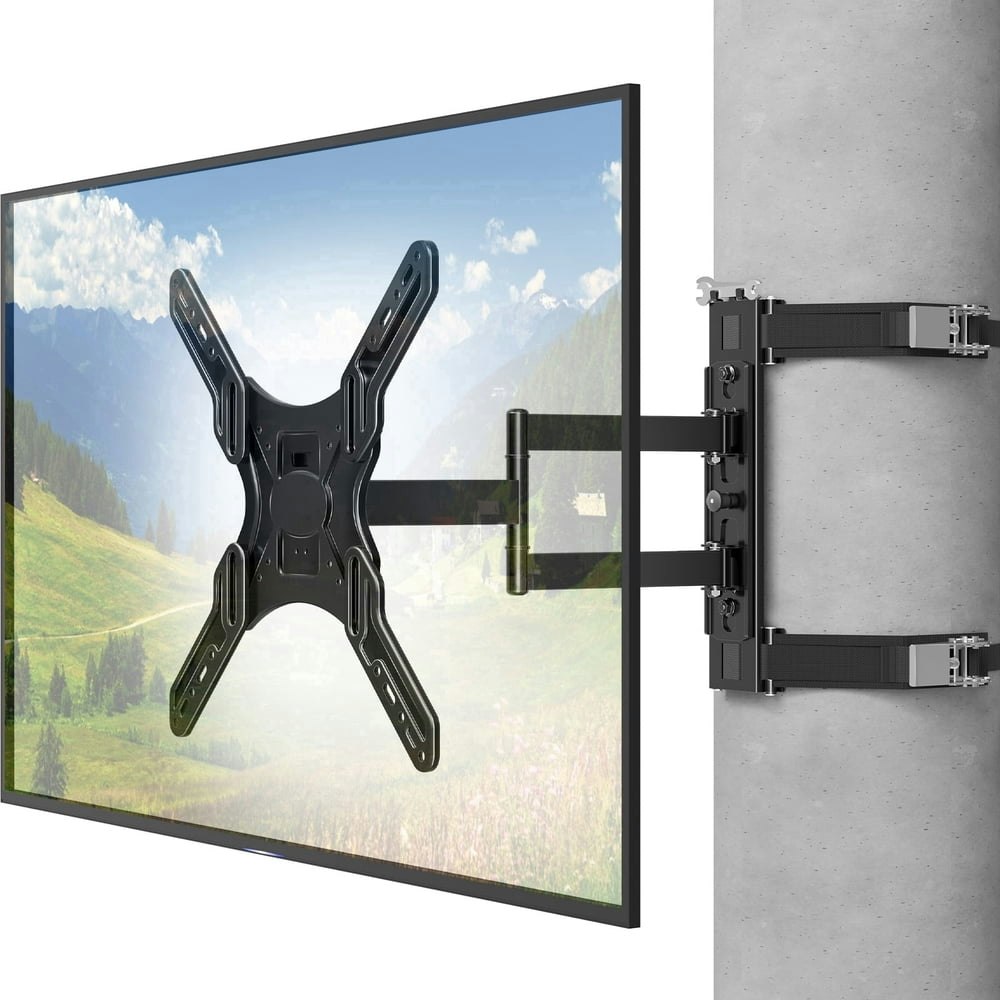
Mount Pro's no-drill design clamps onto square or round posts and pillars without any permanent hardware, which makes it a practical option for gazebos, patios, or covered porches where you can't or don't want to put holes in the structure. At $80, that's $60 off the $140 list price. Buy Now at Walmart
Features
- Mounts to round, square, or octagonal columns
- Tool-free no-drill strap-on installation
- Fits 26 to 60-inch TVs up to 77 lbs
- Tilts and swivels for optimal viewing angles
- Heavy-duty steel construction for long-term stability
Walmart · 4 days ago
$42
free shipping
more
↑ less
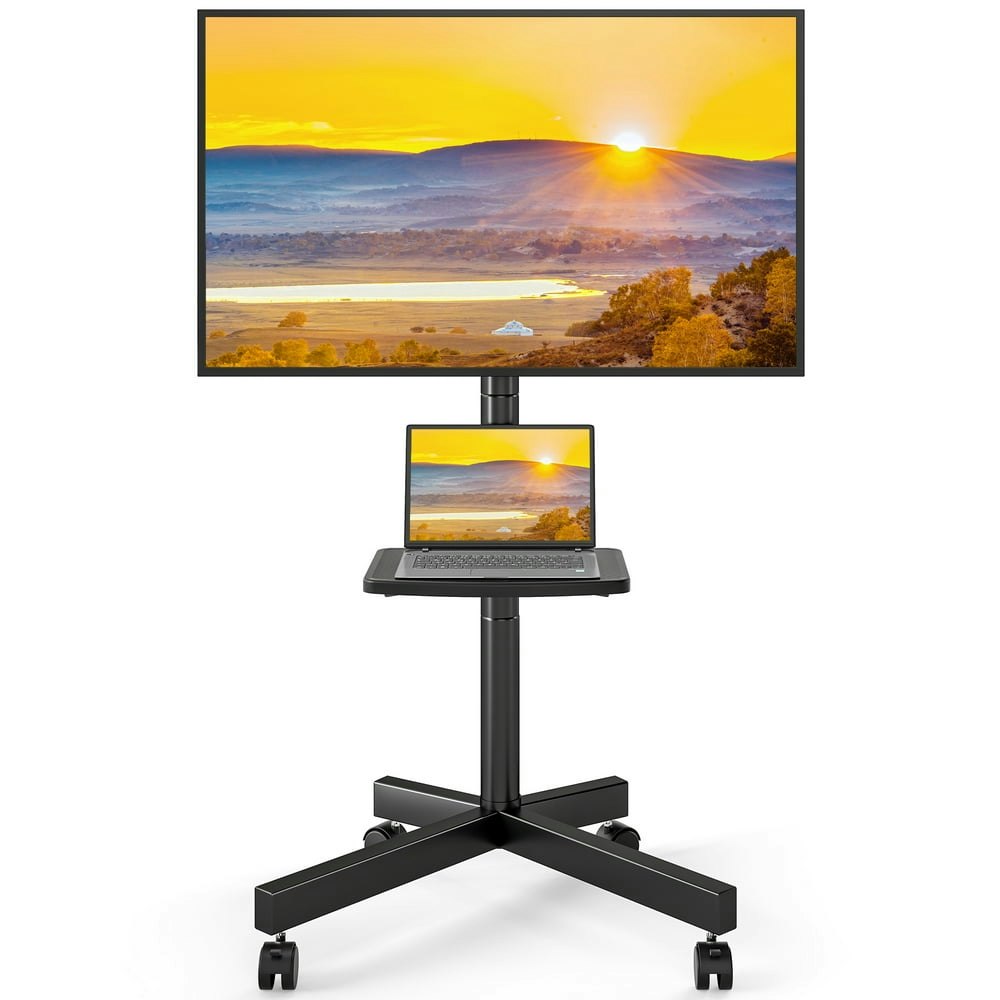
A rolling TV stand worth considering if you want to reposition your TV between rooms or use it in a space where wall mounting isn't an option, like a rental or a garage setup. Buy Now at Walmart
Features
- Supports 23-60 inch TVs up to 88 lbs
- Lockable smooth-rolling wheels for room-to-room mobility
- Adjustable height for optimal viewing experience
- Includes height-adjustable storage shelf for AV equipment
- Universal VESA compatibility from 100x100mm to 400x400mm

Walmart · 3 days ago
$40 $48
free shipping
more
↑ less
A tabletop TV stand that fits most 32- to 60-inch screens, useful if you're setting up a TV in a room where wall mounting isn't practical or you need a portable option. At $40, that's about $8 off the $48 list price. Buy Now at Walmart
Features
- Fits 32-60 inch TVs up to 88 lbs
- Adjust height from 44.8 to 54.8 inches
- 70-degree swivel for optimal viewing angles
- Stable wood base with safety bolts
- Supports VESA patterns up to 400x400mm
Computers: The Basics
Shopping for computers doesn’t have to drain your savings — if you know how to find the best prices. Our team of experts review the sales and publish the best computer deals so you don’t have to work half as hard.
Basic Computer Terminology
You don’t have to be a tech wiz to buy your next computer. Make note of these common terms to help you when you’re shopping computer sales!
- Operating System (OS): This is the system that controls how your computer performs basic functions. The most common operating systems you’ll see right now are Windows 10 and Mac OS X. They perform comparably, so picking one relies on personal preference.
- Random-access memory (RAM): The short-term memory of your computer. Your RAM controls how quickly and efficiently your computer is able to switch between tasks. The higher the RAM, generally, the better the performance.
- Processor (CPU): The powerhouse or “brain” of the computer, your processor handles your computer’s basic instructions, such as using your mouse and keyboard, or running applications. The two most popular CPU manufacturers are AMD and Intel. You can read about which processor is right for you in this article from Digital Trends.
- Storage: There are two types of physical computer storage, hard drives (HD) and solid state drives (SSD). SSD storage is more common these days because they are more stable and faster. While it’s ideal to aim for greater storage space, a bigger drive will cost more money. Determine your storage needs based on how you plan to use your computer. Abt recommends starting with at least 500 GB of storage space.
What Deals Are Available on Disney+ Bundles?
Disney+ bundle deals provide significant savings when combining services. For example, the Verizon Disney Bundle offered six months of Disney+, Hulu, and ESPN+ for free with select Unlimited plans. Bundles like the Disney+ Premium annual plan ($159.99) save you the cost of two months compared to monthly payments. Bundle options like the ad-supported Duo Basic plan (Disney+ and Hulu) start at $10.99 per month, while ad-free Duo Premium is $19.99. Learn more on the Disney+ Bundle Deals page.
You can also explore seasonal and promotional deals during events like Black Friday to maximize your savings. Check out the Best Disney+ Deals page for current offers.
How Much Is a Disney+ Subscription?
Disney+ subscriptions currently start at $8 per month for the ad-supported Basic plan, while the Premium ad-free plan is priced at $13.99 per month or $139.99 annually. Prices will increase beginning October 17, 2024, with the Premium plan rising to $15.99 per month or $159.99 annually. Explore all pricing options on the Disney+ Subscription Costs page.
Best Disney+ Deals
Disney+ offers value-packed streaming bundles, such as the Disney+, Hulu, and Max bundle starting at $17 per month with ads or $30 per month ad-free. Disney+ also supports paid sharing, allowing you to add one extra member for $6.99 per month with Basic or $9.99 per month with Premium. Prices are increasing on October 17, 2024, so finding deals like these is more important than ever. For more information, visit our Best Disney+ Deals page.
Annual Disney+ Subscription Costs
Disney+ Premium annual plans cost $139.99 but will rise to $159.99 on October 17, 2024. Opting for the annual plan saves you the equivalent of two months compared to monthly billing. Note that annual payments are only available for standalone Disney+ Premium plans and not for bundles. Customize your subscription to include ad-supported or ad-free options with Hulu, ESPN+, or Max. See all pricing details on the Disney+ Subscription Costs page.
Frequently Asked Questions
What is a VPN?
VPN stands for “virtual private network.” A VPN protects your internet usage by routing your internet connection through a private server. Using a VPN keeps your online browsing more private and also grants you access to websites and content that may not be available in your country.
For more information about VPNs, visit our NordVPN Free Trial Guide and our NordVPN Subscription Cost Page.
Want to know the moment we post a great deal on TV Wall Mounts?
Create an Alert