Amazon · Aug 19, 2026
$38 $38
free shipping w/ Prime
more
↑ less
Update: The price has changed to $37.99 since this was originally published.
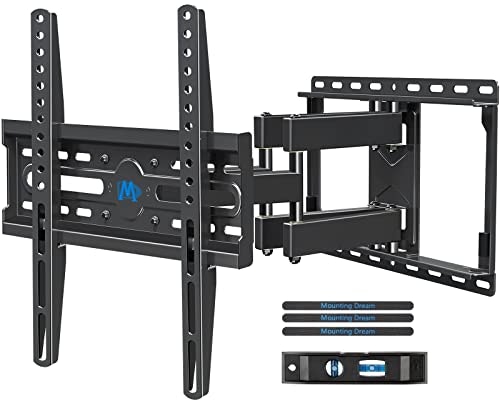
Full motion articulation lets you swivel and tilt the TV for better viewing angles from couches or corners, making it a solid pick for larger rooms or open floor plans, and it's currently $3 off the list price at Amazon. Buy Now at Amazon
Features
- Fits 32-70 inch TVs up to 99 lbs
- Tilts and swivels to reduce glare and optimize angles
- Retracts to 3.4 inches and extends to 17.5 inches
- Includes post-installation leveling adjustment
- Sturdy 6-arm articulating design for safety
Amazon · Aug 14, 2026
$23 $23
free shipping w/ Prime
more
↑ less
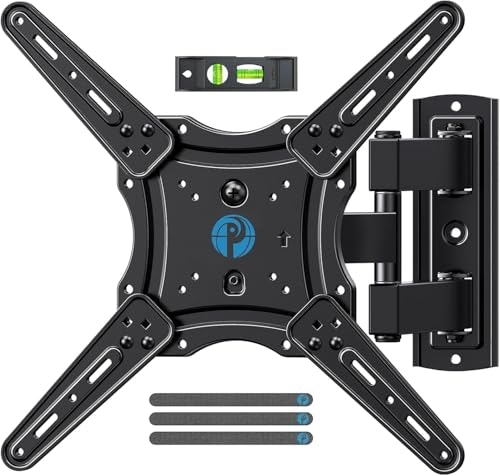
Handy for anyone mounting a TV in a spot that needs adjusting for glare or seating angles, since the full-motion arm lets you tilt, swivel, and extend the screen rather than locking it flat against the wall. At $22.96, the price is essentially the same as the $22.99 list, so there's no real discount here. Buy Now at Amazon
Features
- Fits 26-65 inch TVs with VESA 75x75 to 400x400mm
- Supports up to 77 lbs with heavy-duty steel
- Tilts and swivels for perfect viewing angles
- Extends 17 inches and retracts to 2.36 inches
- Single-stud design for simple installation
Amazon · Aug 13, 2026
$35 $42
free shipping w/ Prime
more
↑ less
Update: The price has changed to $34.99 since this was originally published.
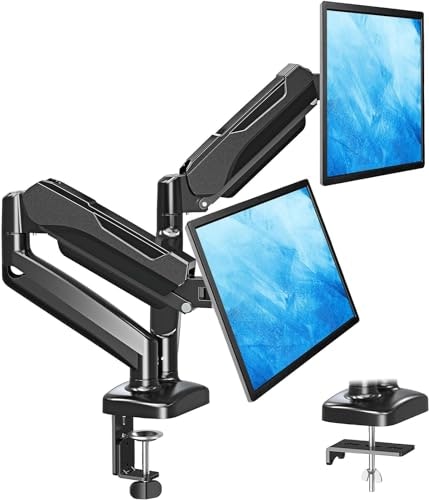
Useful for anyone running two monitors who wants to reclaim desk space and adjust screen positioning independently, and currently about $9 off the $42 list price. Buy Now at Amazon
Features
- Fits screens 17 to 32 inches, 4.4 to 17.6 lbs
- Supports 135-degree tilt, 180-degree swivel, 360-degree rotation
- Includes C-clamp and grommet mounting options
- Pneumatic arms provide smooth 9.4-inch height adjustment
- Integrated cable management system clears desk space
Ends Today
Amazon · Aug 11, 2026
$15 $21
free shipping w/ Prime
more
↑ less
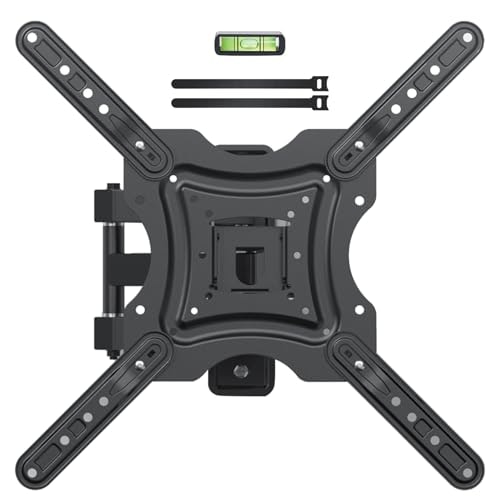
A budget-friendly option for anyone mounting a smaller TV who wants tilt, swivel, and extension without paying much for the hardware. At $15, that's $6 off the $21 list price. Buy Now at Amazon
Features
- Supports 19-55 inch screens up to 66 lbs
- Durable reinforced steel construction
- Full motion with tilt and swivel adjustment
- Integrated cable management for clean setup
- Compatible with VESA patterns 75x75mm to 400x400mm
Ends Today
Amazon · Aug 11, 2026
$21 $21
free shipping w/ Prime
more
↑ less
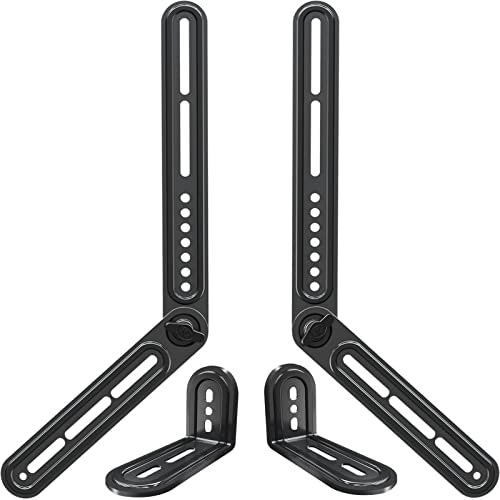
A simple wall-mount bracket for soundbars that keeps your audio setup tidy without the soundbar sitting on a shelf or blocking your TV stand, priced $0.20 below list. Buy Now at Amazon
Features
- Supports soundbars up to 15lbs
- Compatible with VESA patterns up to 600x400mm
- 180-degree swivel for mounting flexibility
- Installs above or below TV without wall drilling
- Includes necessary hardware and installation instructions
Computers: The Basics
Shopping for computers doesn’t have to drain your savings — if you know how to find the best prices. Our team of experts review the sales and publish the best computer deals so you don’t have to work half as hard.
Basic Computer Terminology
You don’t have to be a tech wiz to buy your next computer. Make note of these common terms to help you when you’re shopping computer sales!
- Operating System (OS): This is the system that controls how your computer performs basic functions. The most common operating systems you’ll see right now are Windows 10 and Mac OS X. They perform comparably, so picking one relies on personal preference.
- Random-access memory (RAM): The short-term memory of your computer. Your RAM controls how quickly and efficiently your computer is able to switch between tasks. The higher the RAM, generally, the better the performance.
- Processor (CPU): The powerhouse or “brain” of the computer, your processor handles your computer’s basic instructions, such as using your mouse and keyboard, or running applications. The two most popular CPU manufacturers are AMD and Intel. You can read about which processor is right for you in this article from Digital Trends.
- Storage: There are two types of physical computer storage, hard drives (HD) and solid state drives (SSD). SSD storage is more common these days because they are more stable and faster. While it’s ideal to aim for greater storage space, a bigger drive will cost more money. Determine your storage needs based on how you plan to use your computer. Abt recommends starting with at least 500 GB of storage space.
What Deals Are Available on Disney+ Bundles?
Disney+ bundle deals provide significant savings when combining services. For example, the Verizon Disney Bundle offered six months of Disney+, Hulu, and ESPN+ for free with select Unlimited plans. Bundles like the Disney+ Premium annual plan ($159.99) save you the cost of two months compared to monthly payments. Bundle options like the ad-supported Duo Basic plan (Disney+ and Hulu) start at $10.99 per month, while ad-free Duo Premium is $19.99. Learn more on the Disney+ Bundle Deals page.
You can also explore seasonal and promotional deals during events like Black Friday to maximize your savings. Check out the Best Disney+ Deals page for current offers.
How Much Is a Disney+ Subscription?
Disney+ subscriptions currently start at $8 per month for the ad-supported Basic plan, while the Premium ad-free plan is priced at $13.99 per month or $139.99 annually. Prices will increase beginning October 17, 2024, with the Premium plan rising to $15.99 per month or $159.99 annually. Explore all pricing options on the Disney+ Subscription Costs page.
Best Disney+ Deals
Disney+ offers value-packed streaming bundles, such as the Disney+, Hulu, and Max bundle starting at $17 per month with ads or $30 per month ad-free. Disney+ also supports paid sharing, allowing you to add one extra member for $6.99 per month with Basic or $9.99 per month with Premium. Prices are increasing on October 17, 2024, so finding deals like these is more important than ever. For more information, visit our Best Disney+ Deals page.
Annual Disney+ Subscription Costs
Disney+ Premium annual plans cost $139.99 but will rise to $159.99 on October 17, 2024. Opting for the annual plan saves you the equivalent of two months compared to monthly billing. Note that annual payments are only available for standalone Disney+ Premium plans and not for bundles. Customize your subscription to include ad-supported or ad-free options with Hulu, ESPN+, or Max. See all pricing details on the Disney+ Subscription Costs page.
Frequently Asked Questions
What is a VPN?
VPN stands for “virtual private network.” A VPN protects your internet usage by routing your internet connection through a private server. Using a VPN keeps your online browsing more private and also grants you access to websites and content that may not be available in your country.
For more information about VPNs, visit our NordVPN Free Trial Guide and our NordVPN Subscription Cost Page.
Want to know the moment we post a great deal on TVs?
Create an Alert